Chapter 5 Parameter Introductions
102
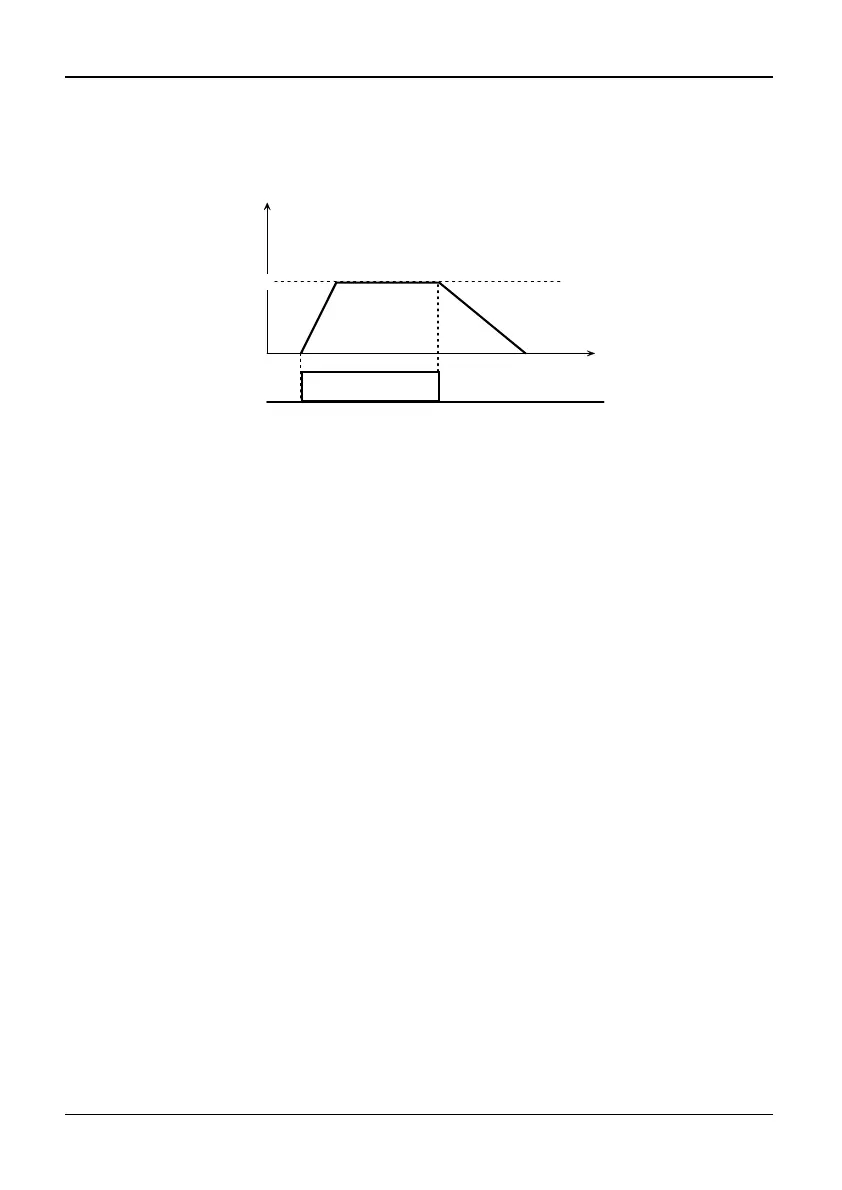
is for jog reverse command, as shown in Fig.5-3-2. The defined Jog function of
terminal isn’t limited by run command mode selection (P0.04). When Jog
frequency, and jog Acc/Dec time can be defined in P2.00~P2.02.
Operation Freq.(Hz)
P2.00
JOG
Time
Fig. 5-3-2 JOG operation
10~12: UP/DOWN
If P0.03 is set to 2, frequency setting will be the sum of frequency setting 1 and
frequency setting 2.
Whether the UP/DOWN terminal is effective or not, the reference frequency will be
the sum of initial value of UP/DOWN and frequency setting 2. If any UP/DOWN
terminal is effective, the frequency will increase or decrease at the rate of UP/DN rate
(P3.10). And the UP/DOWN frequency range will be from the sub of frequency
setting 2 and P3.11 to the sum of frequency setting 2 and P3.11. If UP/DOWN
function terminal is not effective, the frequency reference of UP/DOWN will keep
constant. The frequency reference of UP/DOWN will be saved or not according to
the UP/DN reference saving selection P3.12, if UP/DOWN function is not effective
and STOP key has been pressed. But if UP/DOWN function is effective, the frequency
reference of UP/DOWN will keep the initial value. As shown in Fig.5-3-3.



 To Next Page