Chapter 5 Parameter Introductions
125
T1 T2 T4 T5
Run command
f1
f2
f3
f4
f5
Operation Freq. (Hz)
Time
Stopping signal
Continue to operate at the frequency when the inverter stops
a1
a2
a3
a4
a5
Remnant time of stage 3
d3
Operating time of stage 3
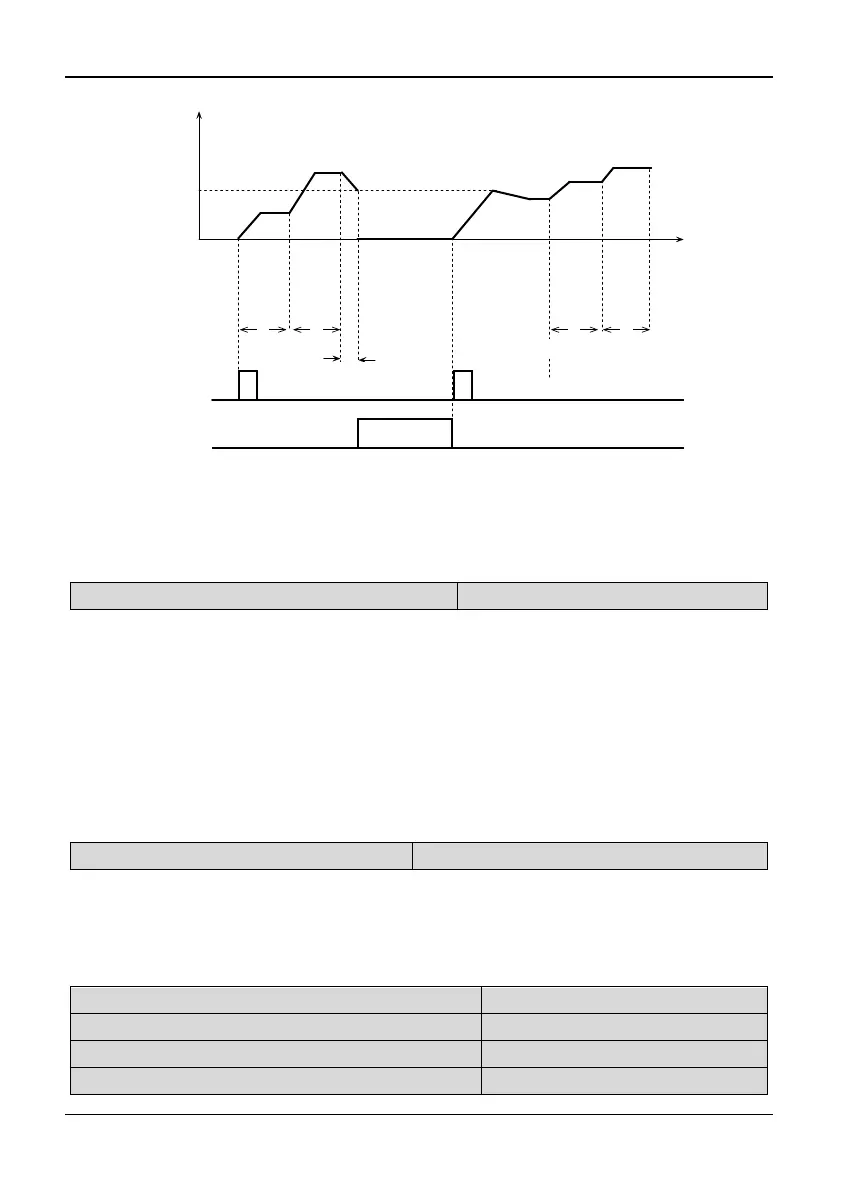
Fig. 5-5-5 PLC start mode 2
Tips:
The difference between mode 1 and mode 2 is that the inverter can record the operating
frequency when the inverter stops and will run at the recorded frequency after restart in
mode 2.
P5.02 Saving PLC status when power off
Range: 0,1【0】
0: Not save 1: Save
Note:
Not save
The inverter does not save the PLC operating state when the power is off and restart
from the first stage after the power is on.
Save
The inverter will save the PLC operating parameters such as the PLC operating stage,
PLC operating frequency, and PLC operating time when power is off. The inverter will
start the PLC operation again according to the defined PLC restarting mode of P5.01.
.
P5.03 Unit of step time
Range: 0,1【0】
0: Second 1: Minute
Note:
This unit is only valid for defining the PLC operating time. The unit of Acc/Dec
time in PLC operation is still second.
P5.04 Operating Timing T1
Range: 0.1~3600【10.0】
P5.05 Operating Timing T2
Range: 0.0~3600【10.0】
P5.06 Operating Timing T3
Range: 0.0~3600【10.0】
P5.07 Operating Timing T4
Range: 0.0~3600【10.0】



 To Next Page