Chapter 5 Parameter Introductions
101
Setting Function
Setting Function
68
Speed measuring input SM1
(3004GB/35R5PB and below is
only decided by X4;
35R5GB/37R5PB and above is
only decided by X7 )
69
Speed measuring input SM2
(3004GB/35R5PB and below is
only decided by X5;
35R5GB/37R5PB and above is
only decided by X8)
Notes to functions listed in Table 5-3-1:
0: NULL: No defined
The defined terminal is invalid. The inverter does not detect the status of the terminal nor
response to the terminal. In other words, the function of terminal is forbidden. To avoid
disturbance or mistaken action effectively, define the terminals that are not in use as this
function
1~5: Operating modes
Refer to P3.09 operating modes setup.
6: RST: Reset
In fault state, the inverter can be reset by keyboard by pressing “STOP/RESET” or
by terminal on or off, if the terminal has been set as RST function. In running state,
it can stop the inverter according to selection of stop mode. RST function is active
at the rising edge, so it must be operated as “disabled-enabled-disabled”, shown in
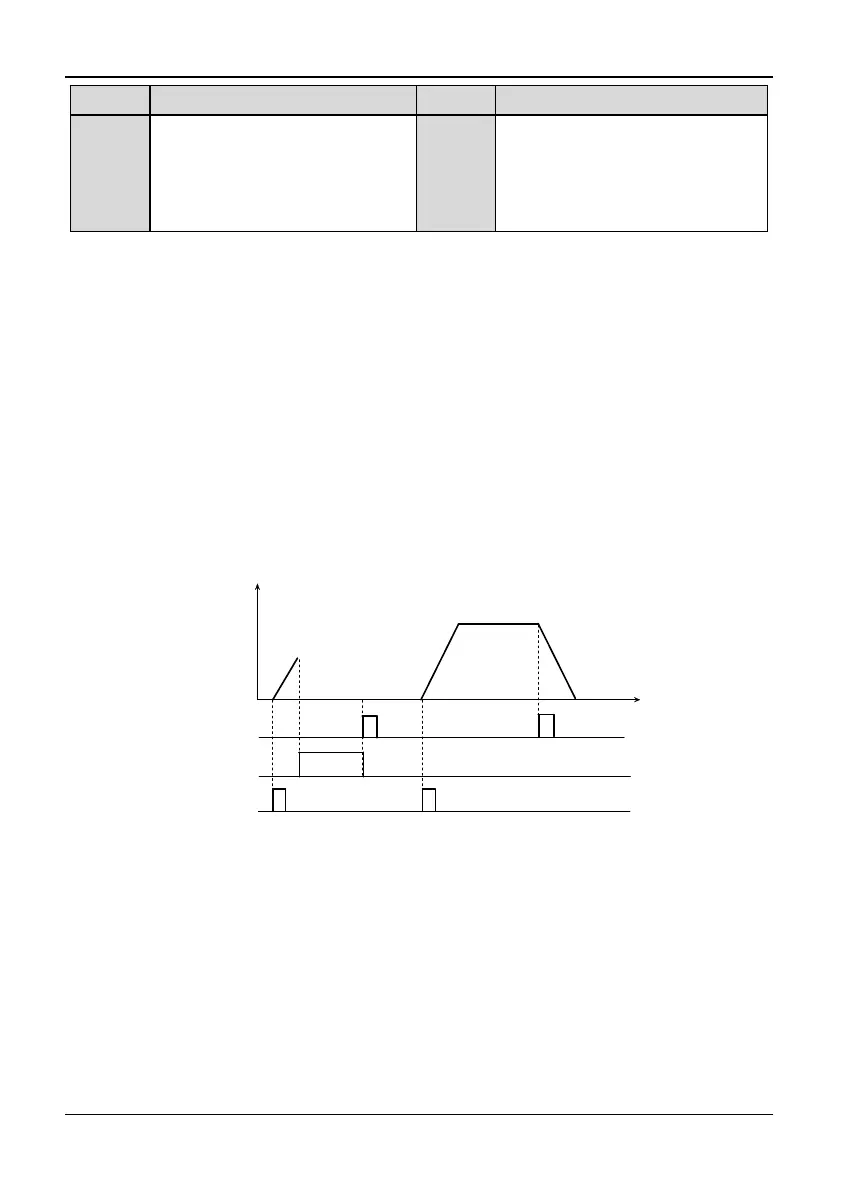
Fig. 5-3-1.
Reset command
Keyboard display
w arning display
Normal display
Operation Freq.(Hz)
Run command
Time
Fig. 5-3-1 Terminal reset
7: FC: Setting frequency selection
If setting is 7: If P0.03 is set to 1, the operation frequency setting mode can be
selected by FC function terminal. If FC terminal is enabled, frequency setting set
will be determined by P0.02 (frequency setting 2); if FC terminal is disabled,
frequency setting set will determined by P0.01 (Frequency setting 1). With FC
terminal, user can switch the frequency set mode when the inverter is in running
state. This function can make the output frequency control more flexible.
8~9:Jog operation signal (FJOG/RJOG)
If setting is 8 or 9, this terminal can enable jog operation, when inverter doesn’t
start up by other running command. FJOG is for jog forward command and RJOG



 To Next Page