Chapter 5 Parameter Introductions
108
42~44: Terminal PLC Control
Start PLC operation: If the function is valid, frequency setting 1 will be selected as
PLC operation. Wobble frequency operation and PID operation are similar.
Pausing PLC operation: Timing paused.
If the setting value is 43 and the terminal function is valid, the PLC operation will
be paused and the inverter runs at zero-speed. If the pausing instruction is removed,
the inverter will continue the PLC operation from the pause point. If press
“STOP/RESET” while the Terminal PLC Control is valid and the inverter is in PLC
running state, The PLC operation counter will be cleared. And start according to
start mode next time. If inverter is not working in PLC operating mode, the pausing
PLC operation function will be invalid.
Reset PLC stop status:
In stop state of PLC operation, the memorized PLC operating information such as
the PLC operating steps, operating time, etc. will be cleared when this terminal is
enabled.
45~46: Terminal wobble frequency operation
Starts wobble frequency operation: If wobble frequency operation is enabled,
frequency-setting 1 will be selected as wobble frequency operation.
Reset the wobble frequency operating status: In stop state of wobble frequency
operation, the valid terminal can clear the wobble frequency operating information
memorized in stop.
47: Terminal PID operation
Start PID operation: If PID operation terminal is enabled, frequency setting 1 will
be selected as PID close-loop operation.
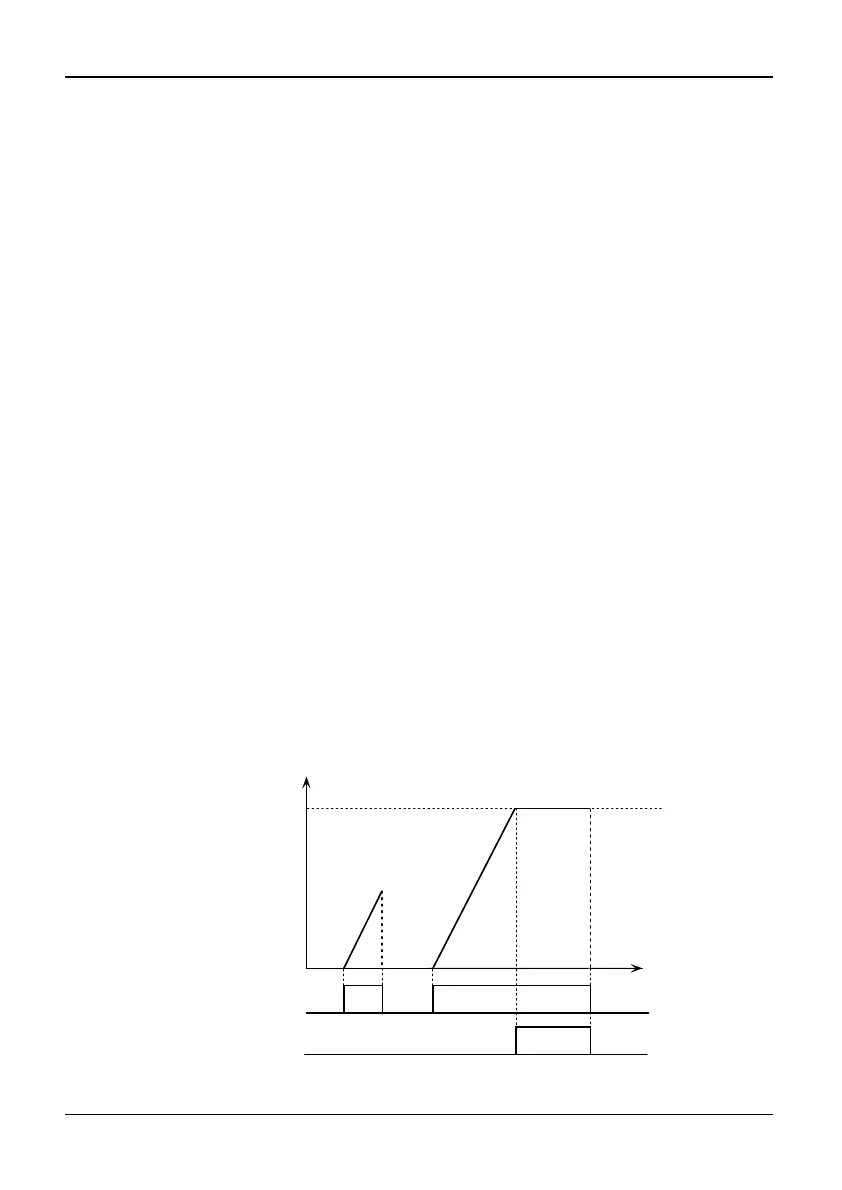
49/53: Timing drive input
If the 49 terminal is valid, start the timing, else zero-clear.
If the timing arrives at preset setting of P3.25, stop timing. As shown in Fig.5-3-7:
When the 53 terminal is valid, the unit of P3.25(preset of timing arriving) will be
minutes, or it will be second.
Preset Timing
arrivingP3.25
Timing drive
input terminal
Timing drive timing
Timing drive
signal output
Fig. 5-3-7 Timing drive input



 To Next Page