Chapter 5 Parameter Introductions
103
Reference Freq.(Hz)
Frequency
setting 2
Run command
UP command
DOWN
command
STOP
command
amplitude
Frequency setting1+Frequency setting 2 UP/DOWN Terminal Run
UP/DN reference
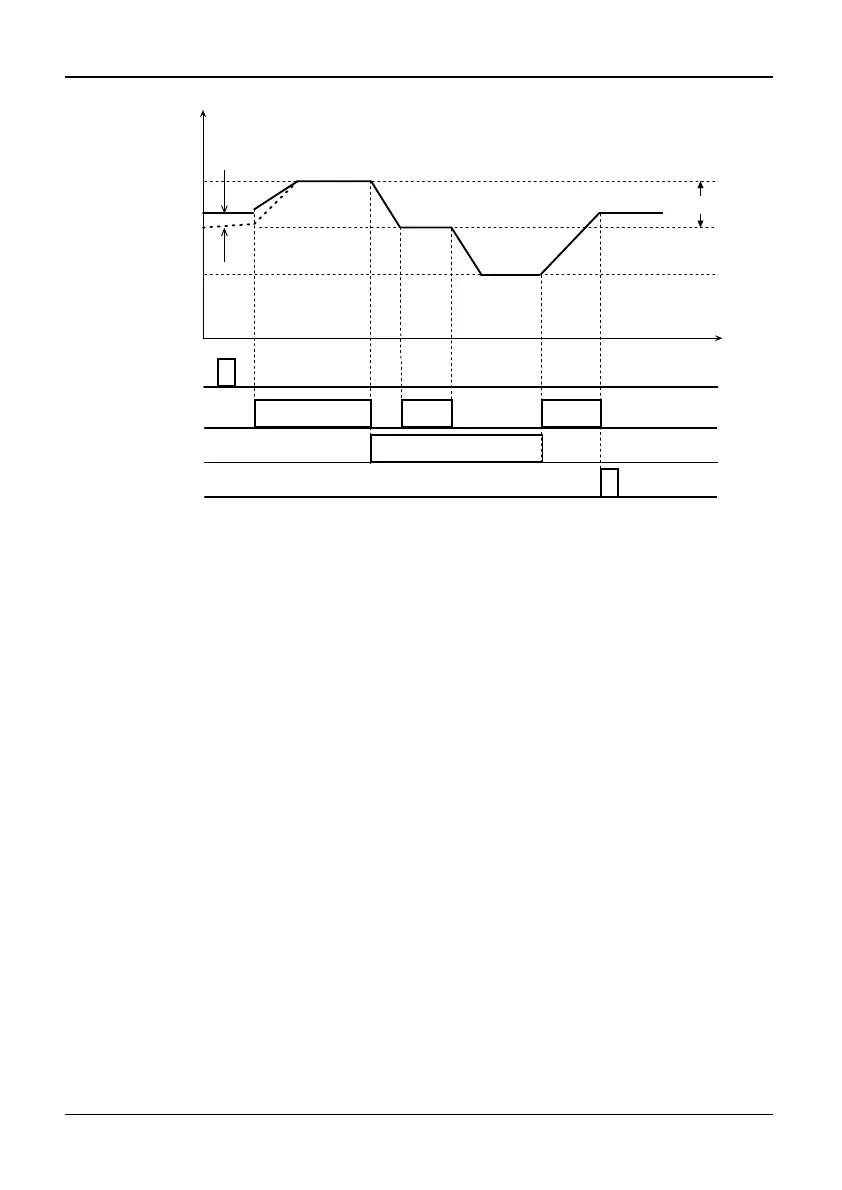
Fig. 5-3-3 UP/DOWN combination operation diagram
Note: UP/DOWN Terminal is valid only when P0.01 is set to 7 and the inverter must
be in running state.
If frequency setting selection (P0.03) is not 2, the frequency set mode will be
frequency setting mode 1. If frequency setting mode 1 has chosen Terminal UP/DN
(setting value is 7) function, whether the terminal UP/DN is effective or not, the
inverter will run at initial value of UP/DN (If the UP/DN reference is lower than
zero, the inverter will run at zero-speed). If any UP/DN function terminal is
effective, the UP/DN reference frequency will be changed by terminal UP/DN.
And the frequency is increased or decreased on currently operating frequency at the
rate of Terminal UP/DN rate setting (P3.10). At this time, if UP/DN is disabled,
currently running frequency will be the final UP/DN reference frequency. The
frequency reference of UP/DN will be saved according to selection of saving the
UP/DN reference if UP/DOWN function is not effective and “STOP/RESET” key
has been pressed. The saved direction is positive. However, if UP/DOWN function
is effective, the frequency reference of UP/DOWN will keep the initial value even
if press “STOP/RESET” key. As shown in Fig.5-3-4.
13: FRE Coast-to-stop
If the setting value is 13 and the function terminal is effective, the inverter will stop
PWM output immediately, and exit from running state. Running command is only
active after release of terminal FRE. No matter what selection is set to P0.04 (Run
command mode selection) and what mode is set to P1.08 (stop mode), the FRE
Coast-to-stop function will take effect if the terminal function has been defined and
enabled.



 To Next Page