Chapter 3 Operation
45
By pressing the
>>
key, user can view the parameters value of stop state. If you want
to see the details of fault information, press the
PRG
ESC
key, the keyboard will go to
programming state, to see the details, please see the parameter values of group PE.
To reset the inverter, press the
STOP
RESET
key or control terminals or serial communication.
If the fault signal still exists, the keyboard will keep the fault code displaying and the
indicator TRIP lighting.
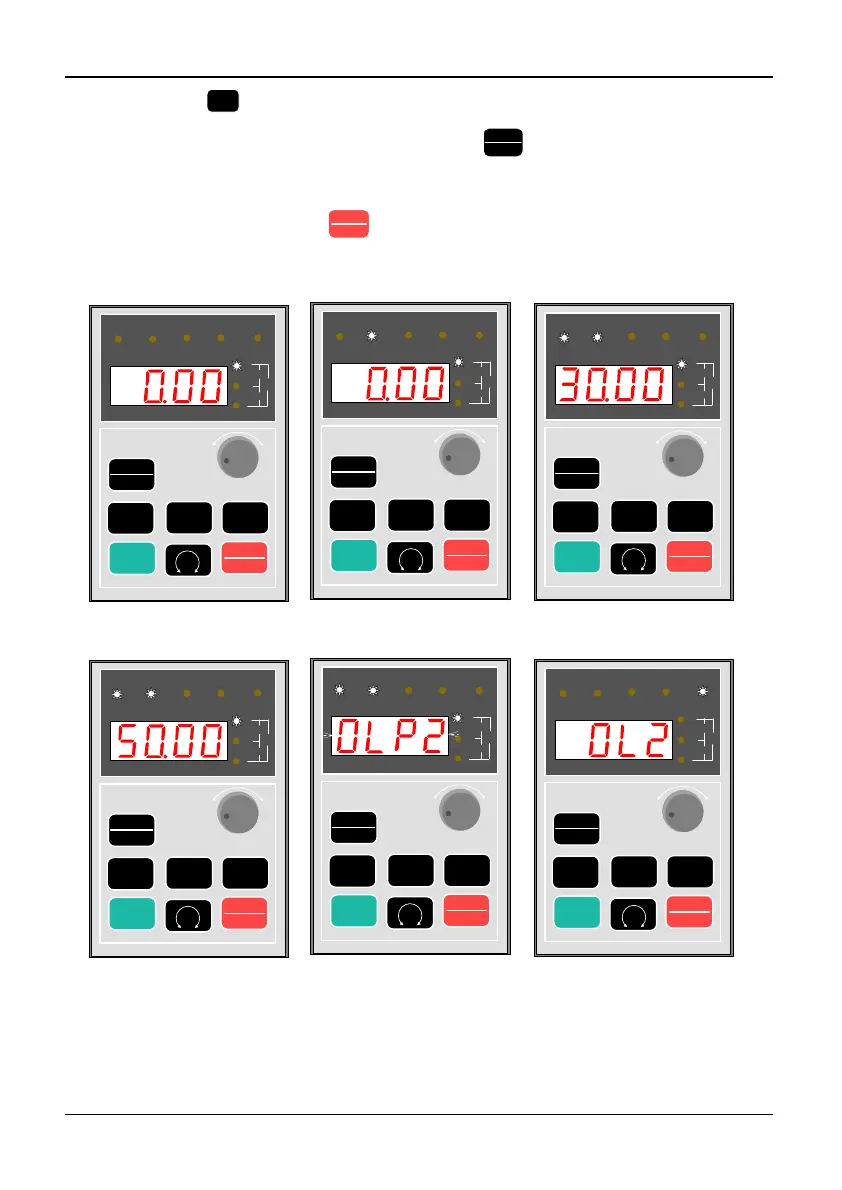
3-3-1 Display of power on.
Output frequency is 0.00Hz
3-3-2 Display of stop state.
RUN is off,FWD blink slowly
3-3-3 Display of running state
RUN is on,FWD blink fast when speed up
3-3-4 Display of running state
RUN is on,the inverter run to the
setting frequence and FWD is ON
at steady state.
3-3-5 Display of warning state.
The warning code is flickering
3-3-6 Display of fault state.
The fault code is shown and TRIP is on
RUN
PRG
ESC
>>
ENTER
JOG
STOP
RESET
RUN FWD REV TRIPREMOTE
r/mi n
m/s
%A
V
Hz
RUN
PRG
ESC
>>
ENTER
JOG
STOP
RESET
RUN FWD REV TRIPREMOTE
r/min
m/s
%A
V
Hz
RUN
PRG
ESC
>>
ENTER
JOG
STOP
RESET
RUN FWD REV TRIPREMOTE
r/m i n
m/s
%A
V
Hz
RUN
PRG
ESC
>>
ENTER
JOG
STOP
RESET
RUN FWD REV TRIPREMOTE
r/mi n
m/s
%A
V
Hz
RUN
PRG
ESC
>>
ENTER
JOG
STOP
RESET
RUN FWD
REV
TRIP
REMOTE
r/min
m/s
%A
V
Hz
RUN
PRG
ESC
>>
ENTER
JOG
STOP
RESET
RUN FWD REV TRIPREMOTE
r/m i n
m/s
%A
V
Hz
-
+
-
+
-
+
-
+
-
+
-
+
Figure 3-3 Display of initialization, stop, running, warning and stop of inverter
Programming state



 To Next Page