Chapter 2 System Overview
Page 48 of 314 Part Number: 0160-6411, Rev A, 02/2019
Software Release: cOS 5.00
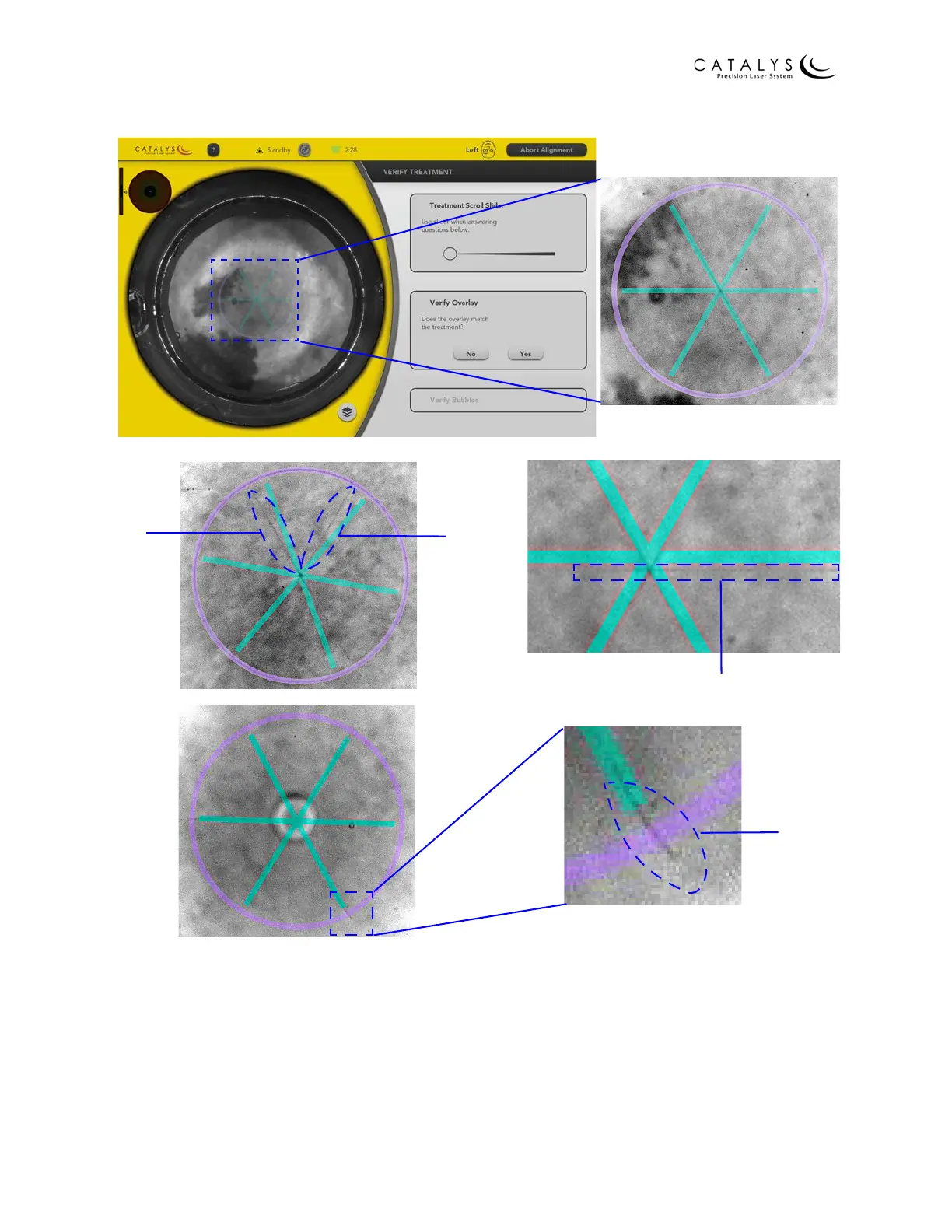
Figure 2.23 Verify Treatment Screen after Treatment
NOTE
If the fragmentation pattern does not match the fragmentation overlay, press the NO button to
proceed to the Verify Alignment Results Screen. Refer to step 17. on page 50.
15. Position the slider to the first image that has bubbles of any size over approximately 50%
of the capsulotomy circumference. Press the OK button.



 To Next Page