Chapter 9 — Interference Analyzer, Option 25 9-10 Spectrogram Menu
MS20xxA VNA Master UG 10580-00166 Rev. C 9-21
9-10 Spectrogram Menu
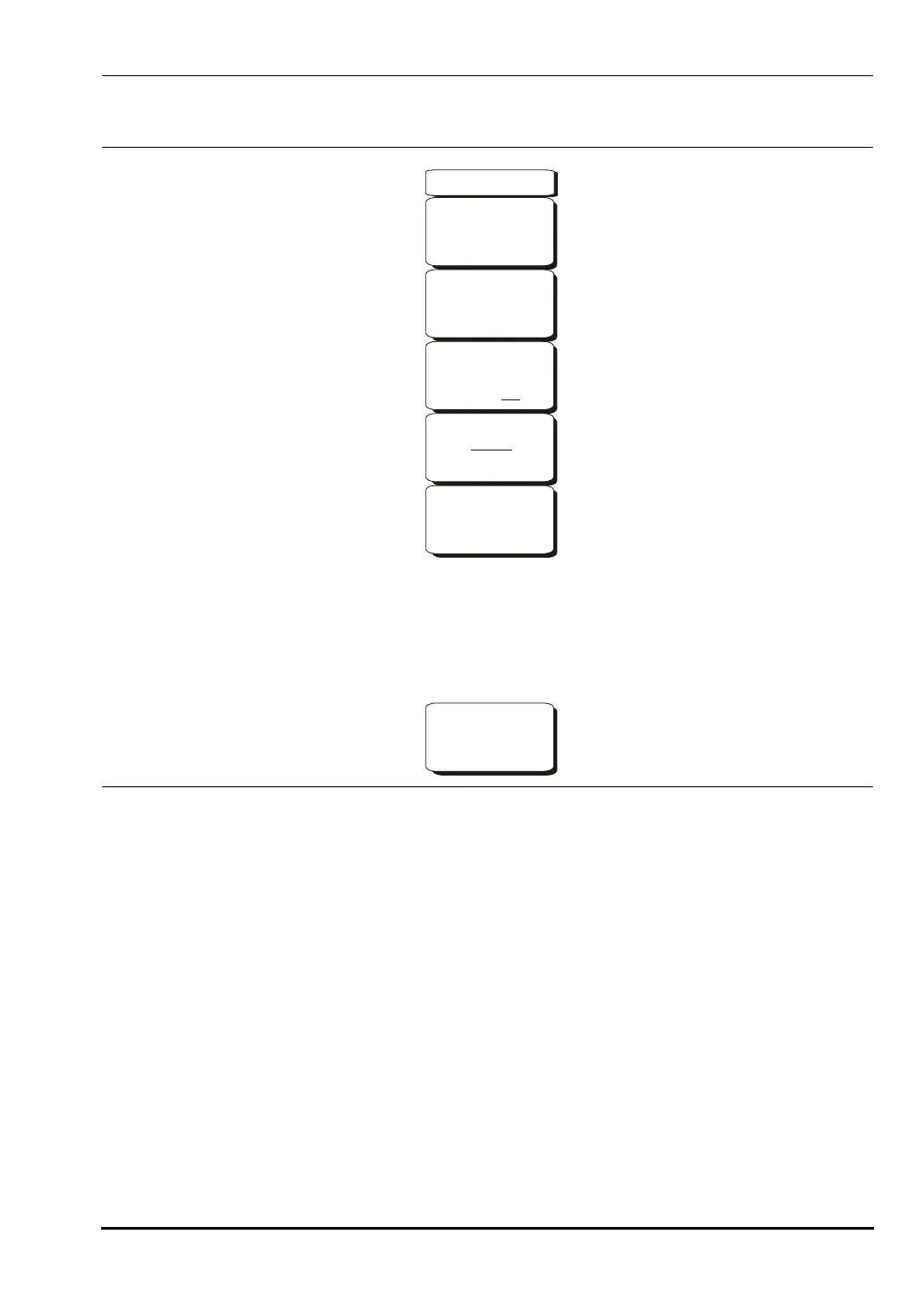
Sweep Interval
Press the Sweep Interval soft key and use the rotary knob or keypad to set the time
from 1 millisecond to 60 seconds. Setting this value to 0 seconds causes the instrument
use auto sweep interval.
Time Span
To set the total time span for a display, press the
Time Span soft key and use the rotary
knob or keypad to enter a time between 60 seconds (1 minute) and 259,200 seconds
(72 hours). When the time span is reached, the measurement stops. When set to zero
(Auto) time span, the measurement runs continuously. Entering a time span value
causes the corresponding sweep interval value to be automatically computed and
shown when the
Sweep Interval soft key is pressed. The VNA Master always displays
time span in seconds.
Figure 9-9. Interference Analyzer Mode Spectrogram Menu
-->
Spectrogram
Sweep Interval
Auto
Time Span
Auto
Auto Save
On Off
Time Cursor
0
Reset/
Restart
Measurement
10580-00166C.book Page 21 Thursday, February 21, 2008 12:52 PM







 To Next Page