Chapter 3 — Vector Network Analyzer 3-7 VNA Key Functions - File Menu
MS20xxA VNA Master UG 10580-00166 Rev. C 3-29
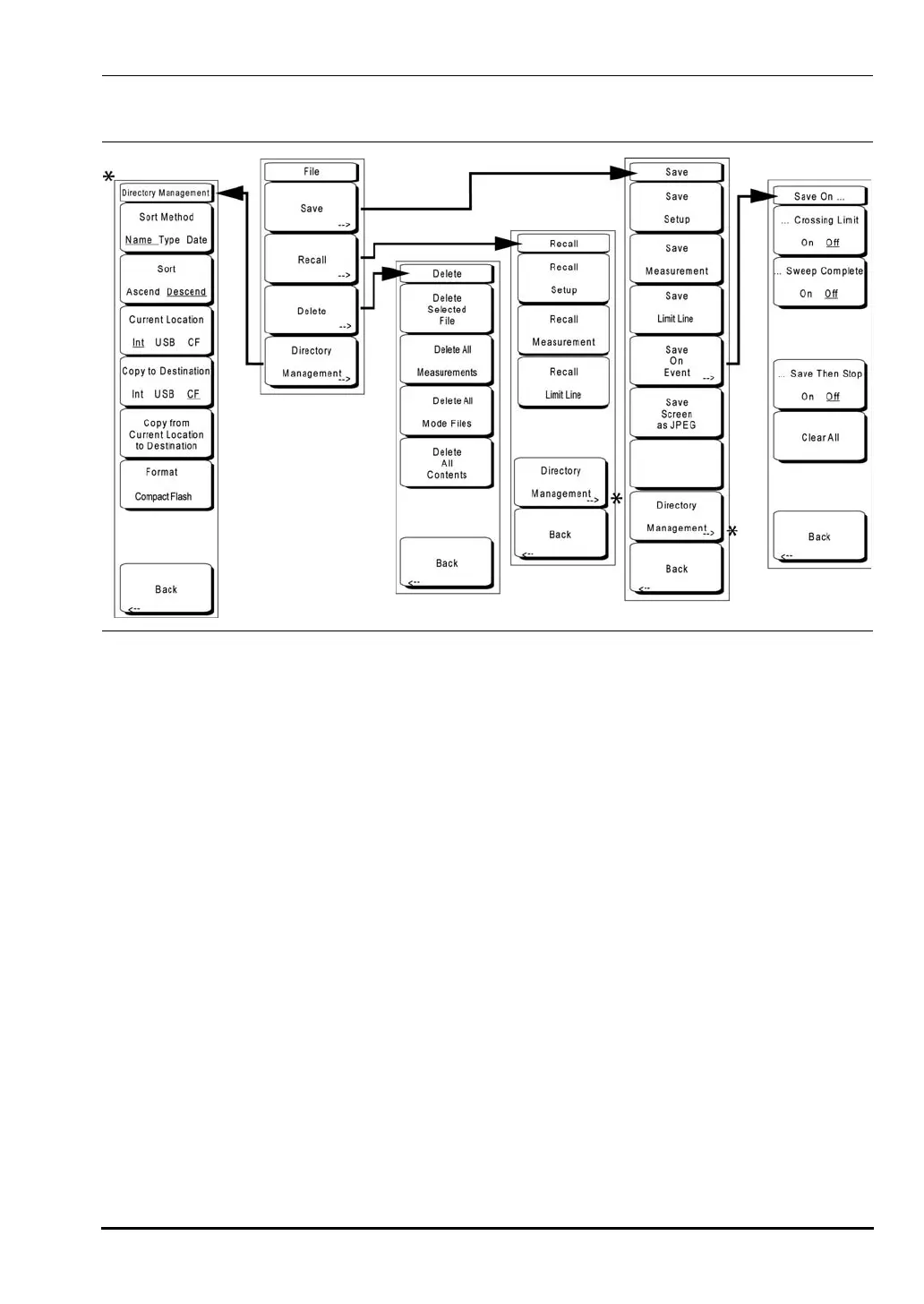
File Menu
To access the File Menu, press the Save/Recall function hard key or press the Shift key, then
the
File (7) key or the Save/Recall function hard key.
Save
Measurements may be saved to the internal memory, an external Type-1 Compact
Flash module, or a USB Flash Drive. Anritsu recommends saving to external storage if
a large number of measurements are to be saved. The instrument is shipped with a
Compact Flash module and a USB Flash Drive. In order to hold the entire contents of
the internal memory, external memory devices must be at least 256 MB. Compact
Flash modules greater than 512 MB storage capacity may not function properly.
For information on external memory part numbers, see Section "1-8 Standard and
Optional Accessories" on page 1-6.
Save Setup
Opens a dialog box to name and save the current operating settings, allowing
them to be recalled later to return the instrument to the state it was in at the
time the setup was saved. The saved setup can be named using the keypad to
select numbers, the rotary knob to highlight a number or character and pressing
the knob to select, or by selecting the soft key for each letter. Use the
Shift key to
select an upper case letter. Use the
Left/ Right directional arrows to move the
cursor position. Press
Enter to save the setup.
Figure 3-21. File Menu
10580-00166C.book Page 29 Thursday, February 21, 2008 12:52 PM













 To Next Page