Chapter 2 — Quick Start Guide 2-3 Front Panel Overview
MS20xxA VNA Master UG 10580-00166 Rev. C 2-3
The eight soft keys are located to the right of the display. They change function depending
upon the current mode of operation and menu selection. The current soft key function is
indicated at the top of the active function block, which is located to the right of the display.
The active function block displays a label for each active soft key. If a soft key has no function
in the current mode, then the active function block display is blank adjacent to that soft key.
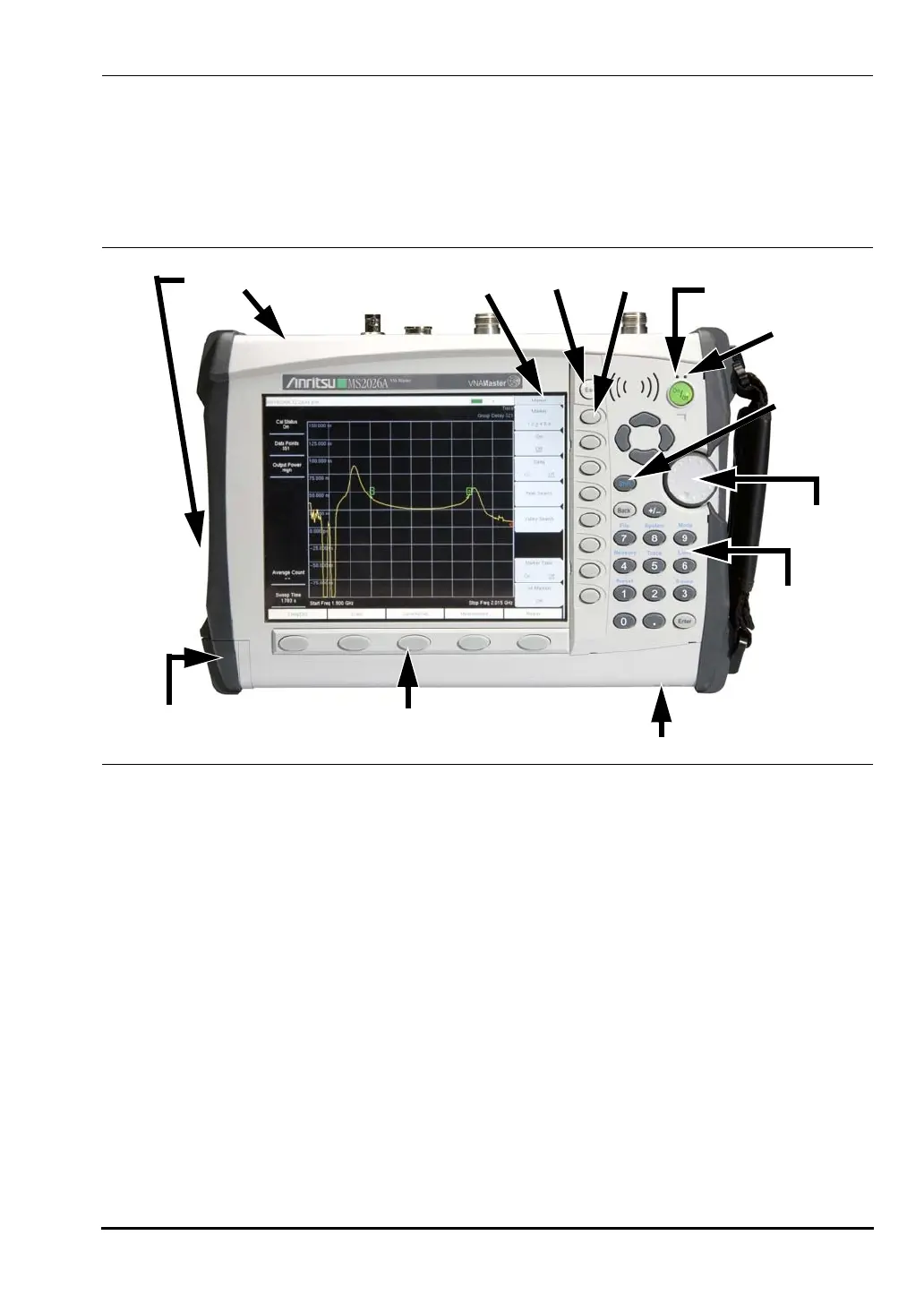
The locations of all of the keys are shown in Figure 2-2 “Front Panel Overview” .
Other features on the front panel include:
Battery Charge LED (green)
The Battery Charge LED will flash if the battery is charging and will remain on and steady
when the battery is fully charged.
Charge Fault LED (red)
The Charge Fault LED will remain on and steady under a battery charger fault condition.
Fault conditions include a battery cell voltage that is too low to charge, or a battery
temperature outside the temperature range (-5º C to +50º C) to charge.
Fan Inlet and Exhaust Ports
The fan inlet and exhaust ports must be kept clear of obstructions at all times for proper
ventilation and cooling of the instrument.
Figure 2-2. Front Panel Overview
Function Hard Keys
Active Function
Block
Escape Soft
Keys
Shift
Key
Charge
Fault LED
Battery
Charge
LED
Keypad
Fan Inlet
Fan Exhaust Ports
Rotary
Knob
Battery
Compartment
10580-00166C.book Page 3 Thursday, February 21, 2008 12:52 PM












 To Next Page