Chapter 3 — Vector Network Analyzer 3-6 VNA Measurements - Phase Measurements
MS20xxA VNA Master UG 10580-00166 Rev. C 3-21
12. Press the Marker function hard key and turn on Marker 1 by pressing the Marker soft key
to select the number 1 and pressing the
On/Off soft key.
Phase Measurements
The VNA Master can display both S11 and S21 phase. 2-Port Phase measurements can use
both High (0 dBm) and Low (-30 dBm) power settings.
1-Port Phase Measurement
The following example compares the phase of two cables using a 1-port phase measurement.
The dynamic range and phase uncertainty are better with 2-port phase measurements.
Procedure
1. Press the Measurement function hard key and select Next | 1-Port Phase (Field menu) or
S11 Reflection | Phase (VNA menu).
2. Press the
Freq/Dist function hard key and set the Start Frequency and Stop Frequency.
3. Press the
Start Cal soft key and perform a 1-port calibration at the desired reference
plane.
4. Connect Cable A to the
RF Out reference plane.
5. Press the
Shift key, then the Trace (5) key.
6. Select the
Copy Trace to Display Memory soft key.
7. Remove Cable A and connect Cable B to the
RF Out reference plane.
8. Select the
Trace Minus Memory soft key to view the difference in phase between the two
cables.
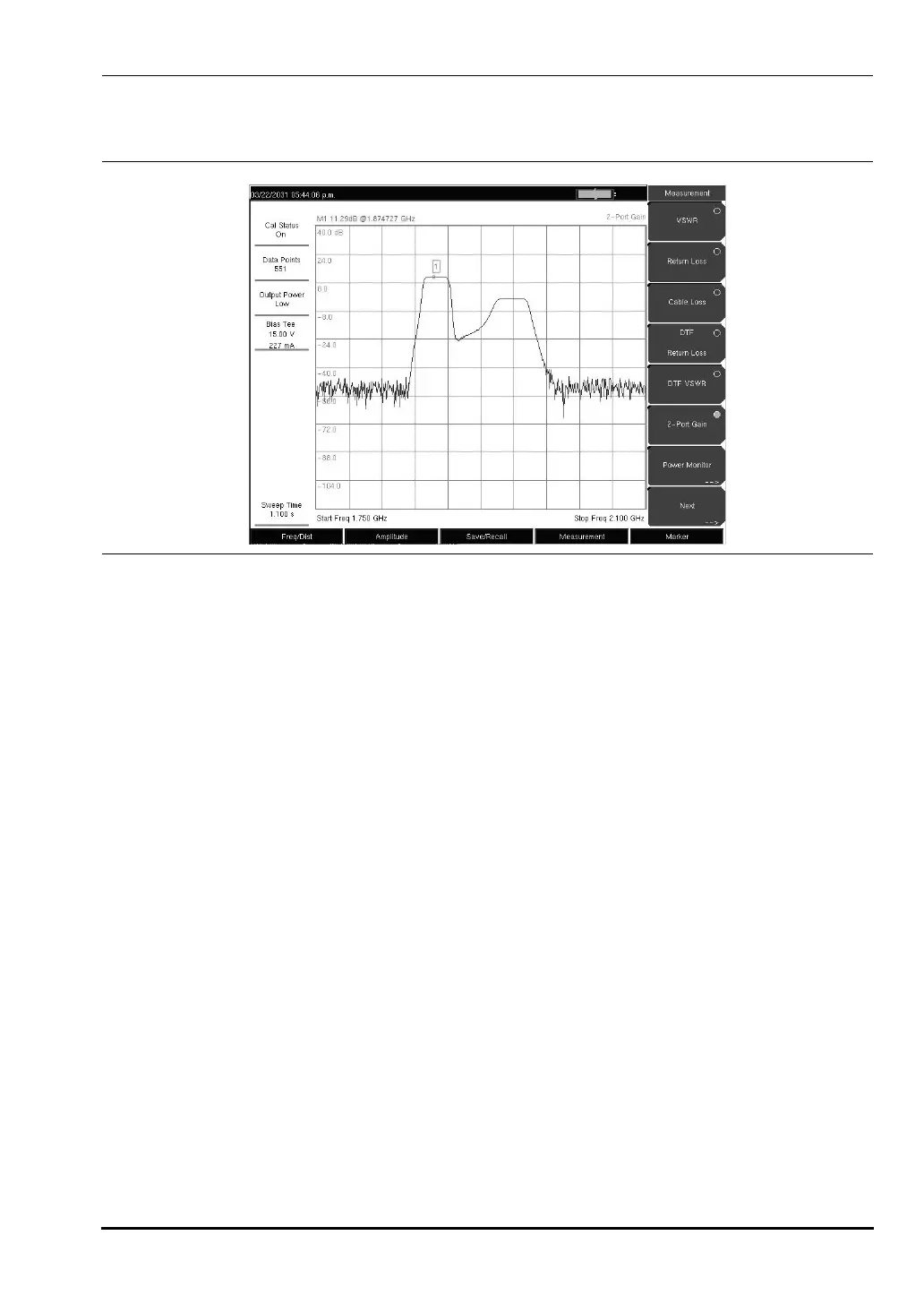
Figure 3-14. 2-Port Gain of a TMA (Field Measurement Menu Shown)
10580-00166C.book Page 21 Thursday, February 21, 2008 12:52 PM













 To Next Page