Chapter 2 — Quick Start Guide 2-10 Test Panel Connectors
MS20xxA VNA Master UG 10580-00166 Rev. C 2-13
Dynamic Host Configuration Protocol (DHCP) is an Internet protocol that automates the
process of setting IP addresses for devices that use TCP/IP and is the most common method of
configuring a device for network use. To determine if a network is set up for DHCP, connect
the VNA Master to the network and select DHCP protocol in the
Ethernet Config menu.
Turn the VNA Master off, and then on. If the network is set up for DHCP, then the assigned
IP address should be displayed briefly after the power-on sequence.
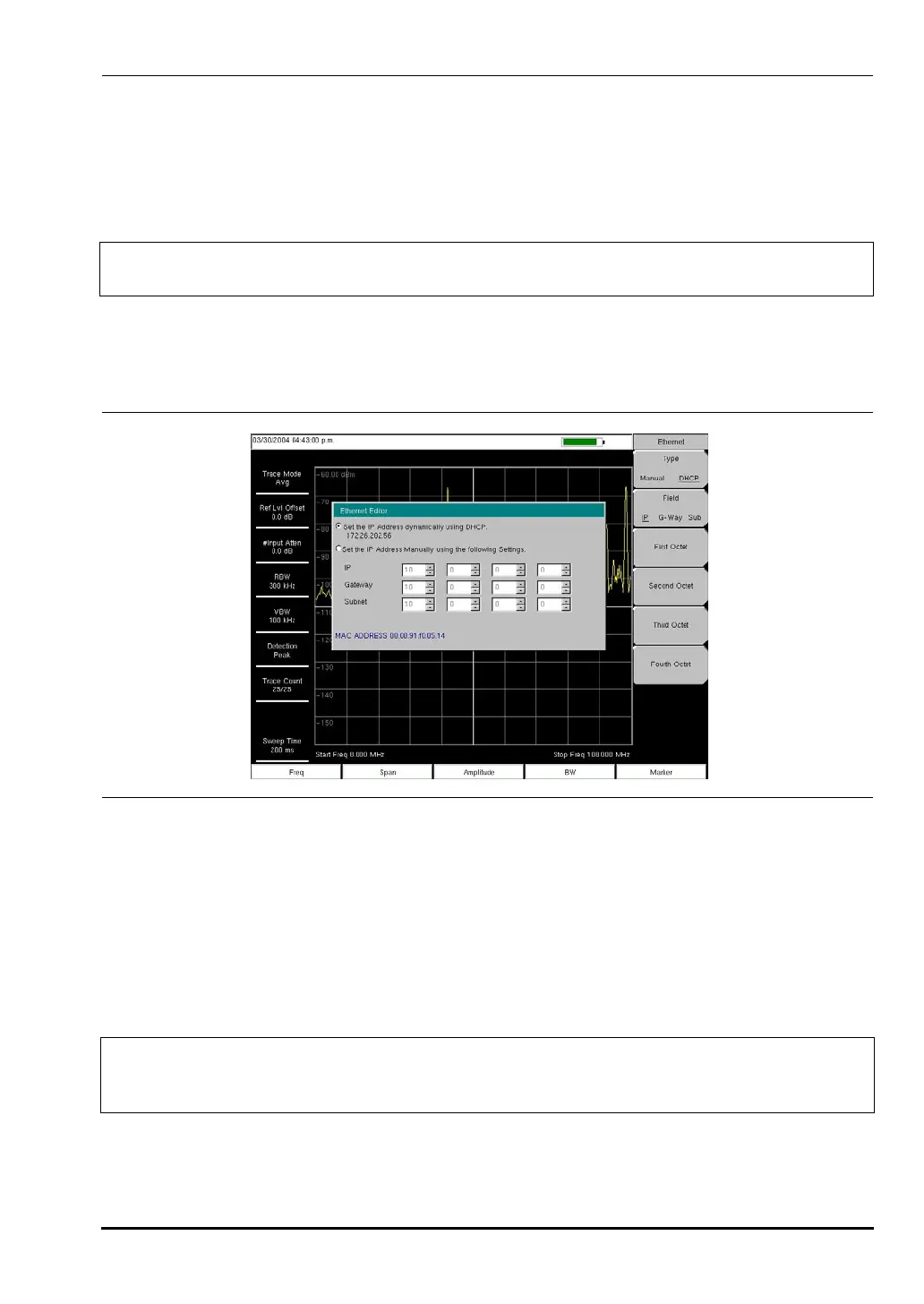
To display the IP address with the instrument on, press the
Shift key, then the System key,
then the
System Options soft key and the Ethernet Config soft key. The IP address will be
displayed as shown in Figure 2-11. For more information about DHCP, refer to
Appendix G, “More About DHCP”.
USB Interface - USB Type Mini-B
The USB 2.0 interface can be used to connect the VNA Master directly to a PC. The first time
that the VNA Master is connected to a PC, the normal USB device detection will be performed
by the computer operating system. The CD-ROM that is shipped with the instrument
contains a driver (for Windows 2000 and Windows XP) that is installed when Master
Software Tools is installed. Drivers are not available for earlier versions of the Windows
operating system. During the driver installation process, place the CD-ROM in the computer
drive and specify that the installation wizard should search the CD-ROM for the driver.
Note
In order to acquire an address from a DHCP protocol network, the VNA Master MUST
be connected to the network BEFORE being switched on.
Figure 2-11. IP Address Assigned Using DHCP
Note
For proper detection, Master Software Tools should be installed on the PC prior to
connecting the VNA Master to the PC USB port. Refer to
Chapter 13, “Master Software Tools” for more information.
10580-00166C.book Page 13 Thursday, February 21, 2008 12:52 PM













 To Next Page