8-5 Simple Relative Measurements using CW Display Chapter 8 — Vector Voltmeter, Option 15
8-6 MS20xxA VNA Master UG 10580-00166 Rev. C
8-5 Simple Relative Measurements using CW Display
The operations for relative measurements are described in the following steps.
1. From the
CW menu, preset the Vector Voltmeter Mode for relative measurements by
pressing the
Clear Reference soft key.
2. Connect the first DUT (device under test).
3. Save the measurement result of the first DUT by pressing the
Save New Reference soft
key.
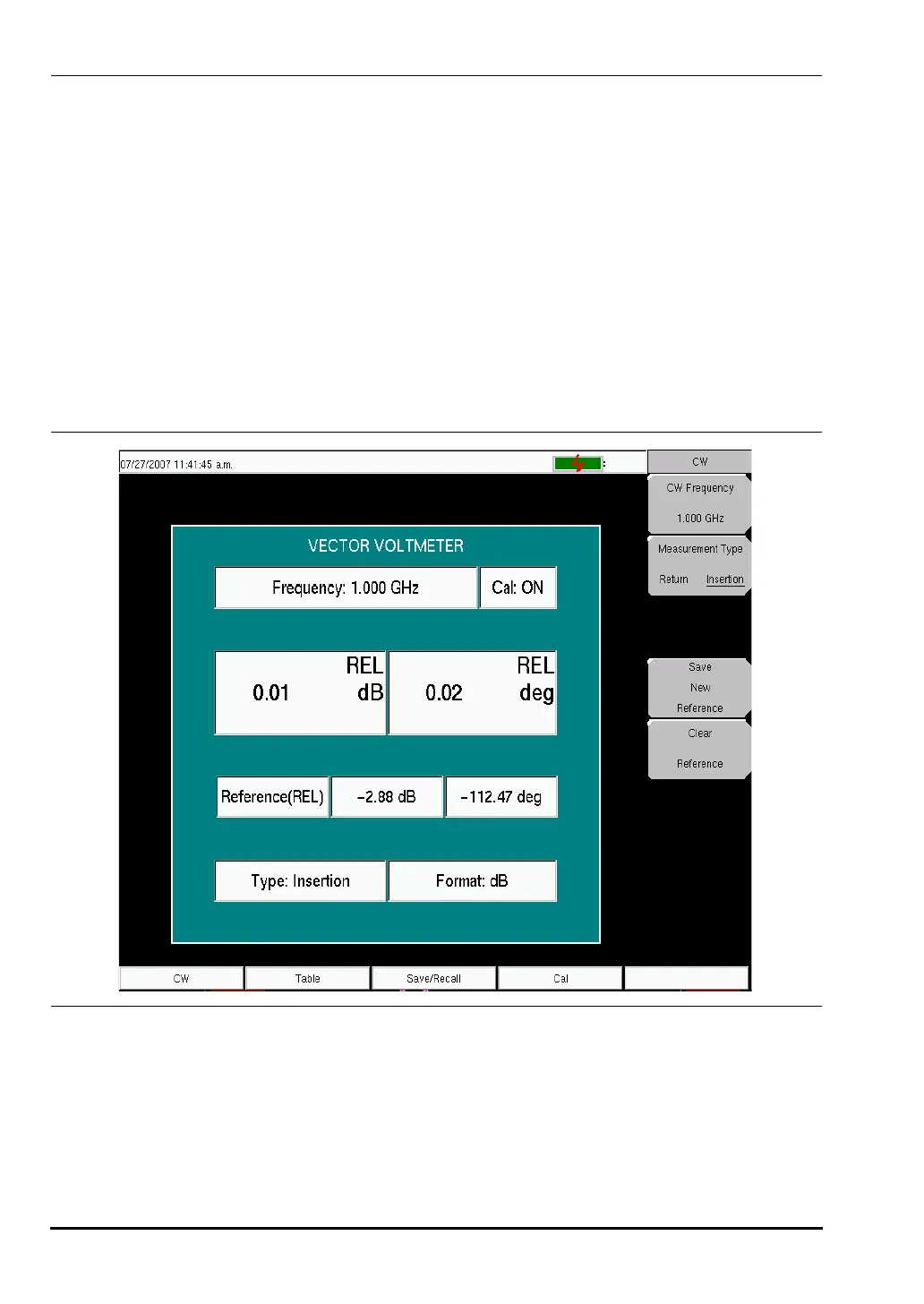
4. As shown in Figure 8-5, the Vector Voltmeter saves the current measurement in a new
reference window and converts the main measurement window to display the difference
between the current measurement and the saved reference. In other words, saving a
reference will normalize the results to the current measurement. When relative
measurements are displayed, REL is indicated in the main measurement window.
5. Connect the second DUT and view the difference between the first and second DUT
measurements.
6. To create a new reference, press the
Clear Reference soft key followed by the Save New
Reference
soft key
This completes the procedure for relative measurements.
Figure 8-5. Continuous Wave Menu with Relative Measurements
10580-00166C.book Page 6 Thursday, February 21, 2008 12:52 PM













 To Next Page