Chapter 3 — Vector Network Analyzer 3-6 VNA Measurements - Group Delay
MS20xxA VNA Master UG 10580-00166 Rev. C 3-23
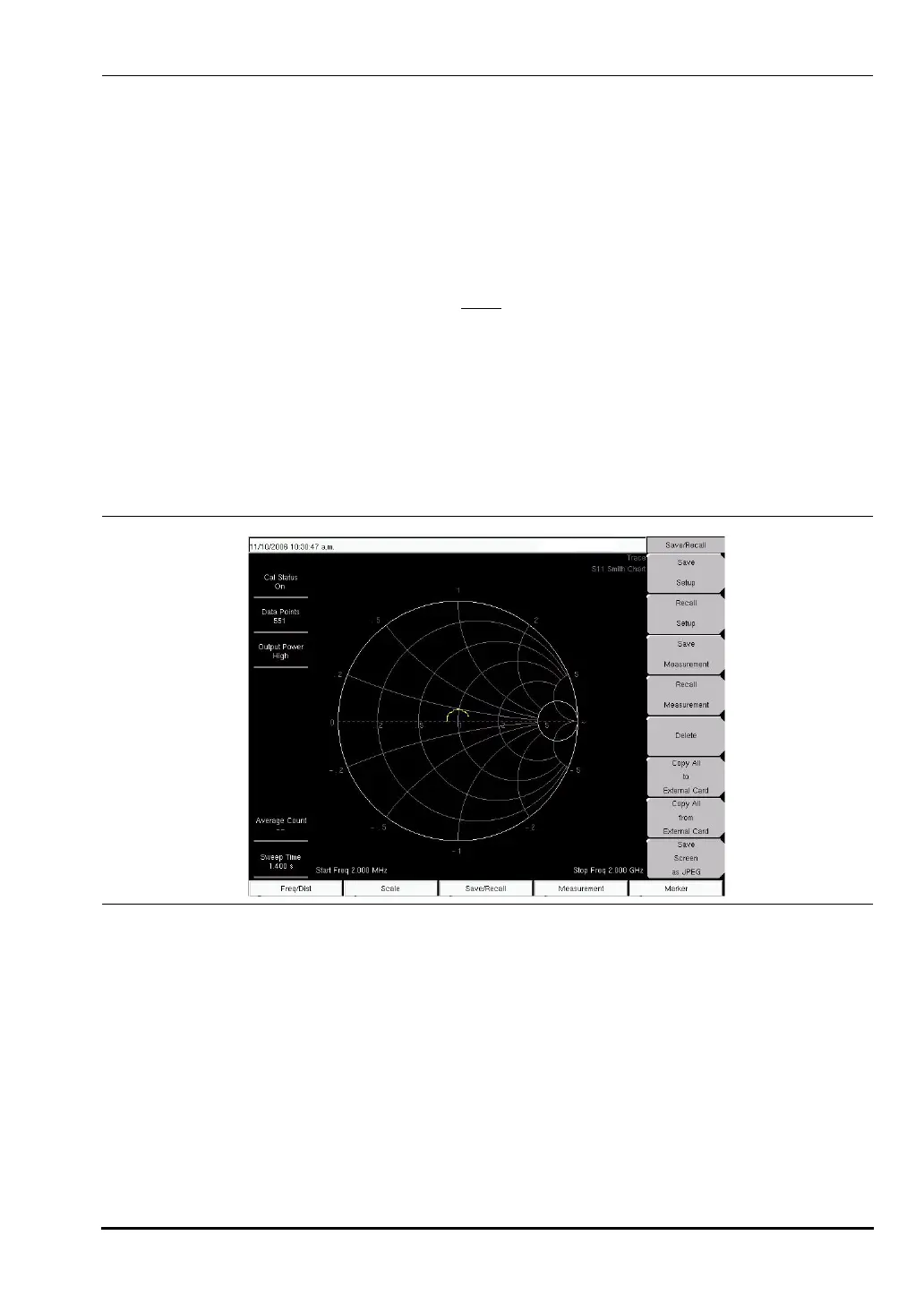
Smith Chart Measurement
The following example shows how a Smith Chart can be used to measure the match of an
antenna. In this example procedure, the instrument is using the VNA measurement menu.
Procedure
1. Ensure that the instrument is in Vector Network Analyzer mode and press the Shift key
and the
System (8) key, then press the Application Options soft key. The Meas Menu soft key
toggles between Field and VNA. The active measurement function is underlined.
2. Press the soft key (if necessary) until VNA
is underlined, then press the Back key.
3. The Measurement soft key menu now displays VNA measurement options.
4. Press the
Measurement function hard key and select S11 Reflection.
5. Select the Smith Chart soft key.
6. Press the
Freq/Dist function hard key and set the Start Frequency and Stop Frequency.
7. Press the
Start Cal soft key and perform a 1-port calibration.
8. Connect the antenna to the
RF Out connector on the VNA Master.
Group Delay
The VNA Master can display 1-port and 2-port measurements in a Group Delay format. The
Group Delay provides the time required for the stimulus signal to travel through the Device
Under Test. Group Delay is determined by looking at the change in phase for a given change
in frequency. At least two data points must be measured to provide the change in frequency.
The Aperture setting allows the user to adjust the number of data points the VNA Master
measures before calculating the group delay. The aperture can be set from 2% to 20% of the
total sweep.
Figure 3-16. Smith Chart Measurement (VNA Measurement Menu Shown)
10580-00166C.book Page 23 Thursday, February 21, 2008 12:52 PM













 To Next Page