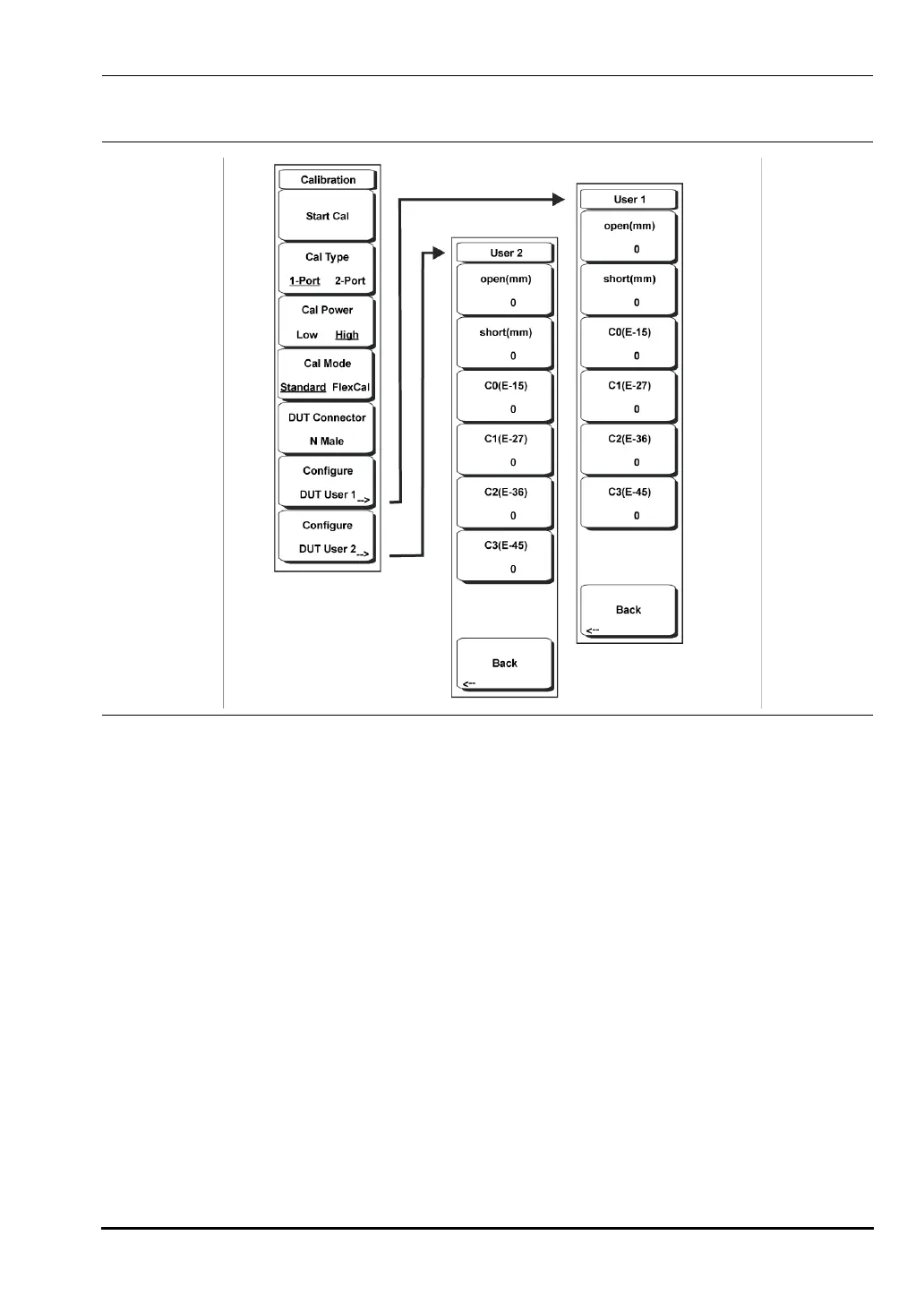
Chapter 3 — Vector Network Analyzer 3-7 VNA Key Functions - Calibration Menu
MS20xxA VNA Master UG 10580-00166 Rev. C 3-27
Calibration Menu
To access the Calibration Menu, press the Shift key, then the Calibration (2) key.
Start Cal
Press this soft key to begin the VNA calibration process for the current sweep settings –
calibration type, power, DUT connector and frequency settings. Calibration will always
use 551 data points during the calibration process, but will return to the selected
number of data points when the calibration is complete.
Cal Type
Toggles between a 1-port and 2-port calibration. 1-port calibrations allow
measurements of the reflective properties of the Device Under Test (DUT). 2-port
calibrations allow the instrument to measure the transmission and reflective properties
of the DUT. The 2-port calibration used by the VNA Master is a one-path, two port
method.
Cal Power
Toggles the output power of the RF Output port between High (0 dBm nominal) and
Low (-35 dBm nominal). High power is typically used for passive devices, while Low
power is intended for active devices with gain, where the higher RF power could
saturate the DUT and cause erroneous measurements.
Figure 3-20. Calibration Menu
10580-00166C.book Page 27 Thursday, February 21, 2008 12:52 PM













 To Next Page