3-3 Calibration - 2-Port Calibration Chapter 3 — Vector Network Analyzer
3-4 MS20xxA VNA Master UG 10580-00166 Rev. C
2-Port Calibration
The 2-port calibration is a 1-path 2-port OSLIT (open/short/load/isolation/through) calibration
that removes transmission response errors and transmission source match errors in addition
to reflection error terms.
1-Port Calibration Procedure (OSL)
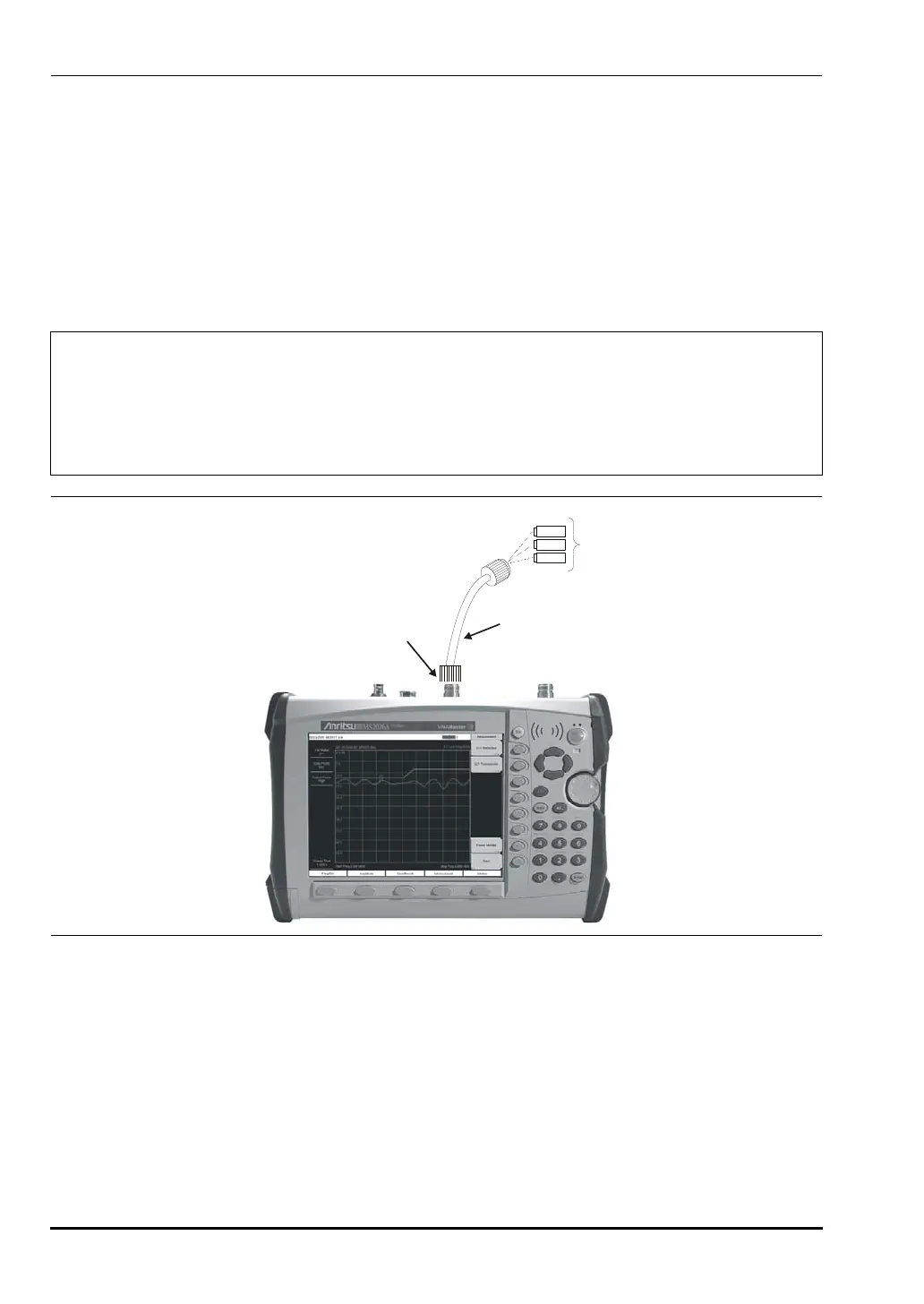
1. If a test port extension cable is to be used, then connect the cable to the RF Out connector
on the VNA Master. The calibration components will be connected at the end of the
extension cable.
2. Set the frequency range as described in “Setting the Frequency Range” on page 3-2.
3. Press the
Shift key and then the Calibrate (2) key.
4. Verify that the Device Under Test (DUT) connector, as shown on the
DUT Connector soft
key, is appropriate for the test setup. To choose a different connector, press the
DUT
Note
If a Test Port Extension Cable is to be used, then the VNA Master must be
calibrated with the Test Port Extension Cable in place. The Test Port Extension
Cable should be a phase stable cable. It is used as an extension cable on the test
port to ensure accurate and repeatable measurements. This phase stable cable
can be moved and bent while making a measurement without causing errors in the
measurement.
Figure 3-1. 1-Port Calibration
OPEN
LOAD
SHORT
CALIBRATION
RFOUT/REFLECTION
TEST PORT
TEST PORT CABLE (OPTIONAL)
10580-00166C.book Page 4 Thursday, February 21, 2008 12:52 PM












 To Next Page