2-3 Front Panel Overview Chapter 2 — Quick Start Guide
2-2 MS20xxA VNA Master UG 10580-00166 Rev. C
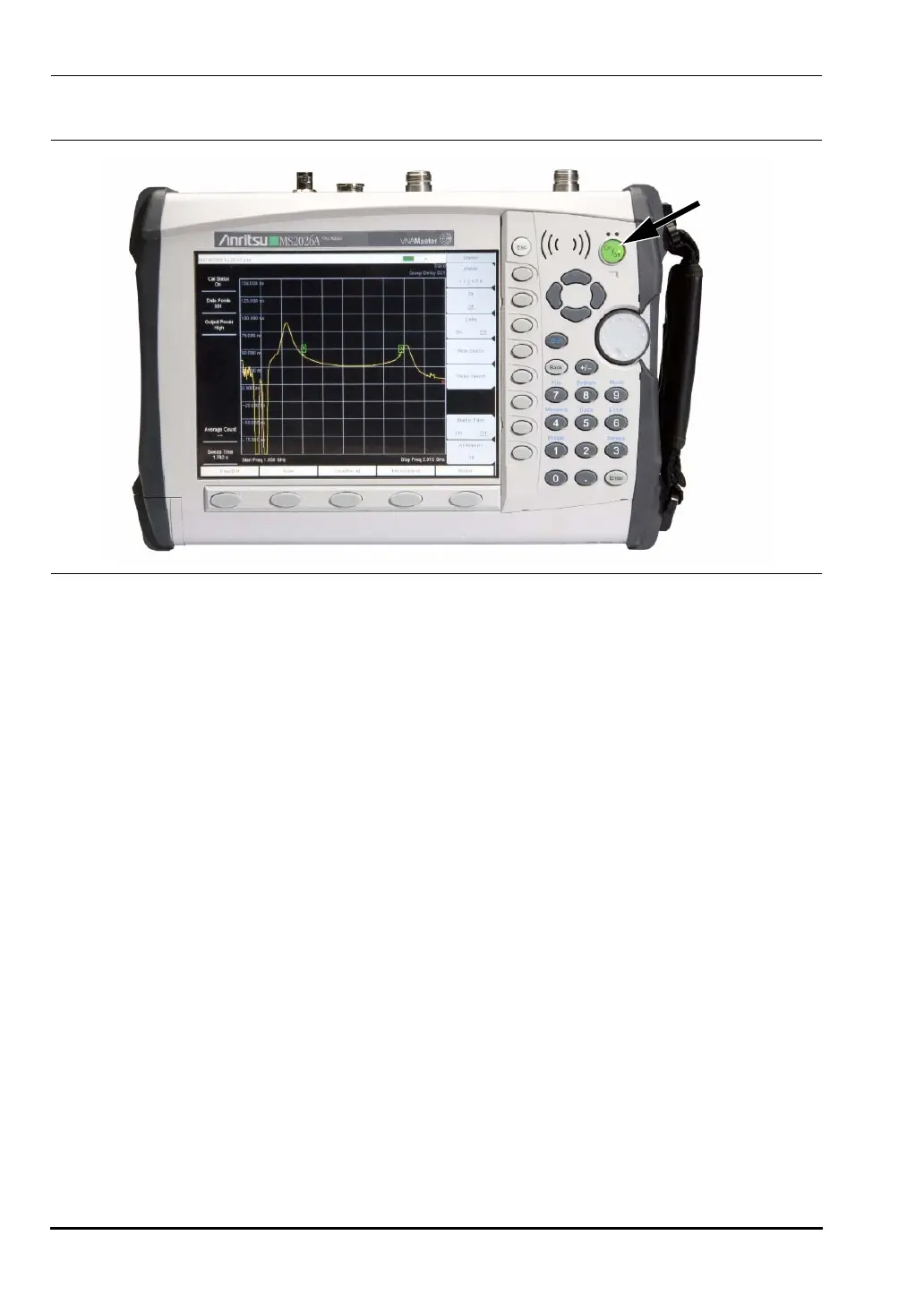
To turn on the VNA Master, press the On/Off front panel button (Figure 2-1).
The VNA Master requires approximately thirty-five seconds to complete the power-on cycle
and load the application software. At the completion of this process, the instrument is ready
to use.
The VNA Master performs a self test during each power-on cycle. If the self test fails, then
refer to “B-2 Self Test or Application Self Test Error Messages” on page B-1 in
Appendix B, “Error Messages”. For maximum accuracy, letting the instrument warm up for
approximately 15 minutes is a good practice before performing a calibration.
2-3 Front Panel Overview
The VNA Master menu-driven interface is easy to use and requires little training. Hard keys
on the front panel are used to initiate function-specific menus. Five function hard keys are
located below the display. These keys vary in function depending upon the current mode of
operation.
Located to the right of the display, the VNA Master has 21 hard keys and a rotary knob. Nine
of these hard keys (the number keys) are dual purpose, depending upon the current mode of
operation. The dual-purpose keys are labeled with a number on the key itself, and with the
alternate function printed on the panel above the key. Use the
Shift key to access the
functions printed on the panel above the key. The
Escape key (labeled Esc and used for
aborting data entry) is the round button located above the eight soft keys. Both the rotary
knob and the keypad can be used to change the value of an active parameter. The rotary knob
can also be pressed to duplicate the action of the
Enter key.
Figure 2-1. VNA Master On/Off Button (MS2026A shown)
10580-00166C.book Page 2 Thursday, February 21, 2008 12:52 PM













 To Next Page