7-3 Coverage Mapping LTE and TD-LTE Coverage Mapping
7-8 PN: 10580-00234 Rev. T 3GPP MG
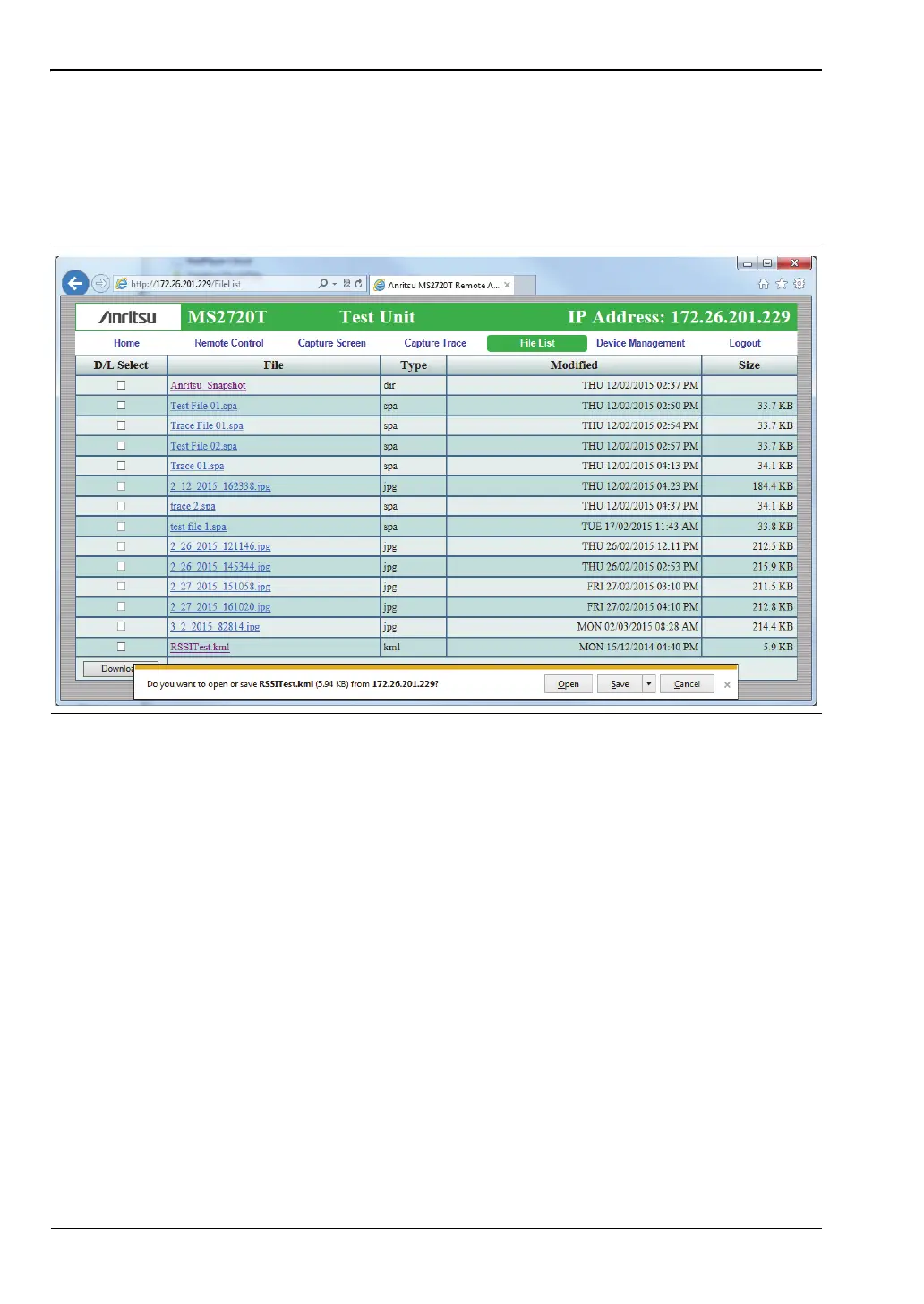
2. Click the File List tab and look for the .kml file you want to view in Google Earth. See
Figure 7-4.
3. Click the map file name in the File column. Alternatively, you can select the checkbox
next to the .kml file name, then click the Download button.
4. Click Open or Save in the pop-up dialog.
Figure 7-4. Web Remote Control Window - File List Tab














 To Next Page