Option Verification 5-16 DVB-T/H Signal Analyzer Verification, Options 64 and 57
MT8212E and MT8213E MM PN: 10580-00255 Rev. J 5-87
Setup
Procedure:
1. Turn On the MG3700A, MP8931A, ML2438A, and the Cell Master.
2. Perform a Zero/Cal on Sensor A on the power meter. Set the calibration factor of the sensor to 474 MHz.
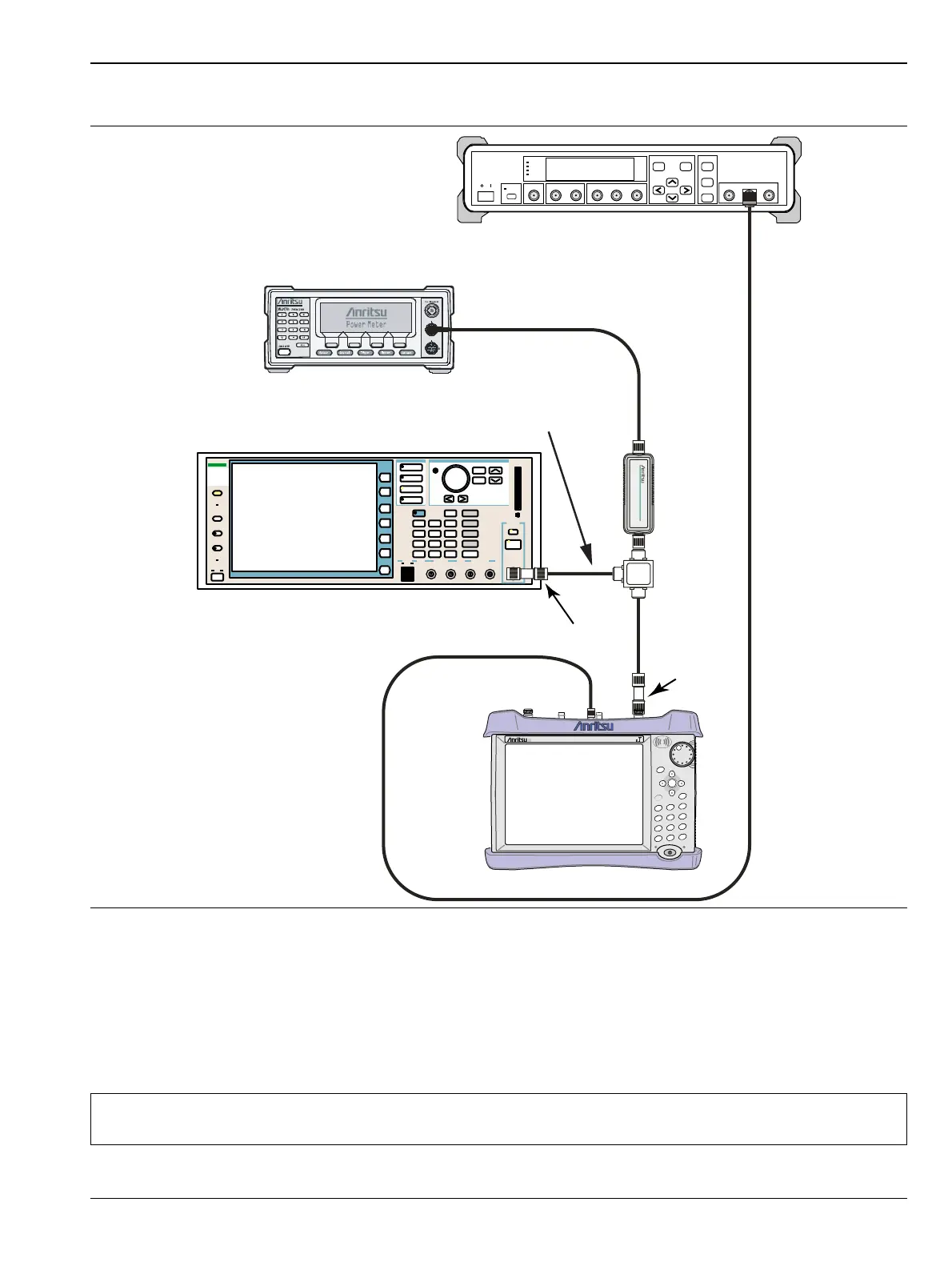
3. Connect the MG3700A Signal Generator, Power Splitter, Power Sensor, 34NN50A Adapter, Cell Master,
and the MP8931A as shown in Figure 5-17.
Figure 5-17. DVB-T/H BER, Option 57 – BER Functional Check Setup
Note
Use a 75 ohm BNC cable to connect between the DVB-ASI Input connector of the MP8931A and the
DVB-ASI Out connector of the Cell Master.
Function
Ethernet Control Input Modulation Input
Cursor/Edit
RF Output
3
MG3700
Vector Signal
Generator
250kHz-6GHz
3
MP8931A
MG3700A
ML2438A Power Meter
Power
Splitter
1870A
N(m) to
N(m)
Adapter
Power
Sensor
MA2482D
Adapter
15NNF50-1.5B
MP8931A
Power Charge
+/-
.
0
3
Sweep
2
Calibrate
1
Preset
6
Limit
5
Trace
4
Measure
9
Mode
8
System
7
File
Shift
Back
Enter
ESC
CellMaster
MT8212E
MT821xE Cell Master














 To Next Page