CPS100 SERIES OPERATION MANUAL
SECTION 6:
Front Panel Operation
Entire Contents Copyright 2018 by Adaptive Power Systems, Inc. (APS) • All Rights Reserved • No reproduction without written authorization from APS.
APS CPS100 Series Power Source Operation Manual Page 100 of 231
The LIST transient mode supports 50 list files.
Each list can be assigned a name. The default
name for each list is LIST n where n can be
from 1 ~ 50.
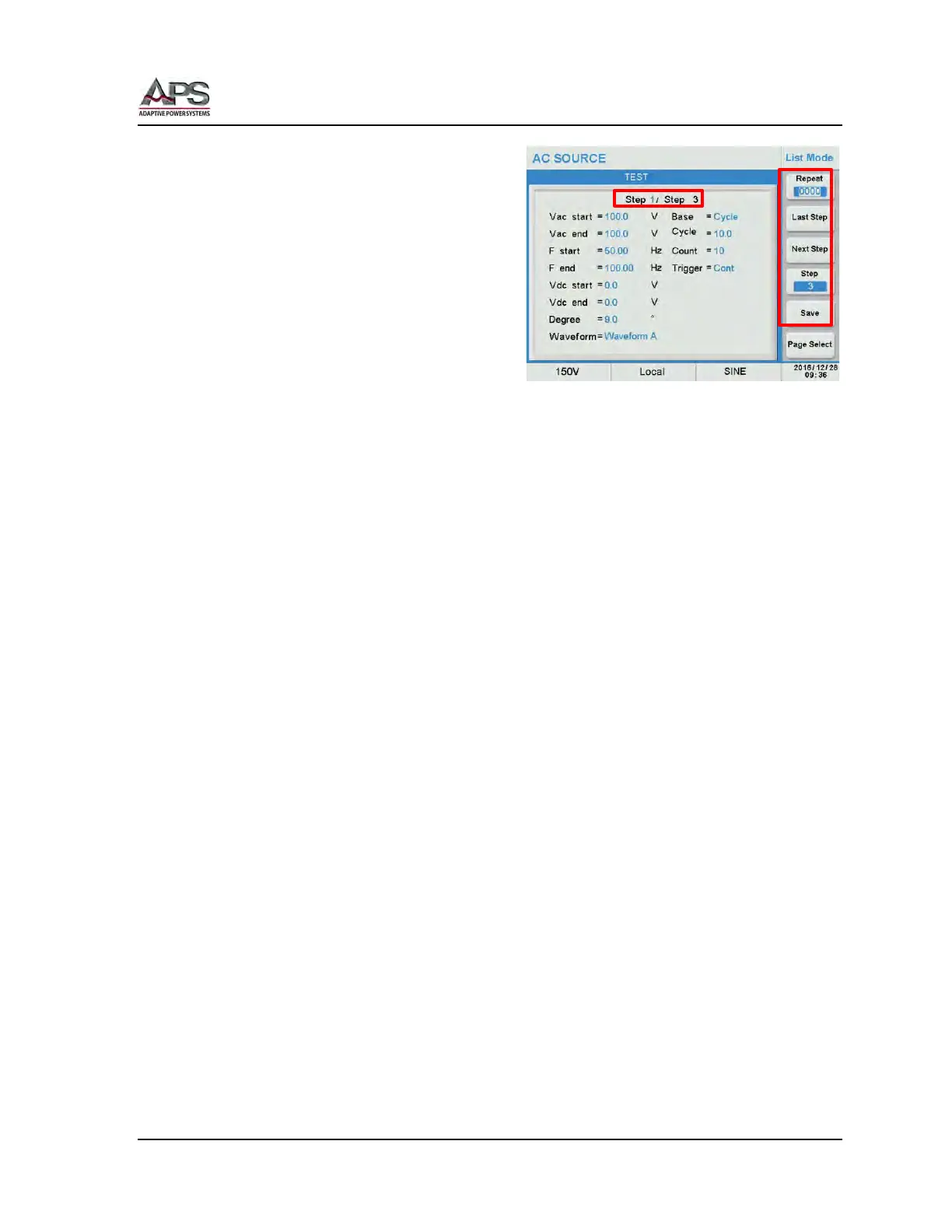
To edit a list, select it using the cursors or
touch screen and press the [Edit] soft key.
This will bring up the list edit screen where
the steps in the list can be added, deleted
and edited.
Each Step allows setting of the following
parameters:
• Vac start Start value for Vac
• Vac end End value for Vac
• F start Start value for Frequency
• F end End value for Frequency
• Vdc start Start value for Vdc
• Vdc end End value for Vdc
• Degree Phase Angle from 0.0° ~ 359.9°
• Waveform Waveform Group A or B
• Base Base for Cycle or Dwell Time
• Cycle / Time Duration in either no. of cycles or time in msecs.
• Count Repeat Count 0 ~ 9999. . A zero repeat count indicates infinite
looping. A1 r
• Trigger Trigger mode: Cont (continuous) or Step each time Trigger soft key
is pressed (one step per trigger event).
The selected Step number is shown at the top of the screen as Step 1 / Step 3. This example
means step 1 of 3 is being edited. There are five soft keys for the following edit functions:
• Repeat Repeat Count.
• Last Step Jumps to the last step
• Next Step Jumps to the first step
• Step Determined the number of steps for this list
• Save Save edits to list to memory when done.
When the List edit are complete, press the [Save] soft key to save all changes made to the
list.
Warning: Failure to Save a transient list will cause it to be lost when the power source is
turned off.



 To Next Page