CPS100 SERIES OPERATION MANUAL
SECTION 6:
Front Panel Operation
Entire Contents Copyright 2018 by Adaptive Power Systems, Inc. (APS) • All Rights Reserved • No reproduction without written authorization from APS.
APS CPS100 Series Power Source Operation Manual Page 101 of 231
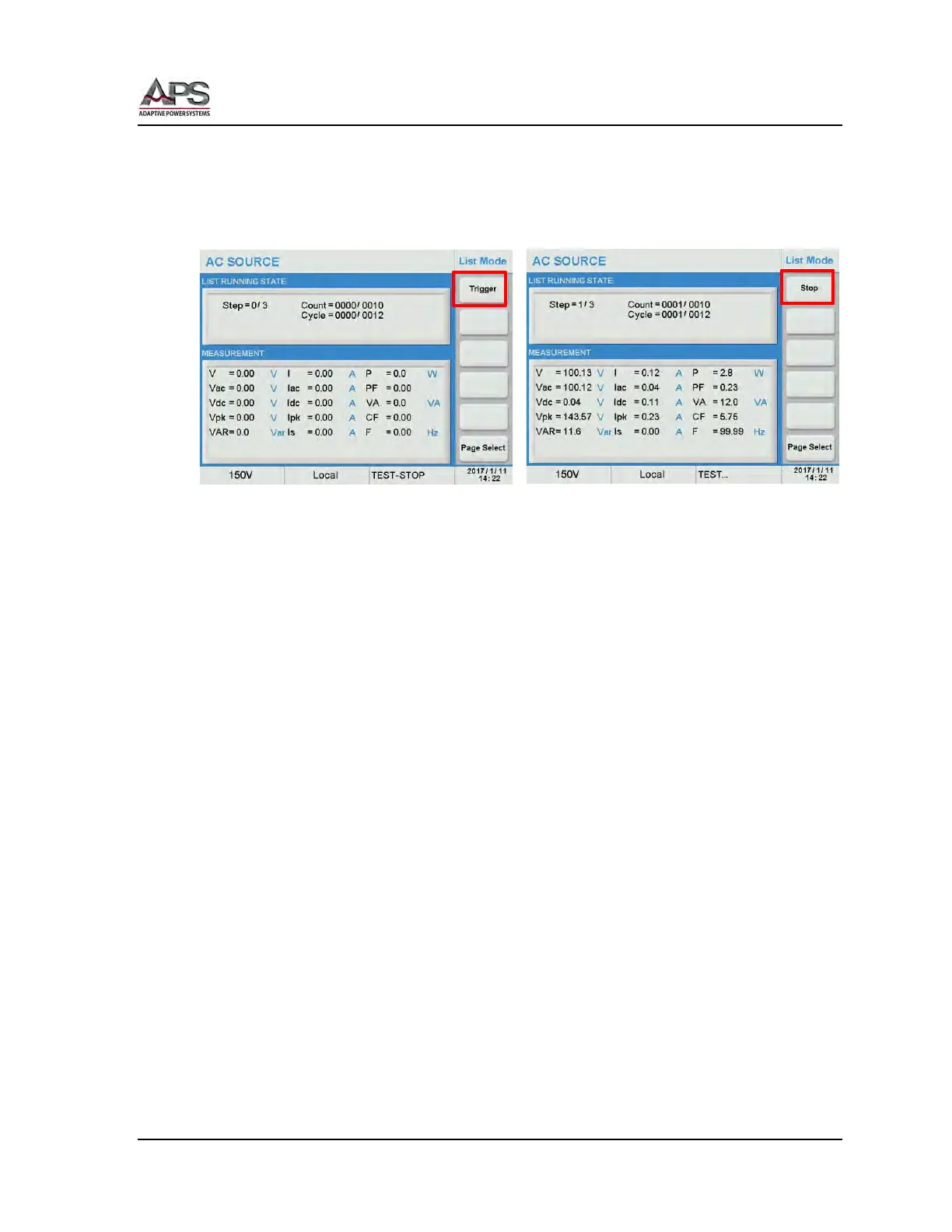
To execute a selected Transient List, press the [Trigger] soft key.
The selected step in the list is shown in the top part of the display, as are the Count and
Cycle settings for this step. During transient execution, the Step = 0/3 will update as each
step in the list executes.
As the [Trigger] soft key is pressed, its label changes to [Stop]. Use the [Stop] soft key to
abort a transient list in progress.
The following operation of transient mode execution should be noted:
• If the transient list execution is started while the power source output is ON, the
output settings will return to the settings present at the time the transient
execution was started (triggered). Thus, the output state will return to its pre-
transient state.
• If the power source output was OFF, the output will turn off when the transient
execution ends.
• It the transient execution mode is set to Step, the output state of the power source
will remain at the last step value in the transient list until the next press of the
[Trigger] soft key.
• If a transient execution is interrupted by pressing the [Stop] soft key, it will start at
the beginning of the list when in Cont. mode or resume form the current step when
in Step mode.
• The voltage range will automatically change to the 300V (High) range during LIST
transient execution. If the power source was in 150V at the start of the transient, a
range change will occur causing the output to be interrupted for about 300 msecs.



 To Next Page