CPS100 SERIES OPERATION MANUAL
SECTION 6:
Front Panel Operation
Entire Contents Copyright 2018 by Adaptive Power Systems, Inc. (APS) • All Rights Reserved • No reproduction without written authorization from APS.
APS CPS100 Series Power Source Operation Manual Page 112 of 231
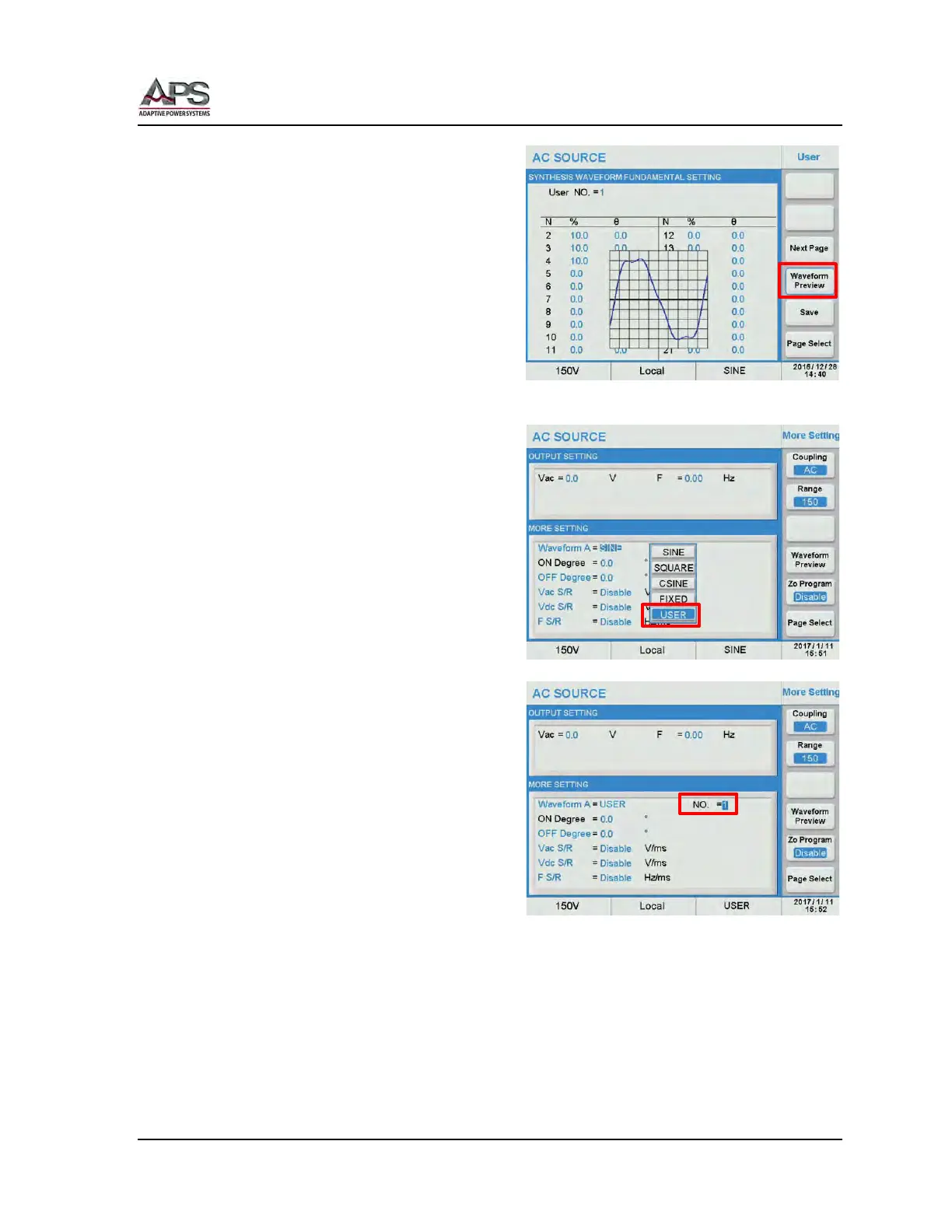
Use the Preview Waveform soft key as
needed to see a graphical representation of
the waveform.
Once completed, press the Save soft key to
save the waveform in the selected User NO.
non-volatile memory location.
Note: If the User Waveform setting is not
saved, it will be lost when the power
source is turned off.
User waveform can be selected for output
from the Output & More Settings menu by
selecting the USER entry in the Waveform A
or B group field.
A NO. field will appear to the right of the
Waveform A/B field that enable selection of
User NO. 0 through 5.



 To Next Page