CPS100 SERIES OPERATION MANUAL
SECTION 6:
Front Panel Operation
Entire Contents Copyright 2018 by Adaptive Power Systems, Inc. (APS) • All Rights Reserved • No reproduction without written authorization from APS.
APS CPS100 Series Power Source Operation Manual Page 116 of 231
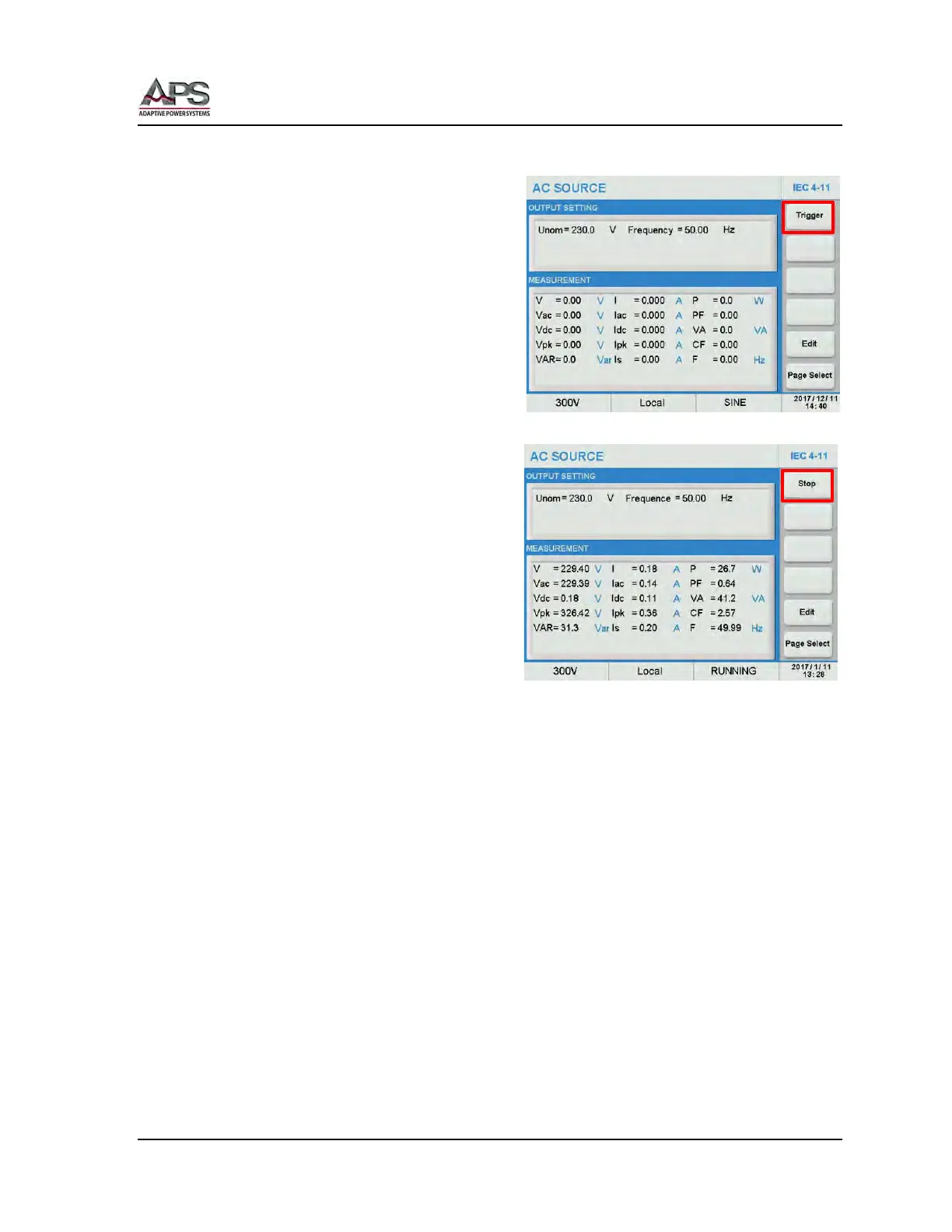
Running an IEC 4-11 Dips test
To execute the IEC 4-11 test, press the [Esc]
key to exit the Edit mode and return to the
main IEC 4-11 test screen.
Start the test by pressing the Trigger soft
key. Once pressed, it changes to Stop.
The test will now run until all steps have
been completed. Total test time is a function
of the repeat count, number of steps, no of
cycles for each dip and the inter-dip delay
time.
At the completion of the entire sequence,
the Stop soft key will revert to Trigger. To
abort a test in progress, press the Stop soft
key during a test run.



 To Next Page