CPS100 SERIES OPERATION MANUAL
SECTION 6:
Front Panel Operation
Entire Contents Copyright 2018 by Adaptive Power Systems, Inc. (APS) • All Rights Reserved • No reproduction without written authorization from APS.
APS CPS100 Series Power Source Operation Manual Page 117 of 231
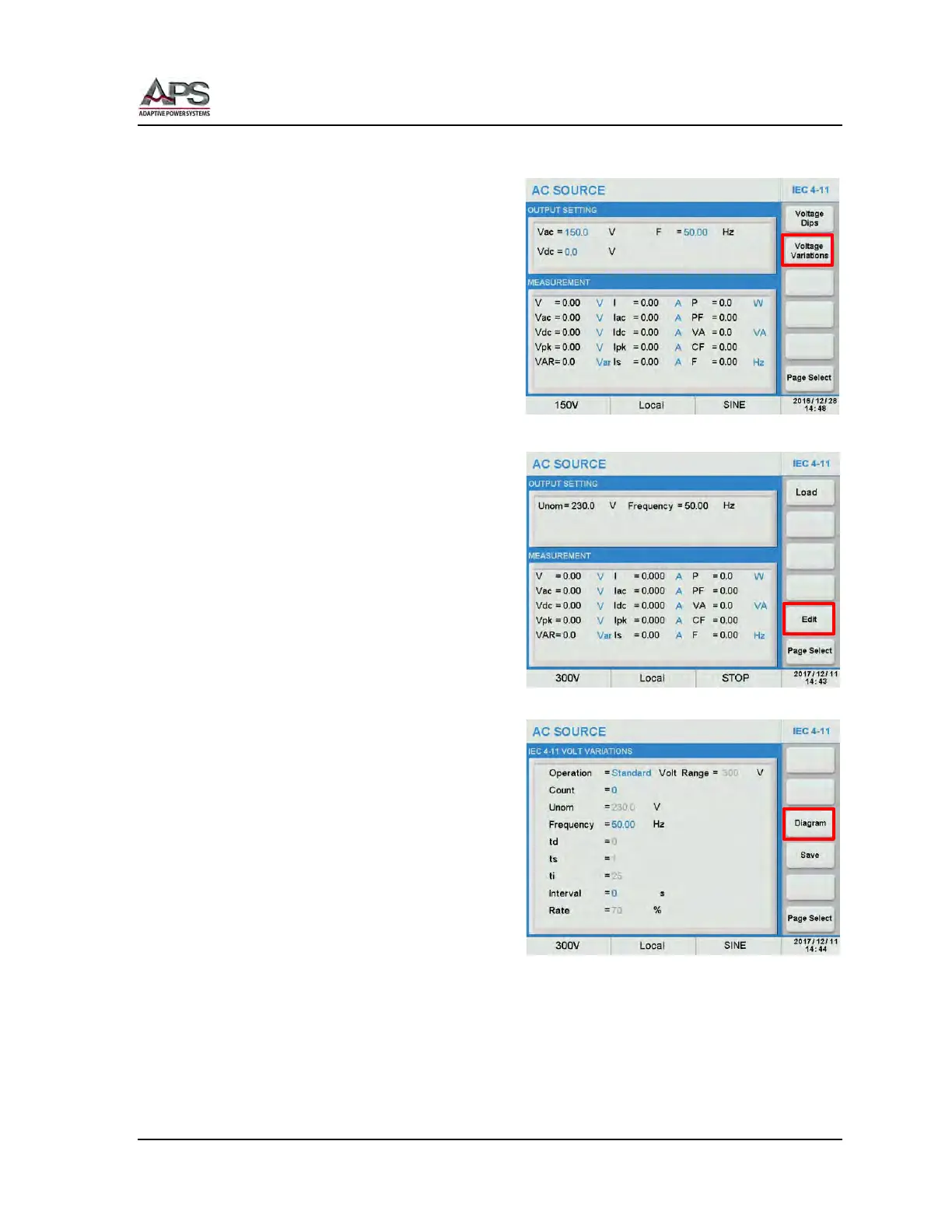
IEC 4-11 Voltage Variations
To select the IEC 4-11 Voltage Variations
test, return to the IEC 4-11 menu and press
the Voltage Variations soft key.
This menu has the same two soft keys as the
Voltage Dip menu:
• Load
• Edit
The Load soft key sets up the power source
to start the test.
The Edit soft key allows changes to the test
setup.
To change an existing or create a new setup,
press the Edit soft key.
Once the Edit screen appears, select the
“Operation =” field and press the [Enter] key
to switch between Standard Setup and User
Def. Setup.
The following parameters can be edited by
the user as needed:
• Count: Number of repeat cycles.
Range is 0~9999. A zero (0) setting
means the test runs in an infinite loop.
• Unom: Nominal Voltage. Range =
0 ~ 300Vac. Fixed to
230Vac in Standard
mode.
• Frequency: 50Hz or 60Hz in Standard
mode.
• td: Fall time for voltage in
secs. Fixed to 0 in
Standard mode.
• ts: Duration at variation
voltage in secs. Fixed to 1
in Standard mode.
• ti: Rise time for voltage in secs. Fixed to 0 in Standard mode.
• Interval: Duration at Unom after variation is complete.
• Rate: Variation voltage level in percent of Unom.
Note: The duration for count includes the voltage variation duration plus the test interval
delay time.



 To Next Page