CPS100 SERIES OPERATION MANUAL
SECTION 6:
Front Panel Operation
Entire Contents Copyright 2018 by Adaptive Power Systems, Inc. (APS) • All Rights Reserved • No reproduction without written authorization from APS.
APS CPS100 Series Power Source Operation Manual Page 87 of 231
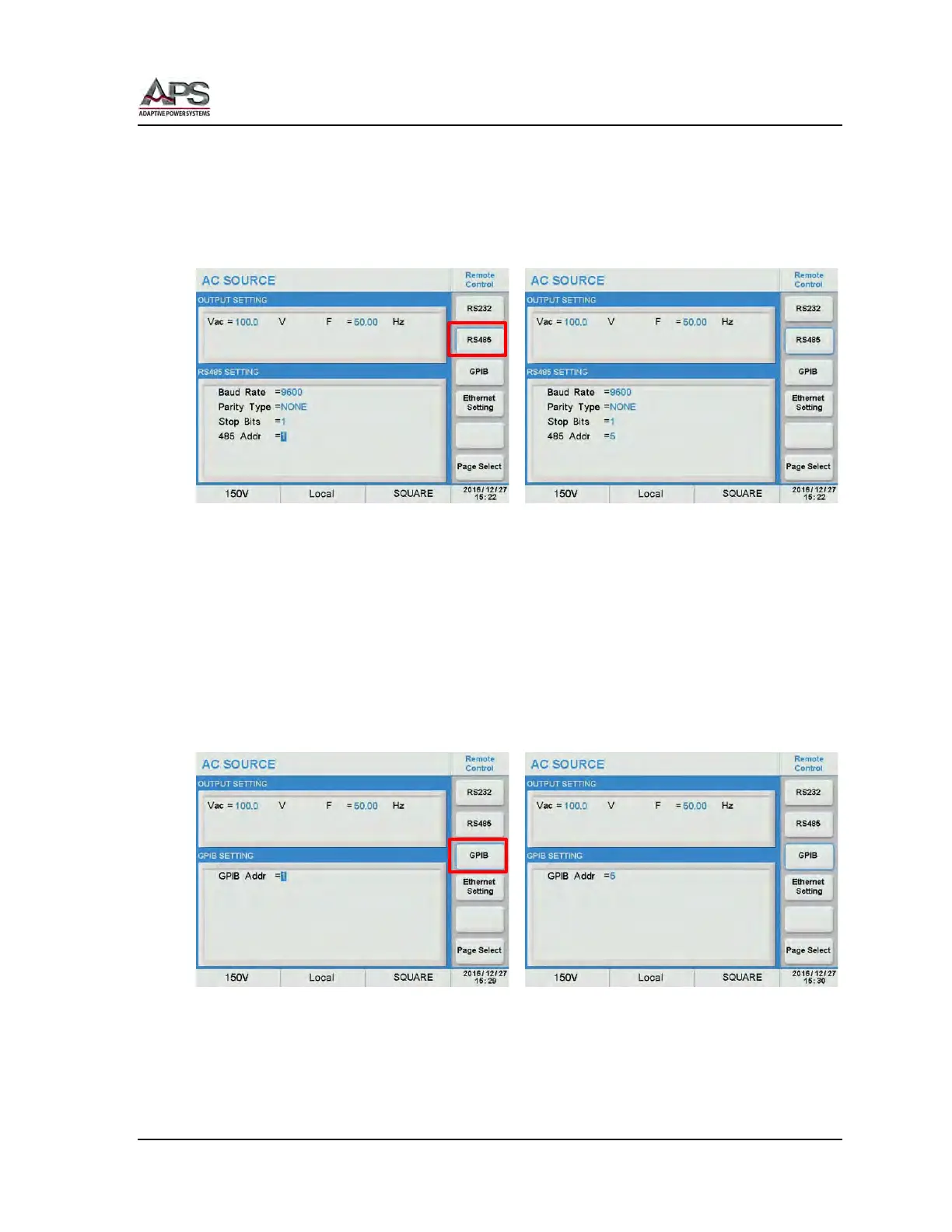
RS485 Settings
From the Remote Control screen, press the RS485 soft key to change RS485 interface
settings. Scroll through Baud rate, parity, Stop bits and Address fields and use the shuttle to
set the desired values. Press the [Esc] key when done to back up to the Remote Control
screen.
Parameter ranges are:
• Baud Rate: 9600, 19200, 38400, 57600, 115200
• Parity Type: None, Even, Odd
• Stop Bits: 1, 2
• 485 Addr: 1 ~ 254
GPIB Settings (Option)
From the Remote Control screen, press the GPIB soft key to change GPIB interface settings.
Scroll to the “GPIB Addr” field and use the shuttle to set the desired address. Press the [Esc]
key when done to back up to the Remote Control screen.
Parameter ranges are:
• GPIB Addr: 1 ~ 30



 To Next Page