EFD1000 PFD Pilot’s Guide
CHAPTER 4, REFERENCE GUIDE
EFD1000 PFD Pilot’s Guide
EFD1000 PFD Pilot’s Guide Page 4-39A-01-184-00 REV B
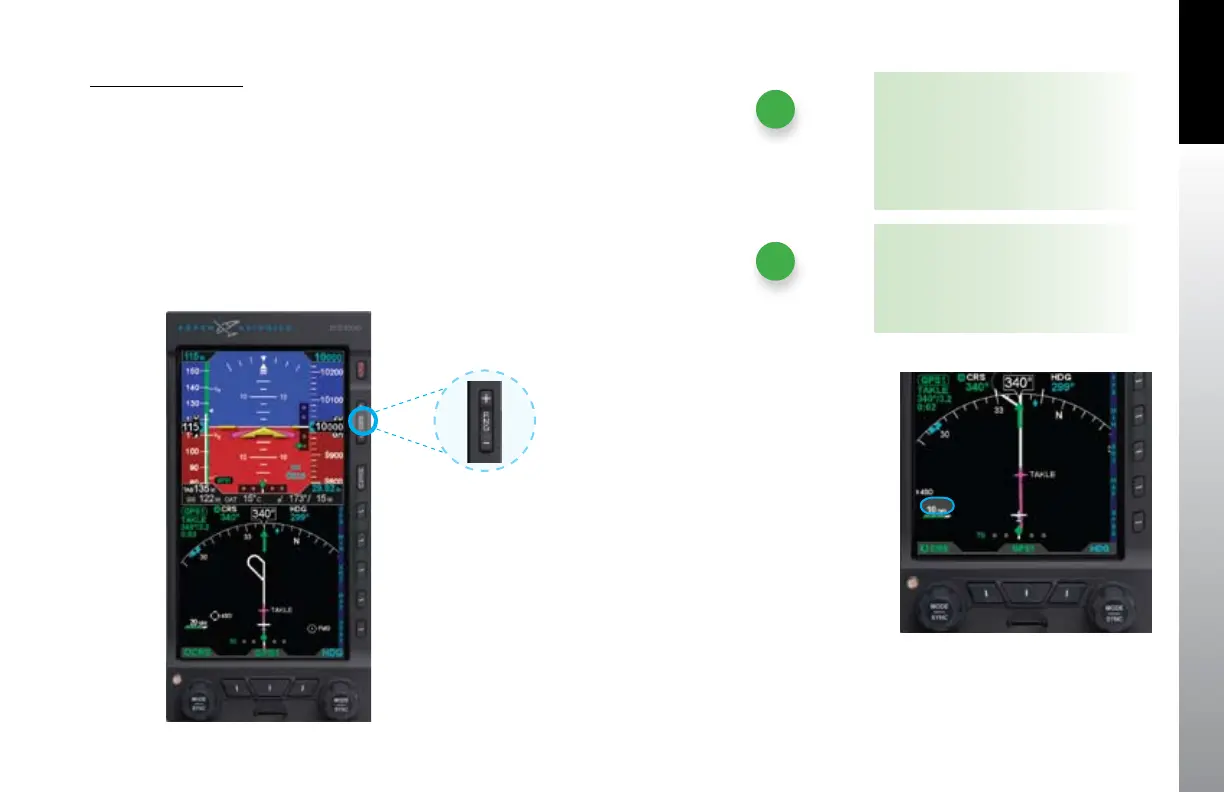
Set Basemap Range
Press the Range Up (+) or the Range Down (-) Key (• Figure 4-86) until the
desired range is displayed (Figure 4-87).
Figure 4-86
Map Range Keys
Figure 4-87
New Map Range
NOTE
The map range increases or decreases
one increment each time the +/-
button is pressed. To continuously
increase/decrease the range, press and
hold either button for more than a
half second.
NOTE
Based on the map symbol level and
range settings, ight plan waypoints
may not be displayed



 To Next Page