EFD1000 PFD Pilot’s Guide
CHAPTER 4, REFERENCE GUIDE
EFD1000 PFD Pilot’s Guide
EFD1000 PFD Pilot’s Guide Page 4-47A-01-184-00 REV B
on the EFD1000 and the Heading mode of the autopilot, the autopilot is able to y GPS
Steering commands.
When GPSS is not selected, the autopilot will follow the heading bug value manually set
by the pilot.
If the connected GPS system does not provide the required roll steering command, the
GPSS legend adjacent to the GPSS Hot Key will be rendered in gray and it will not be
possible to enable GPSS operation via the Hot Key.
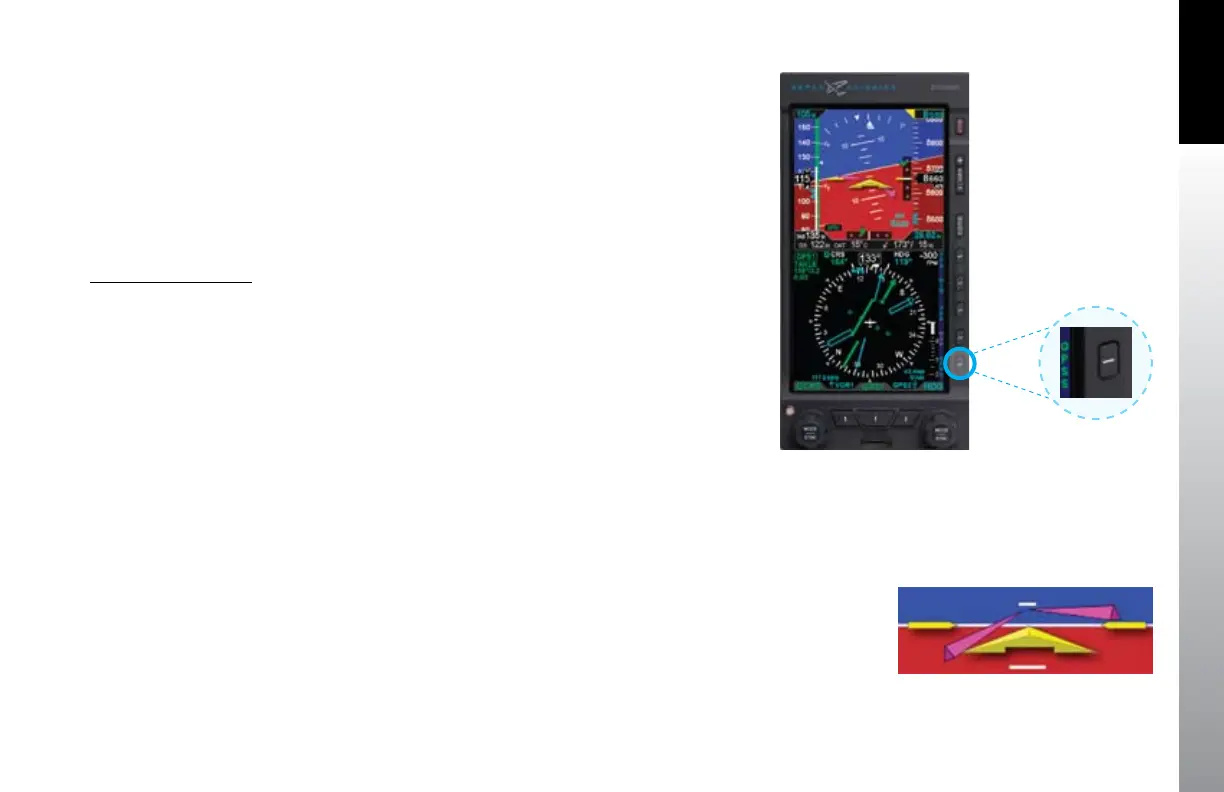
Enable/Disable GPSS
Press the GPSS Hot Key to alternately Enable or Disable GPS Steering•
(Figure 4-100).
When GPSS is enabled, the GPSS legend adjacent to the GPSS Hot Key will be shown
in green, and when the autopilot is in HDG mode it will follow the steering commands
output by the GPS.
When GPSS is disabled, the GPSS legend adjacent to the GPSS Hot Key will be shown in
gray, and when the autopilot is in HDG mode it will track the heading selected by the
Heading Bug of the EFD1000.
4.6.2. Flight Director
When connected to a compatible autopilot system, the EFD1000 will display a
single-cue Flight Director (FD). The ight director command bars visually represent
the lateral and vertical steering cues transmitted to the EFD by the autopilot. When
the FD output from the autopilot is unavailable or agged invalid, the FD command
bars are removed from the display (Figure 4-101). To hand y using the ight director,
maneuver the airplane to tuck the aircraft reference symbol into the ight director
V-bars.
Figure 4-100
GPSS Hot Key
Figure 4-101
Flight Director



 To Next Page