CHAPTER 5, CUSTOMIZING THE EFD1000 PFD
EFD1000 PFD Pilot’s Guide
Page 5-12 A-01-184-00 REV B
EFD1000 PFD Pilot’s Guide
EFD1000 PFD Pilot’s Guide
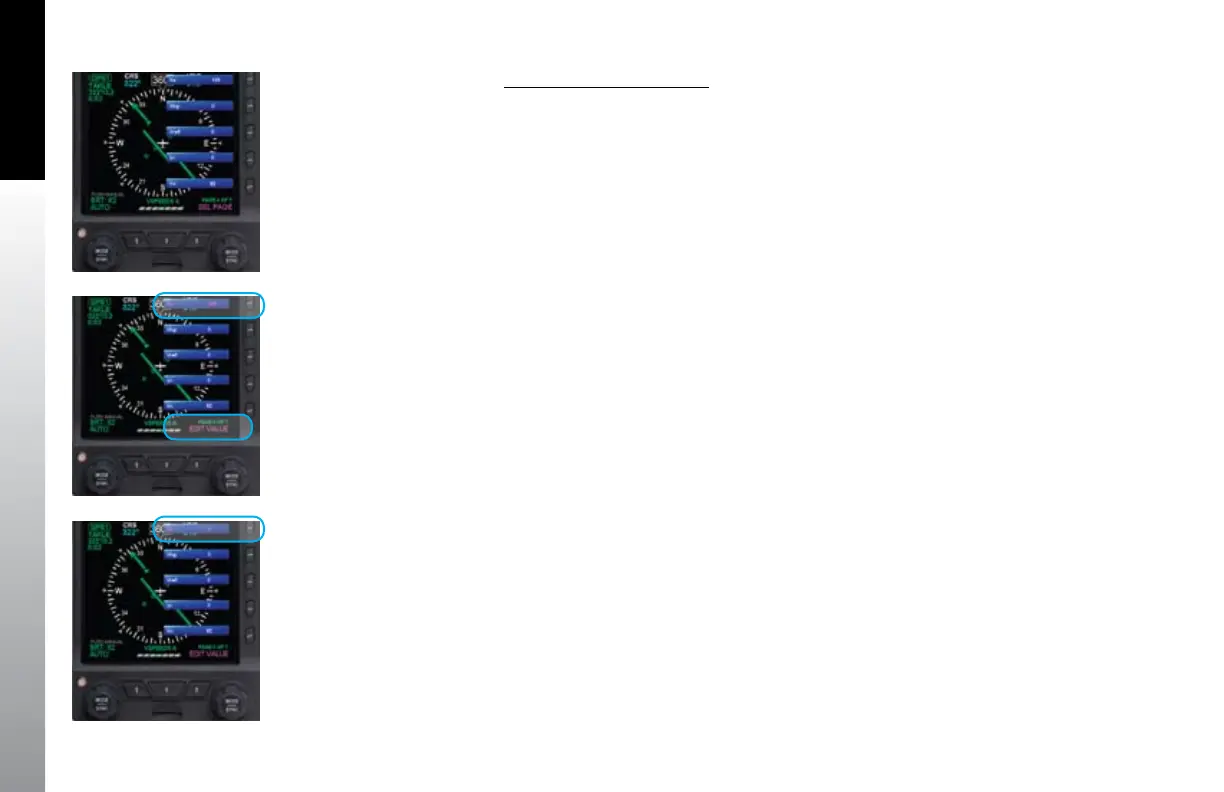
Set Textual V-speed Labels
1. Push the MENU key. The Menu displays on the Navigation Display.
2. Rotate the Right Knob to navigate to the appropriate V-speed Menu page
(either page 4 or 5) (Figure 5-22).
3. Push the appropriate V-speed Menu Key. The menu label turns magenta and
the EDIT VALUE label displays above the Right Knob (Figure 5-23).
4. Rotate the Right Knob to the desired value (Figure 5-24).
5. Either select another Menu Key and edit another V-speed or push the MENU
key to exit the Menu.
Figure 5-22
Menu, VSPEEDS A, Page 4 of 7
Figure 5-23
Editing Va V-speed
Figure 5-24
Va V-speed Set With New Value



 To Next Page