EFD1000 PFD Pilot’s Guide
CHAPTER 4, REFERENCE GUIDE
EFD1000 PFD Pilot’s Guide
EFD1000 PFD Pilot’s Guide Page 4-9A-01-184-00 REV B
4.1.3.1. Barometric Pressure Adjustment (BARO)
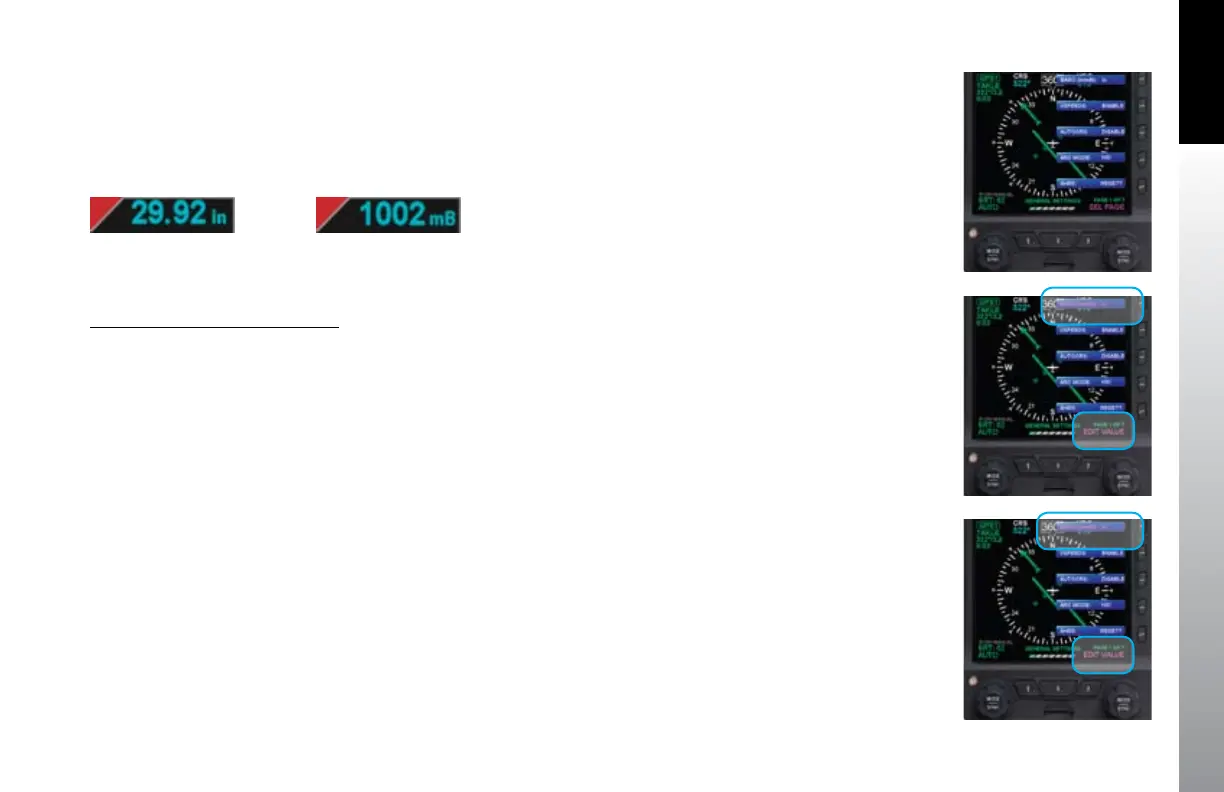
Barometric pressure adjustment may be made in either inches of mercury (in)
(Figure 4-13) or millibars (mB) (Figure 4-14), as congured by the pilot. The
adjustment range is 28.10 – 30.99 inches Hg or 946 – 1049 mB. The Barometric pressure
default value and units of measure is 29.92 and inches Hg, or as previously set.
Set Barometric Units of Measure
1. Push the MENU key. The Menu displays on the Navigation Display.
2. Rotate the Right Knob counterclockwise until Page 1 of the Menu displays
(Figure 4-15).
3. Push the BARO Menu Key (Key 1). The menu label turns magenta and the
EDIT VALUE label displays above the Right Knob (Figure 4-16).
4. Rotate the Right Knob to select either IN or mB (Figure 4-17).
5. Push the MENU key to exit the Menu.
Figure 4-15
Menu, GENERAL
SETTINGS, Page 1 of 7
Figure 4-16
Editing BARO
Figure 4-17
BARO Set to mB (millibars)
Figure 4-13
Baro Shown in Inches of Mercury
Figure 4-14
Baro Shown in Millibars



 To Next Page