EFD1000 PFD Pilot’s Guide
CHAPTER 3, FLYING THE EFD1000 PRO PFD
EFD1000 PFD Pilot’s Guide
EFD1000 PFD Pilot’s Guide Page 3-17A-01-184-00 REV B
Now that we’re established at our nal cruise altitude and in the en route phase of our
ight, we’ll switch to the ARC mode of the HSI, to maximize a forward view.
1. Press the 360 Hot Key, and observe the HSI changes to its ARC view, and the
legend adjacent to the Hot Key changes to ARC in GREEN.
2. Adjust the map range to suit your preference.
Select a Compass Mode
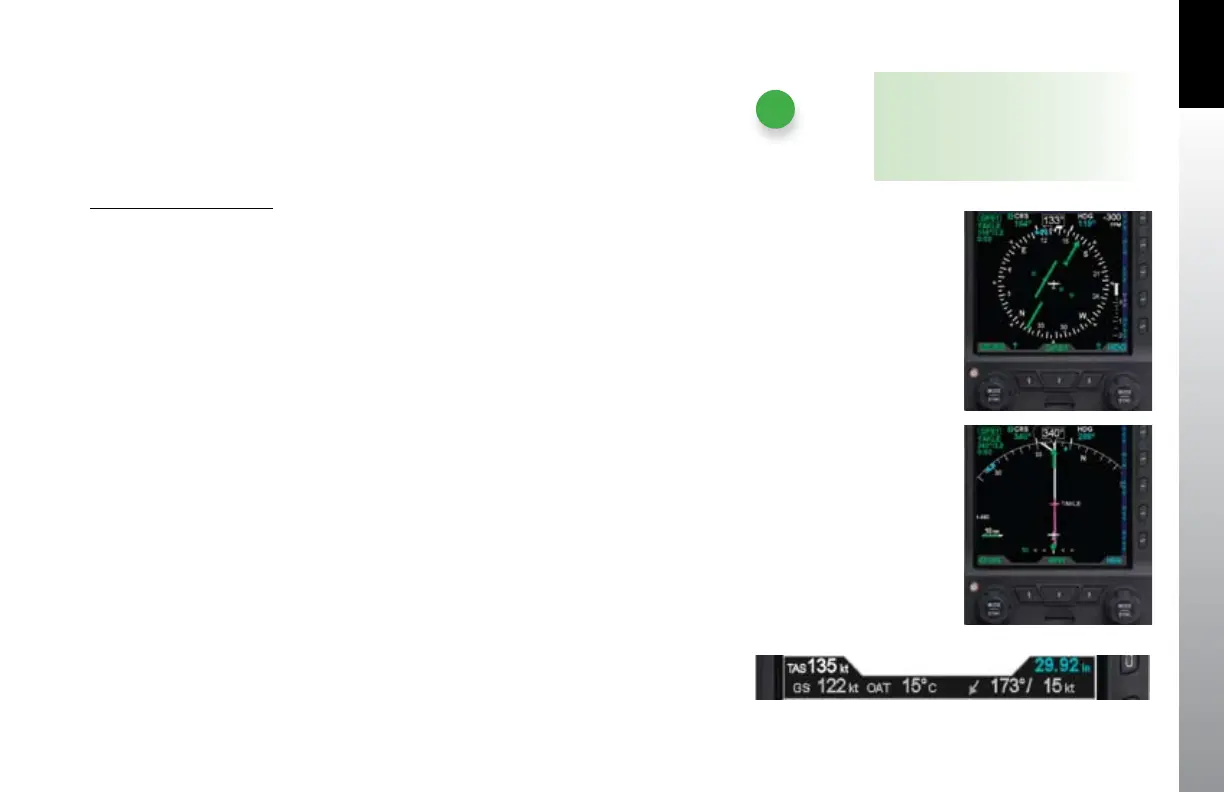
Push the 360/ARC Hot Key (third Hot Key) to alternately select either the 360° •
(Figure 3-29) or the ARC (Figure 3-30) compass display.
We set cruise power and lean the mixture. As the airplane stabilizes in cruise, we check
the Data Bar to monitor performance. True Airspeed (TAS) is close to book performance
for this altitude and power setting. OAT is close to ISA. Winds aloft are close to forecast,
about 30º o the nose at 15 knots, so we’ll expect to lose some ground speed due to a
stronger headwind component when we turn northwest toward Reno.
Check TAS, GS, and winds and temperature aloft on the Data Bar (Figure 3-31).
Continuing en route, we monitor progress along our ight plan on the extended
forward view of ARC mode, watching as GPSS keeps us exactly centered on course
through numerous turns on the airways.
3.2.4. Arrival and Approach to Landing
As we near Reno, we prepare for our arrival. Within range, we pick up the ATIS and learn
that the ILS16R approach is in use. Our route along V105 brings us in to Mustang VOR
(FMG), which has a published transition to TAKLE, an Initial Approach Fix (IAF) for this
procedure. Because we’d like some practice with our new PFD, we’ll ask to y the full
procedure with pilot nav.
NOTE
Each HSI view (360 and ARC) retains
its own Range and Map Feature Level
settings when switching between the
two view modes.
Figure 3-29
360° Compass Mode
Figure 3-30
ARC CDI Compass Mode
Figure 3-31 Data Bar



 To Next Page