CHAPTER 4, REFERENCE GUIDE
EFD1000 PFD Pilot’s Guide
Page 4-14 A-01-184-00 REV B
EFD1000 PFD Pilot’s Guide
EFD1000 PFD Pilot’s Guide
4.1.3.6. Altitude Display
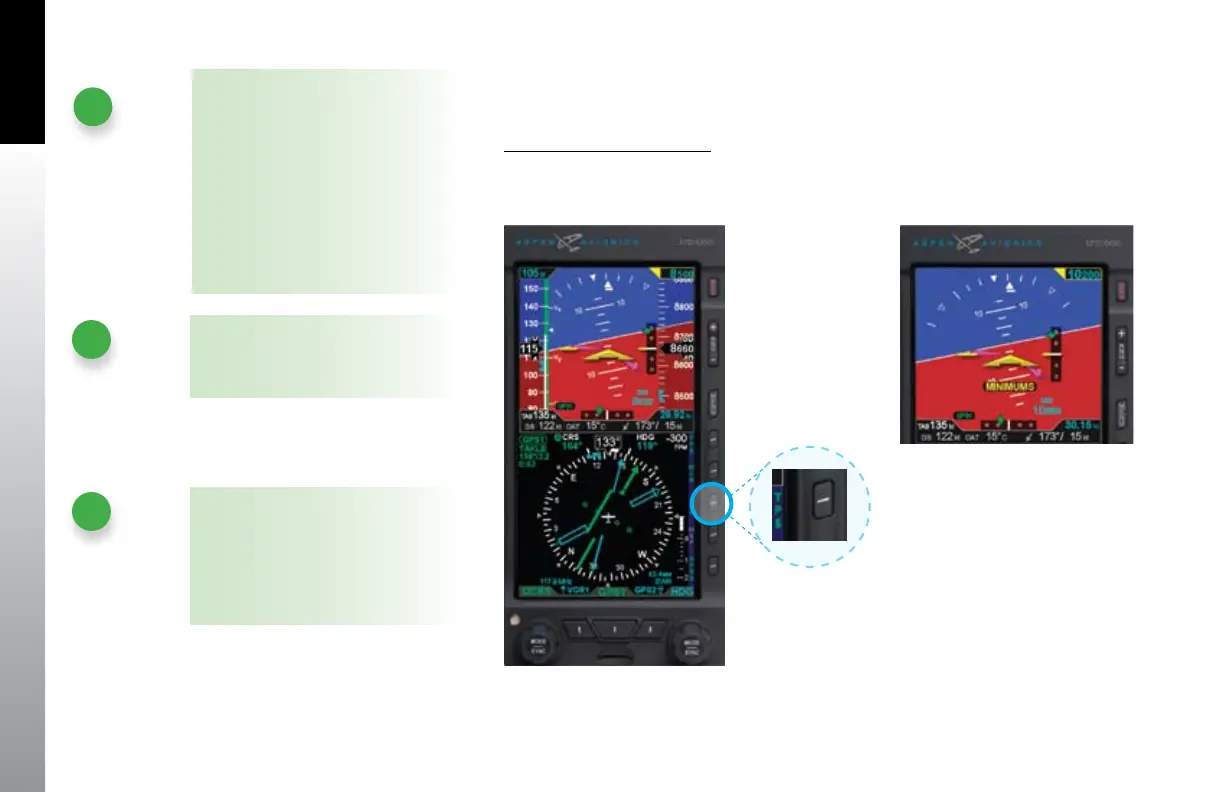
The altitude tape can be turned o, at the pilot’s discretion, to facilitate screen declutter.
Hide/Display Altitude Tape
Press the TPS Hot Key to alternately hide or display the Altitude and Airspeed •
Tapes (Figures 4-28 and 4-29).
Figure 4-29 Altitude Tape Disabled
Figure 4-28 TPS Hot Key
NOTE
A typical installation sets the tapes
display to UNLOCKED, allowing the
pilot to display or hide the Airspeed
and Altitude tapes as desired. If the
Airspeed and Altitude Tapes were
LOCKED ON during installation, the
tapes will remain on. If the Airspeed
and Altitude Tapes were LOCKED OFF
during installation, the tapes will not
display.
NOTE
Both the Airspeed and Altitude tape
are aected by this action.
NOTE
When the Altitude tape is disabled,
the numerical display of the selected
altitude and altitude minimums
remain on. The decision height and
minimums annunciations operate as
congured.



 To Next Page