CHAPTER 3, FLYING THE EFD1000 PRO PFD
EFD1000 PFD Pilot’s Guide
Page 3-14 A-01-184-00 REV B
EFD1000 PFD Pilot’s Guide
EFD1000 PFD Pilot’s Guide
We plan to hand-y the plane until reaching our nal en route altitude of 10,000
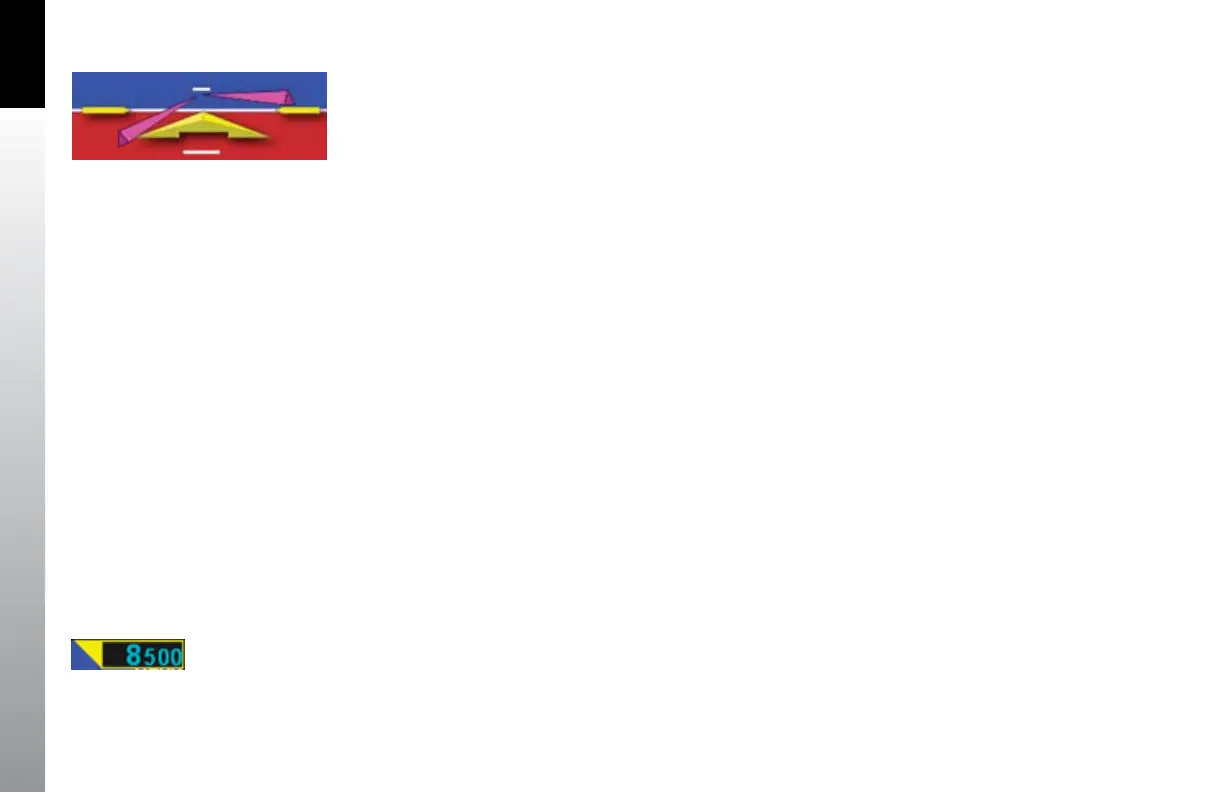
feet. But we like the help the Flight Director gives us (Figure 3-24). So, as part of our
Before Takeo set-up, we press the FD button on the autopilot mode selector, and the
magenta V-bars display on the EFD1000. As an easy way to give us guidance on the
takeo, we press the Go Around button. This commands wings level and about a 10º
pitch-up attitude, which works well for our initial climb.
Now our avionics are all set, so we taxi out to the runway, do our run-up, and call tower,
ready for departure. As we taxi into position and hold on Runway 8, we verify that our
EFD1000 compass shows 080º, lined up with our pre-set heading bug. As tower clears
us for takeo, it tells us to wait until reaching the end of the runway, and then to turn
left to heading 250º. We press the Right Control Knob once to activate HDG, and turn
the knob left to set the Heading Bug to 250.
3.2.2. Departure
As we start the takeo roll, we note the airspeed on the EFD1000 comes alive at 20
KIAS. All indications are normal, so we continue the takeo, rotate at 80 KIAS and y the
Flight Director command bars at 10º pitch up with wings level. As we run out of usable
runway to land, we bring the gear up, and soon we’re over the end of the 13,800 foot
runway.
We engage HDG mode on the autopilot mode selector, and the FD commands a left
turn to our assigned 250º heading, which we already set with the Heading Bug. We
adjust our pitch attitude to maintain our target 120 KIAS climb speed as shown by the
bug on our airspeed tape, and sync the FD pitch to that attitude.
Figure 3-24
Flight Director V-bars
Figure 3-25
Altitude Alerter Flag Illuminated



 To Next Page