EFD1000 PFD Pilot’s Guide
CHAPTER 2, CONTROLS AND DISPLAY
EFD1000 PFD Pilot’s Guide
EFD1000 PFD Pilot’s Guide Page 2-15A-01-184-00 REV B
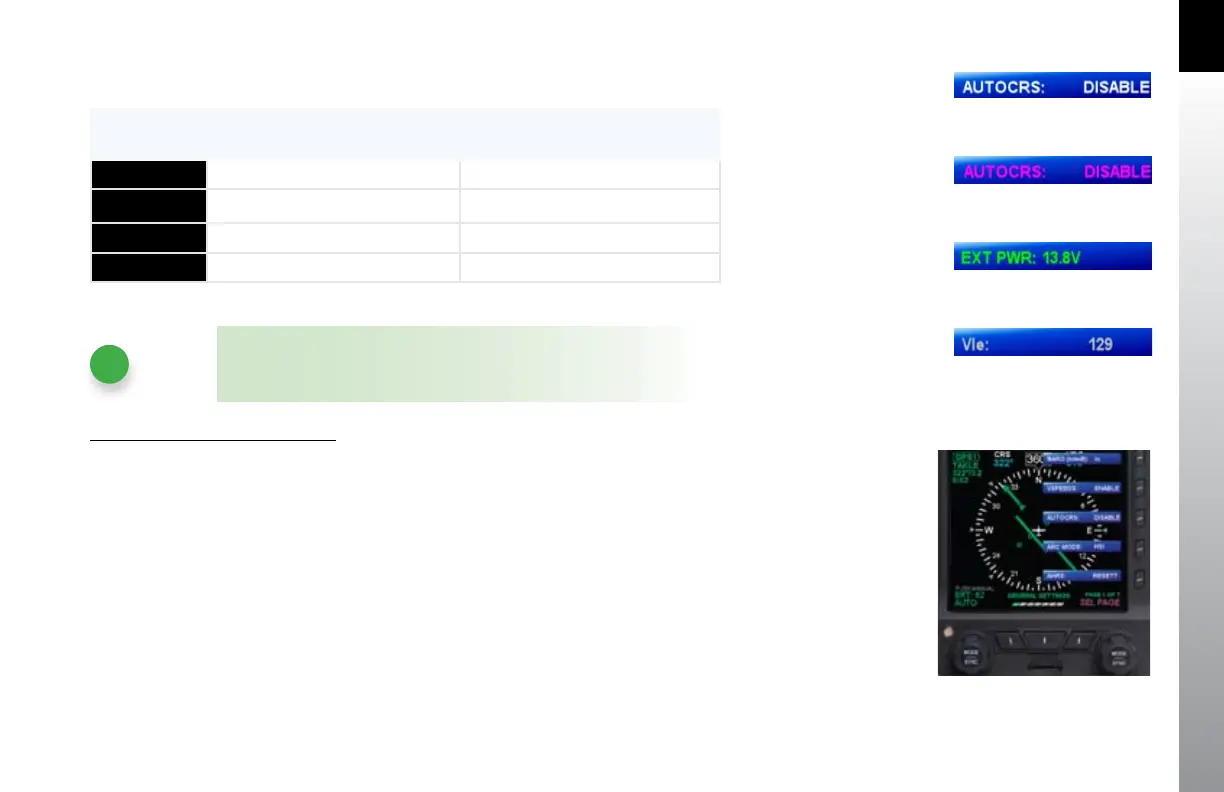
The menu text will display in one of the four colors listed and described in Table 2-4.
DISPLAY
TEXT
DESCRIPTION DISPLAY
WHITE
Editable option See Figure 2-18
MAGENTA
Editable option enabled See Figure 2-19
GREEN
Non-Editable or “Status Only” See Figure 2-20
G R AY
Disabled See Figure 2-21
Table 2-4 Menu Text
NOTE
These steps are provided as a basic overview. Each menu command is
covered in detail further in Chapter 5.
Access and Navigate The Menus
1. Push the MENU key. The Menu displays on the Navigation Display adjacent to
the Hot Keys (Figure (2-22).
2. Rotate the Right Knob to navigate through the dierent pages of the menu.
Rotating the Right Knob clockwise advances forward one menu page at a
time. Rotating the Right Knob counterclockwise advances backward one
menu page at a time.
3. When nished, press the MENU key to exit the Main Menu.
Figure 2-22
Menu Display
Figure 2-18
Menu Text - Editable
Figure 2-19
Menu Text - Enabled
Figure 2-20
Menu Text - Status Only
Figure 2-21
Menu Text - Disabled



 To Next Page