EFD1000 PFD Pilot’s Guide
Page 7-4 A-01-184-00 REV B
CHAPTER 7, APPENDICES
EFD1000 PFD Pilot’s Guide
EFD1000 PFD Pilot’s Guide
To View the Main Application Processor Software Version
1. Push the MENU Key. The Menu displays on the Navigation Display.
2. Rotate the Right Knob until Page 7 of the Menu displays.
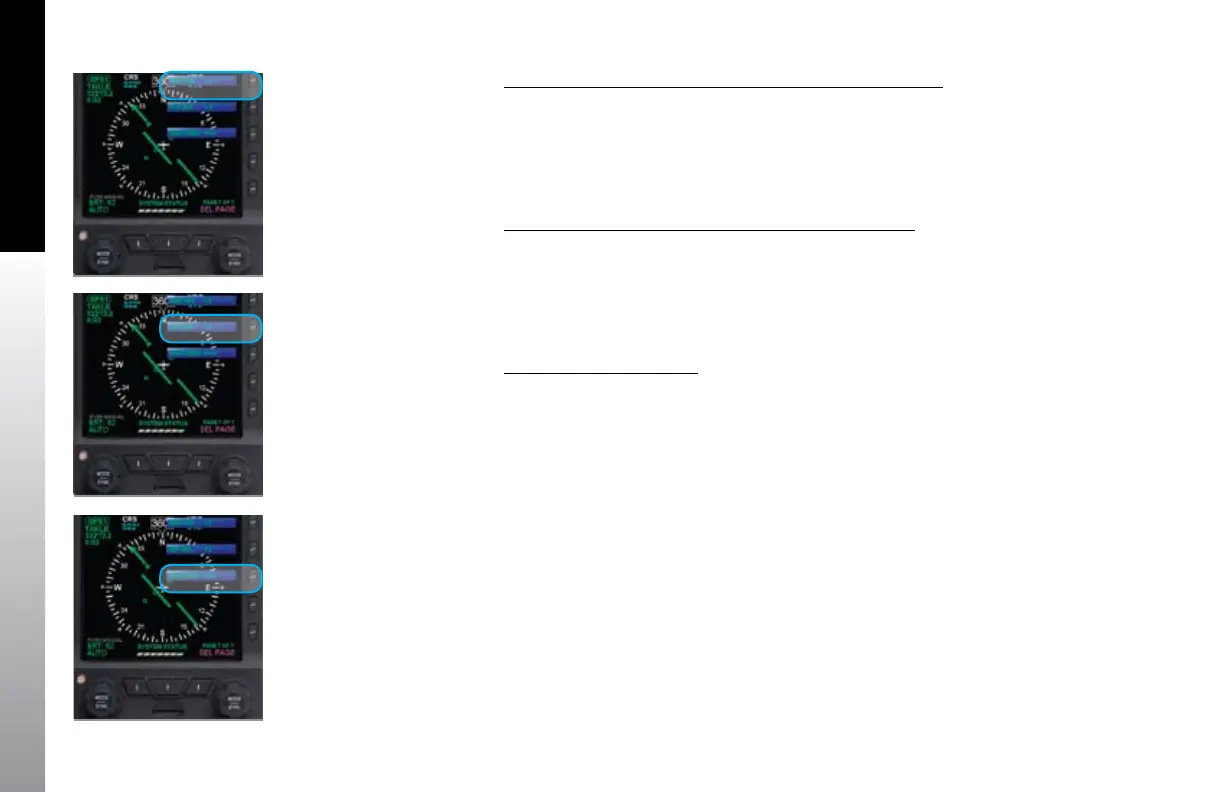
3. The MAP VER Menu Key (Key 1) displays the current Main Application
Processor Software Version (Figure 7-1).
4. Push the MENU key to exit the Menu.
To View the Input/Output Processor Software Version
1. Push the MENU Key. The Menu displays on the Navigation Display.
2. Rotate the Right Knob until Page 7 of the Menu displays.
3. The IOP VER Menu Key (Key 2) displays the current Input/Output Processor
Software Version (Figure 7-2).
4. Push the MENU key to exit the Menu.
To View the Feature Load
1. Push the MENU Key. The Menu displays on the Navigation Display.
2. Rotate the Right Knob until Page 7 of the Menu displays.
3. The FEATURES Menu Key (Key 3) displays the current Feature Load
(Figure 7-3).
4. Push the MENU key to exit the Menu.
Figure 7-1
Menu, SYSTEMS STATUS, Page 7of 7
Figure 7-2
Menu, SYSTEMS STATUS, Page 7of 7
Figure 7-3
Menu, SYSTEMS STATUS, Page 7of 7



 To Next Page