EFD1000 PFD Pilot’s Guide
CHAPTER 5, CUSTOMIZING THE EFD1000 PFD
EFD1000 PFD Pilot’s Guide
EFD1000 PFD Pilot’s Guide Page 5-13A-01-184-00 REV B
5.4. LCD Brightness Control
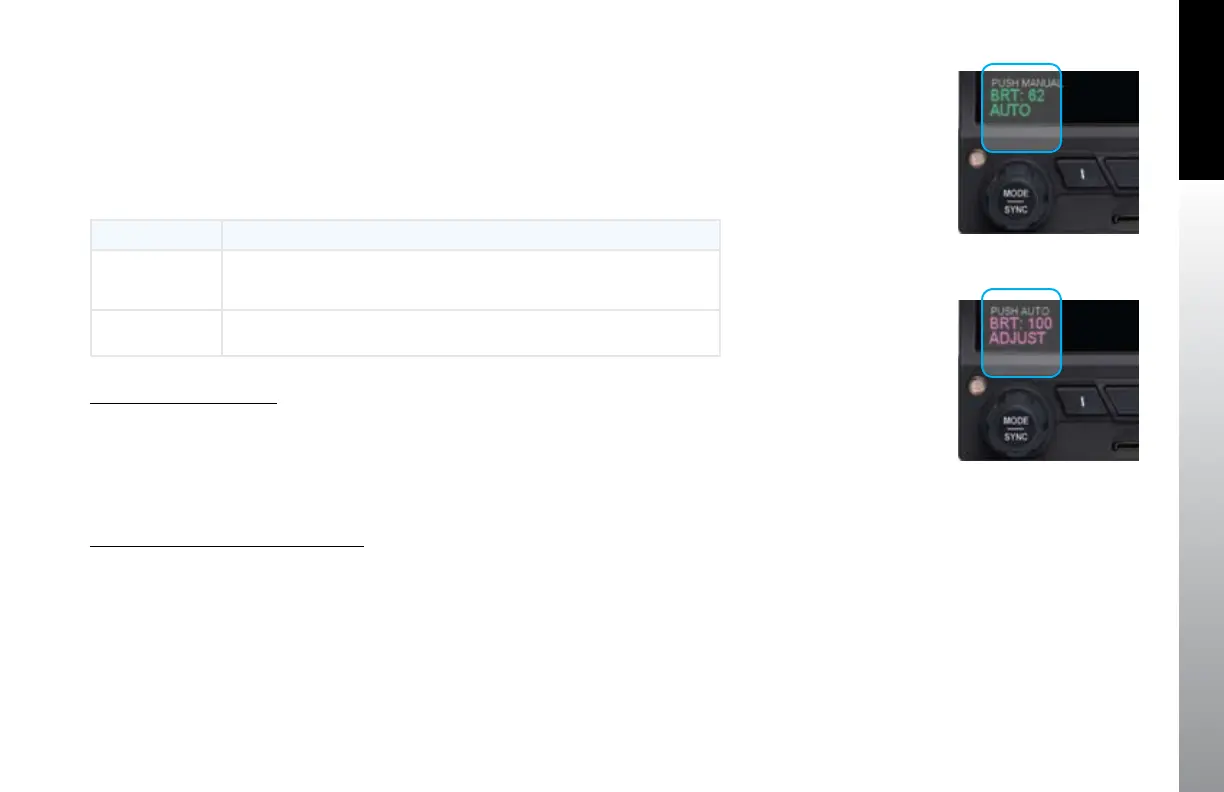
The LCD brightness of the EFD1000 PFD operates in either of two modes, Automatic
or Manual (Figures 5-25 and 5-26). The LCD brightness range is displayed as a value
from 1 - 100, displayed above the Left Knob. Additionally, menu brightness can be
adjusted.
LCD MODE DESCRIPTION
AUTOMATIC
BRT AUTO
LCD backlight intensity is automatically adjusted based on the current light
conditions sensed by the Automatic Dimming Photocell (Figure 5-25).
MANUAL
BRT ADJUST
Allows the pilot to adjust the LCD backlight intensity manually
(Figure 5-26).
Table 5-11 Brightness Control
Switch Brightness Mode
1. Press the MENU key. The Menu displays.
2. Push the Left Knob to select the desired LCD Brightness Control mode, either
Automatic (BRT AUTO) (Figure 5-25), or Manual (BRT ADJUST)
(Figure 5-26).
3. Press the MENU key. The Menu shuts o.
Adjust Display Brightness Manually
1. Switch to manual LCD Brightness Control mode (BRT ADJUST)
(Figure 5-26).
2. Rotate the Left Knob clockwise to increase the LCD Brightness value or
counterclockwise to decrease the LCD Brightness value. The BRT value
changes accordingly.
3. Press the MENU key. The Menu shuts o and the selected brightness
value is retained.
Figure 5-25
Display Brightness in BRT AUTO Mode
Figure 5-26
Display Brightness in BRT ADJUST Mode



 To Next Page