EFD1000 PFD Pilot’s Guide
CHAPTER 3, FLYING THE EFD1000 PRO PFD
EFD1000 PFD Pilot’s Guide
EFD1000 PFD Pilot’s Guide Page 3-9A-01-184-00 REV B
On the EFD1000, use the CDI Source Select button to select GPS1. Because we have
enabled Auto Course Select, the Course Pointer automatically slews to 261º (the initial
course from the airport to the rst x on the LARGO2 departure, ABQ VOR).
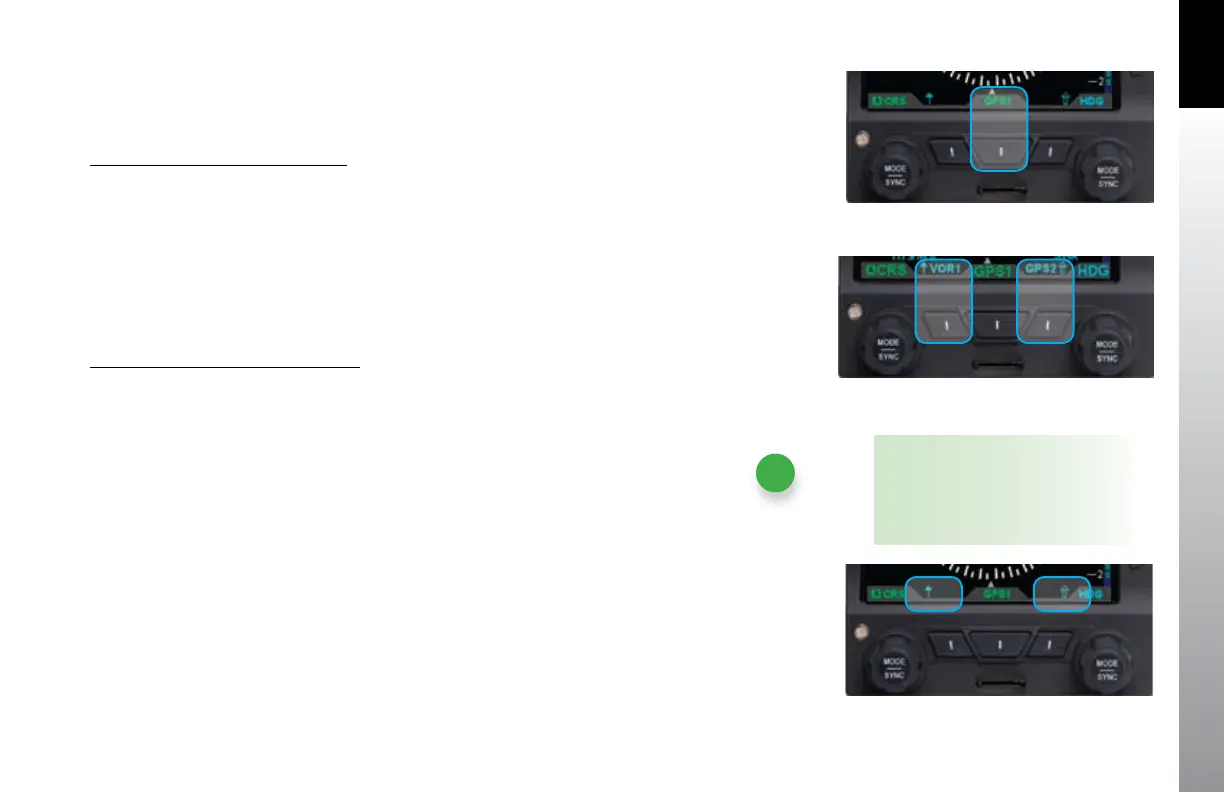
Select The CDI Navigation Source
Press the CDI Navigation Source Select button (• Figure 3-11) until the desired
navigation source is shown above the button (e.g. GPS1, GPS2, VLOC1,
VLOC2).
For a traditional RMI view, we could use our two Bearing Pointers to monitor our
passing ABQ VOR and then intercepting the course to ZUN. We’d use the left BRG#1
Bearing Pointer Source Select button to select VOR1 (ABQ), and use the right BRG#2
Bearing Pointer Source Select button to select VOR2 (ZUN).
Select Bearing Pointer Nav Sources
Press the BRG#1 (single-line) or BRG#2 (double-line) Bearing Pointer button •
until the desired navigation source is shown above the button (Figure 3-12).
NOTE
When no source is selected, only the
bearing pointer icon displays above
the applicable button (Figure 3-13).
Figure 3-11
CDI Navigation Source Selection Button
Figure 3-12
Bearing Pointer Nav Source Select Buttons
Figure 3-13 No Bearing Pointer Sources Selected



 To Next Page