EFD1000 PFD Pilot’s Guide
CHAPTER 3, FLYING THE EFD1000 PRO PFD
EFD1000 PFD Pilot’s Guide
EFD1000 PFD Pilot’s Guide Page 3-7A-01-184-00 REV B
First set the standby altimeter to 30.15, and then set the EFD1000 PFD baro setting.
Set the Barometric Pressure
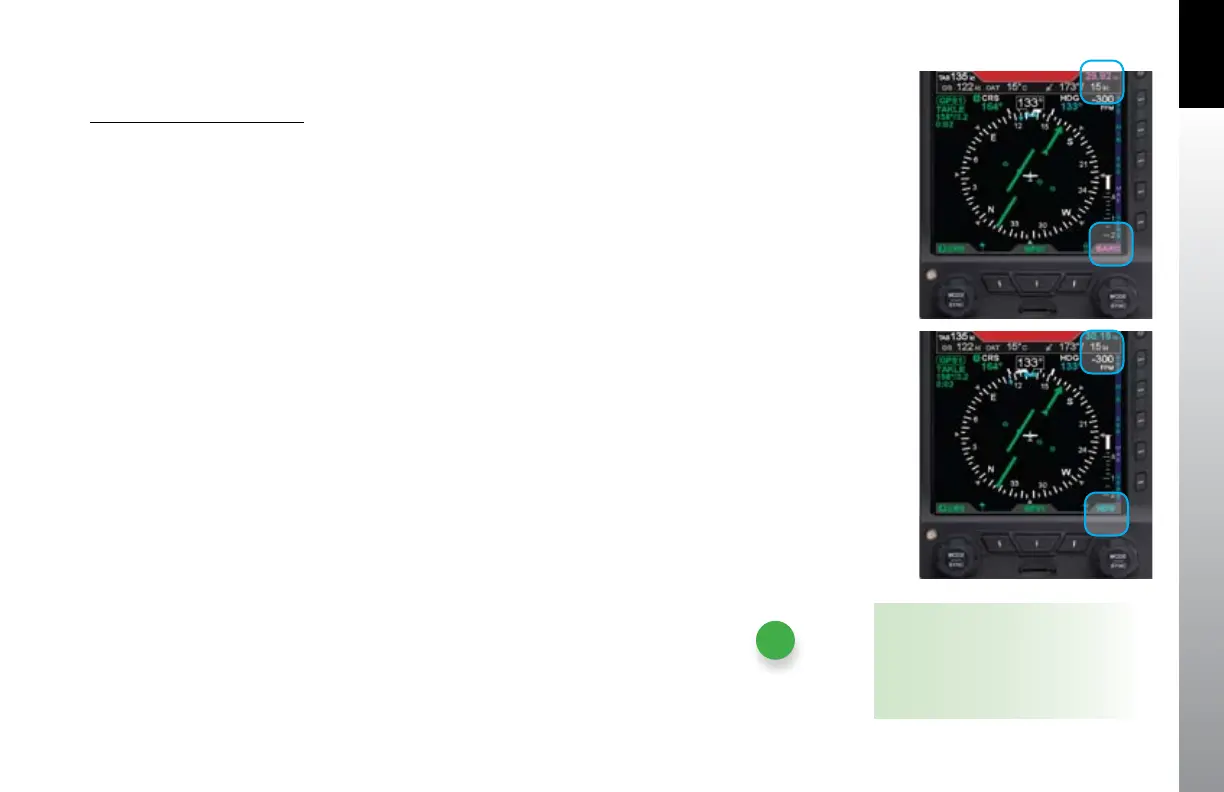
1. Press the Right Knob until BARO displays above the knob and the Barometric
Pressure eld is enabled for editing, both rendered in magenta (Figure 3-7).
From the Home state, press the Right Knob 3 times to enable setting baro
pressure.
2. Rotate the Right Knob to change the value of the Barometric Pressure eld.
Rotate clockwise to increase, or counterclockwise to decrease, the value.
Once the correct value is selected and after 10 seconds of inaction, the eld is
disabled and the label and eld are rendered in cyan (Figure 3-8).
Figure 3-7
BARO Field Enabled
Figure 3-8
BARO Field Disabled
NOTE
The graphics used in this chapter
illustrate the features and tasks being
described, but do not necessarily
correspond to the values associated
with this example ight scenario.



 To Next Page