EFD1000 PFD Pilot’s Guide
CHAPTER 2, CONTROLS AND DISPLAY
EFD1000 PFD Pilot’s Guide
EFD1000 PFD Pilot’s Guide Page 2-35A-01-184-00 REV B
o the base map display. Each successive press of the MAP hot key selects the next
feature level or OFF.
The map display range is controlled by the Range Control toggle button
(Figure 2-2, Ref. 2), enabling the pilot to zoom in or out on the map. Automatic
declutter logic changes the map features display depending on the selected map
range.
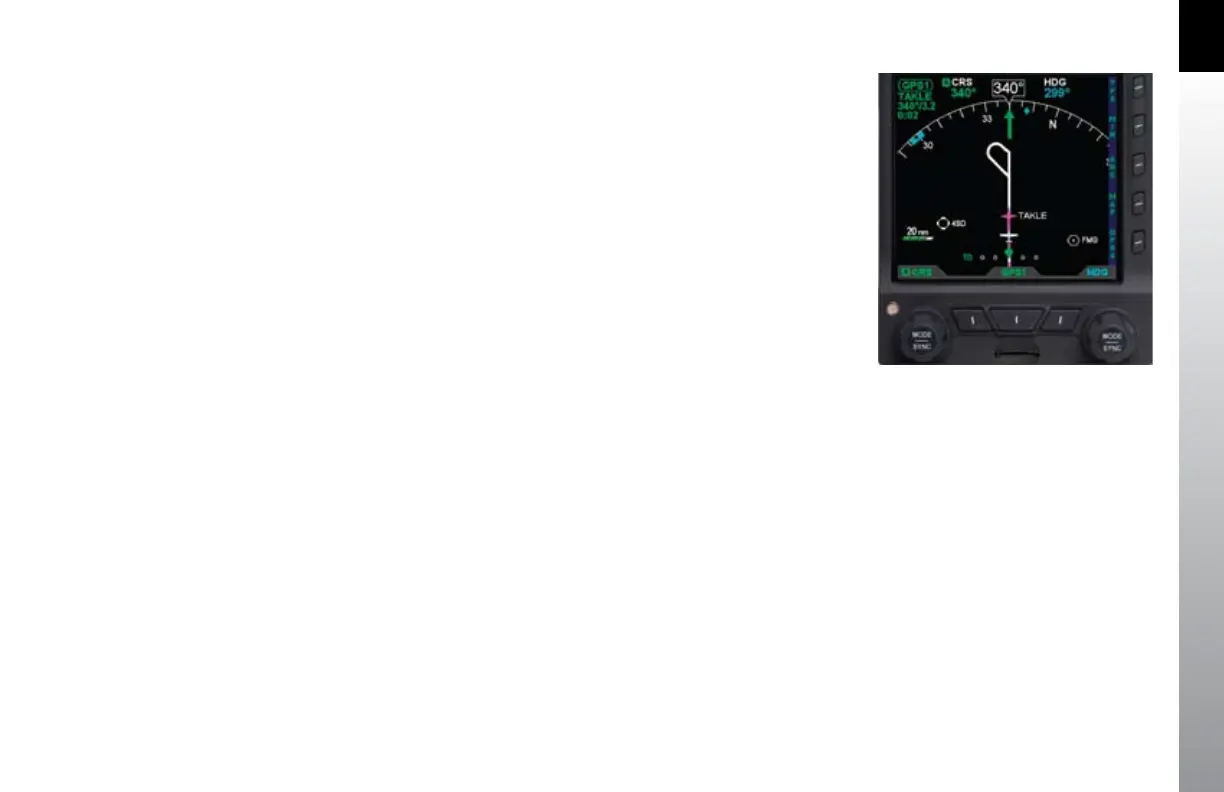
The current map settings (range and feature level) are shown in the lower left-hand
corner of the navigation display whenever the map is not OFF (Figure 2-48). The
current map range is displayed in nautical miles, measuring the distance from the
ownship symbol to the edge of the map display. The current map feature level is
indicated by one to four green trapezoids underneath the range value (one mark is
ight plan-only, while four marks is the highest map feature level).
Figure 2-48
Map in ARC Mode, 20nm Range at
Feature Level 3 (Medium)



 To Next Page