EFD1000 PFD Pilot’s Guide
CHAPTER 3, FLYING THE EFD1000 PRO PFD
EFD1000 PFD Pilot’s Guide
EFD1000 PFD Pilot’s Guide Page 3-19A-01-184-00 REV B
We activate the approach on the GPS, and move the ILS frequency into the active
window.
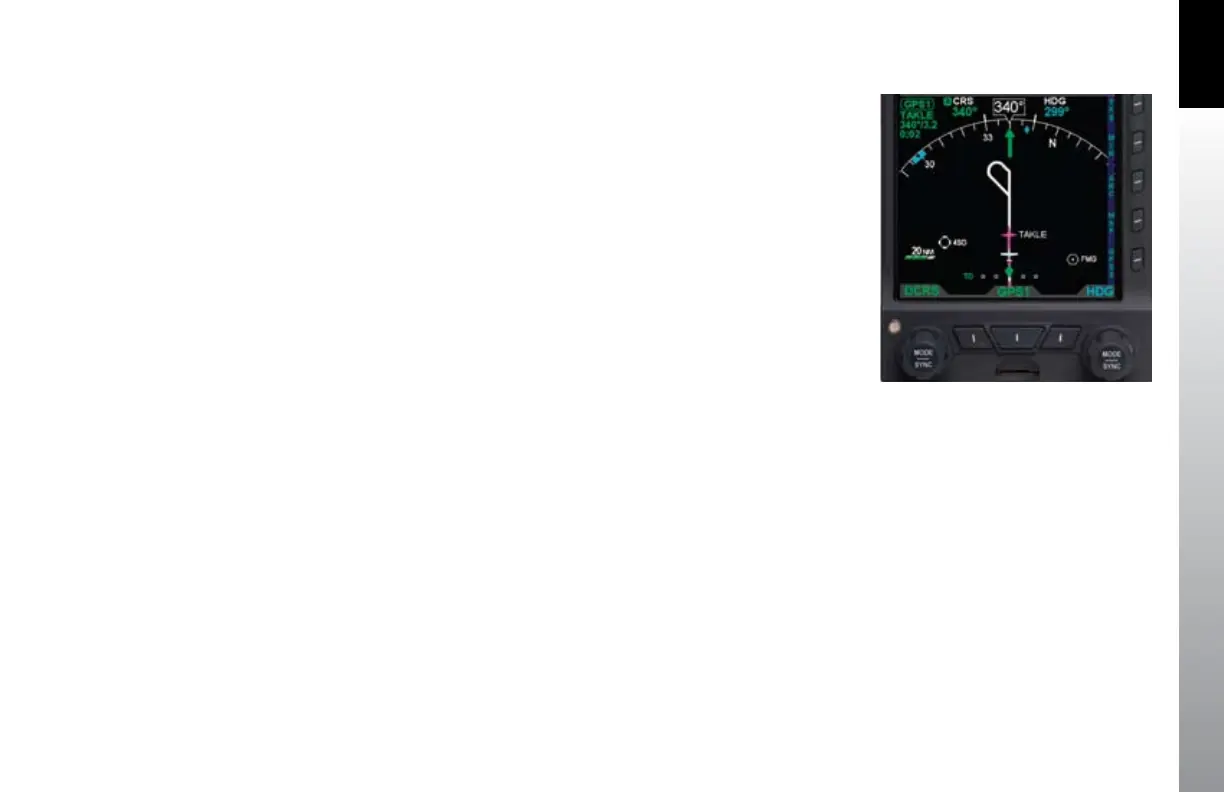
GPSS continues to steer the plane to the initial approach x, TAKLE, and, crossing TAKLE,
turns us outbound on a 344º course for the procedure turn (Figure 3-34). We see the
procedure turn drawn on our base map ahead of us, and watch it turn magenta as GPSS
turns and ies the procedure turn for us, with no further pilot action required.
As GPSS completes the procedure turn and rolls out centered on our nal approach
course of 164º, we change to APPR mode on the autopilot and begin a descent down
to 8,500 feet.
1. Press the Right knob twice to select ALT for editing.
2. Turn the Right knob to set 8,500 as our Selected Altitude.
3. On reaching 8,500, re-engage ALT hold on the autopilot.
Along this intermediate segment of the approach, watch for the 430W to switch
automatically from GPS to VLOC output on its CDI.
Watch for the EFD1000 CDI Source Select eld to change from GPS1 to •
VLOC1.
This automatic switch from GPS to VLOC should occur 2–10 NM outside the Final
Approach Fix. If it has not occurred automatically by 2 NM outside the FAF, manually
press the CDI button on the 430W to make the switch to the ILS frequency.
As navigation switches to the ILS, the LDI and VDI (Figure 2-2, Refs. 34 and 35) will
appear on the Attitude Display.
1. The LDI Navigation Source Indication (Figure 2-2, Ref. 29) will show ILS if it is
receiving a valid glide slope signal, or LOC if it is not receiving the glide slope
(GS).
2. The CDI Source Information Block (Figure 2-2, Ref. 63) will also show ILS or
LOC.
Figure 3-34
ARC Mode Showing Procedure Turn, GPSS Enabled



 To Next Page