MP-20x Telephone Adapter 104 Document #: LTRT-50609
User's Manual
9.4 Advanced Tab
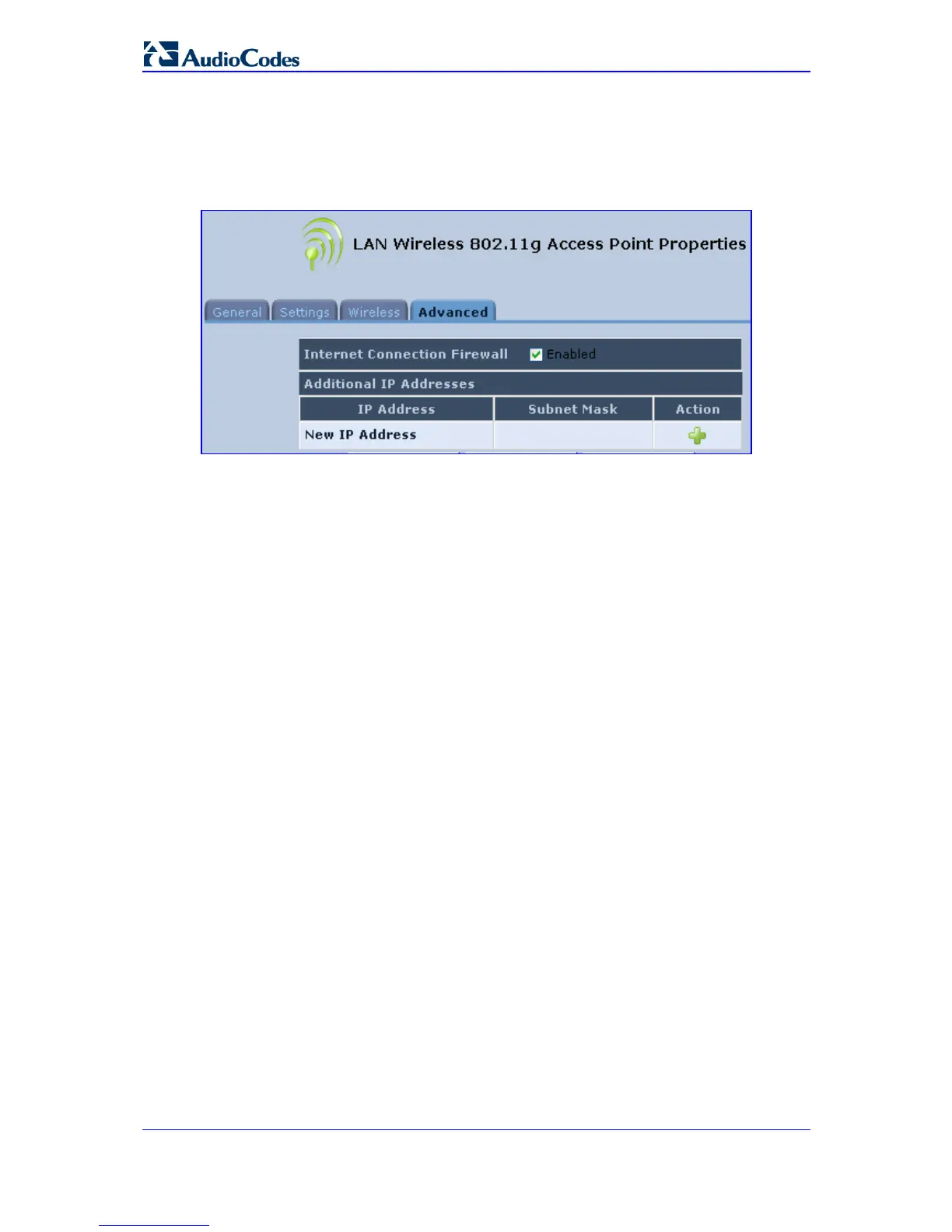
The Advanced tab allows you to enable your firewall on your wireless network connection
as well as define alias names.
Internet Connection Firewall: Your MP-20x's firewall helps protect your computer by
preventing unauthorized users from gaining access to it through a network such as the
Internet. The firewall can be activated per network connection. To enable the firewall on
this network connection, select the 'Enabled' check box.
Additional IP Addresses: You can add alias names (additional IP addresses) to MP-20x
by clicking the New IP Address link. This enables you to access MP-20xusing these
aliases in addition to the 192.168.1.1 and the http://mp202.home.


 To Next Page