MP-20x Telephone Adapter 30 Document #: LTRT-50609
User's Manual
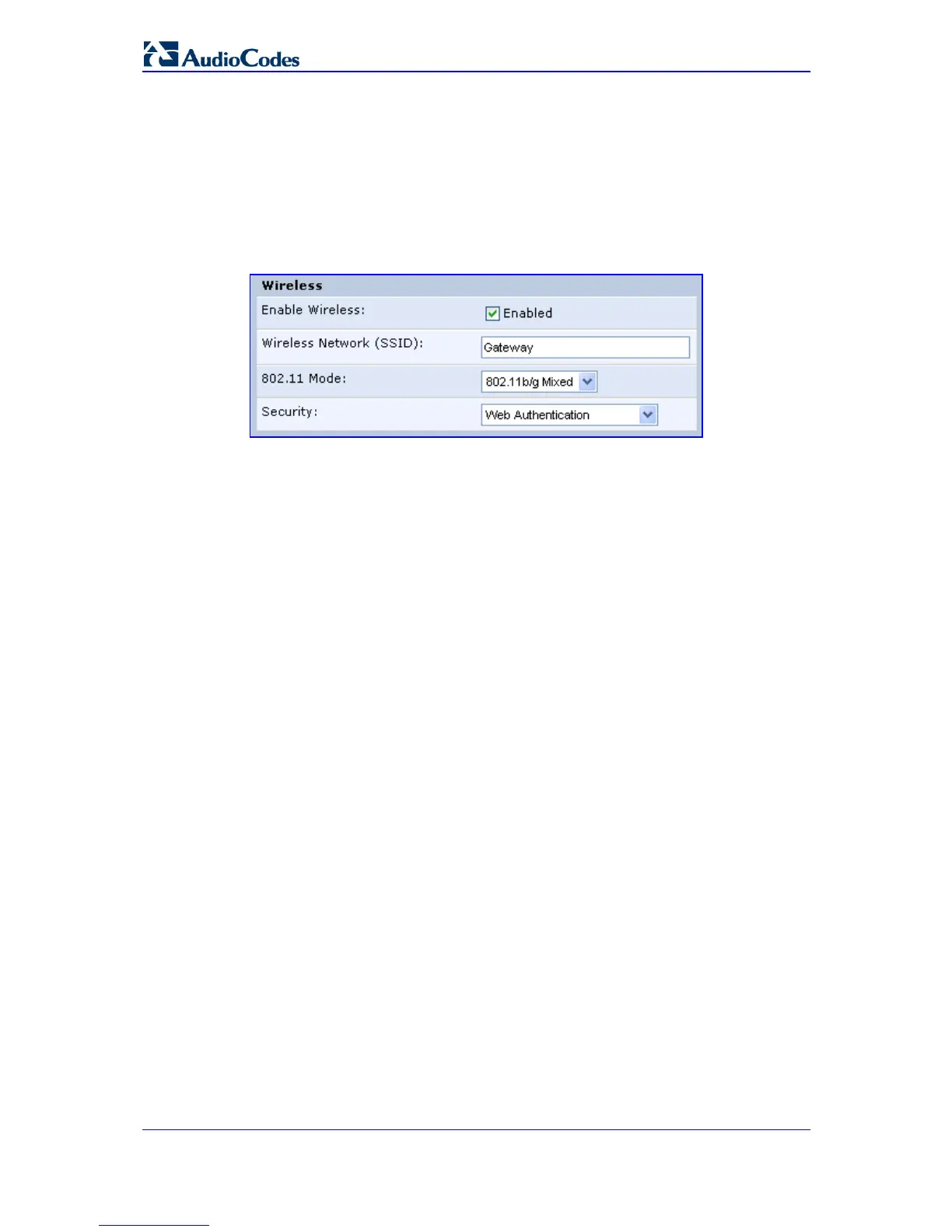
3.2.2.2 Enabling Wireless LAN Connection
The 'Quick Setup' screen allows you to quickly setup a LAN wireless connection.
¾ To setup your wireless connection:
1. From the sidebar menu, click the Quick Setup menu; the 'Quick Setup' screen
appears.
2. Under the 'Wireless' section, perform the following:
a. Select the 'Enable Wireless' check box to enable the LAN wireless connection.
b. In the 'Wireless Network (SSID)' field, specify the wireless network's ID. The
default SSID is 'Gateway'.
For a full description on configuring MP-20x's LAN wireless interface, refer to 'LAN
Wireless Connection' on page 87.


 To Next Page