MP-20x Telephone Adapter 24 Document #: LTRT-50609
User's Manual
3.2 Configuring the MP-20x's Network Connection
The Web-based management interface of MP-20x allows you to control the device's
system parameters. The interface is accessed through a Web browser. For detailed
information on MP-20x's Web-management interface, refer to 'Using the MP-20x's Web
Interface' on page 33.
3.2.1 Logging in to MP-20x Web Interface
The procedure below describes how to login to MP-20x’s embedded Web interface.
¾ To log in:
1. Launch a Web browser on your PC.
2. With your PC connected directly to MP-20x, use URL http://mp20x.home to access the
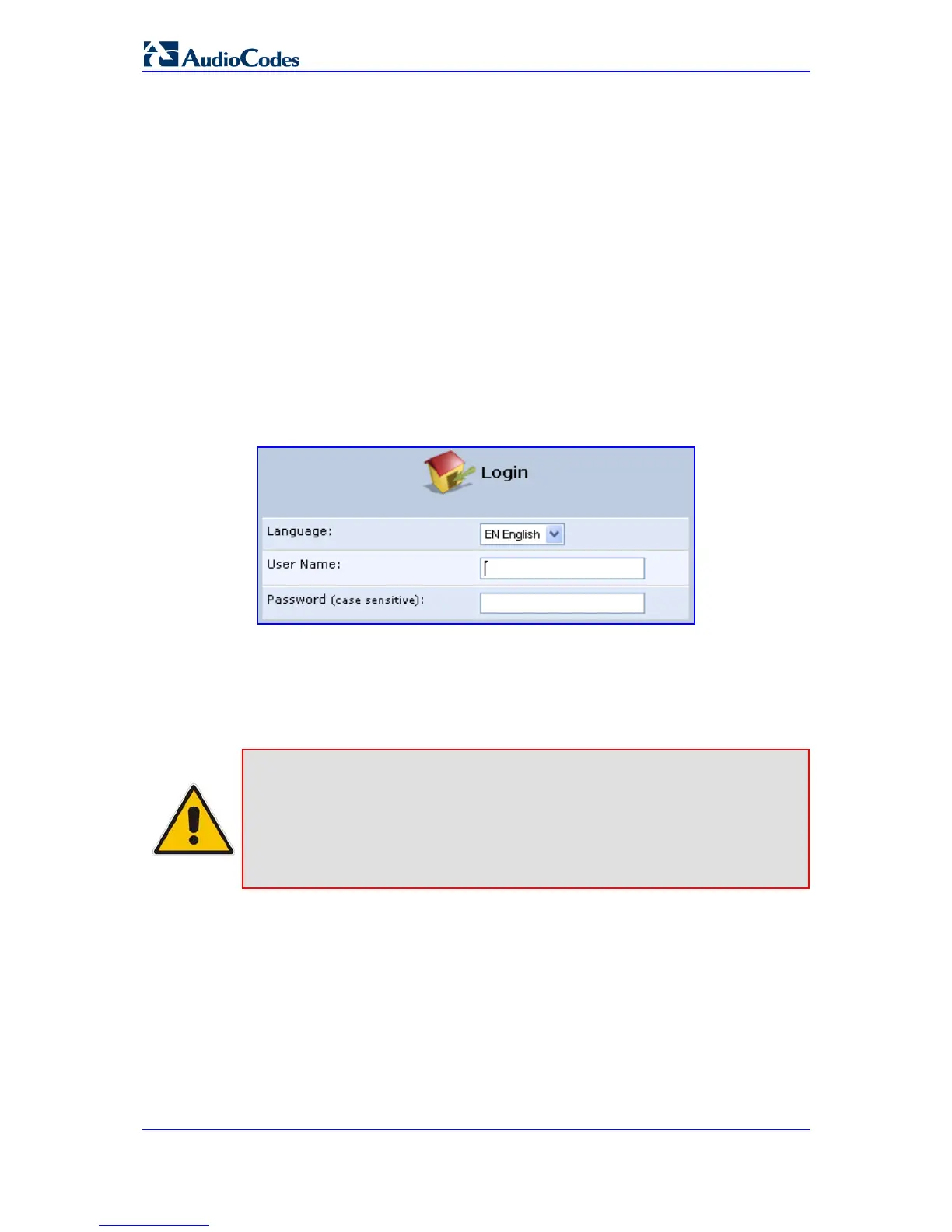
Web-based management interface; the ‘Login’ screen appears.
Figure 3-3: Logging In
3. In the 'User Name' field, enter your user name.
4. In the 'Password' field, enter your case-sensitive password.
5. Click OK; the 'Quick Setup' screen opens.
Notes:
• The default user name and password is "admin" (case-sensitive).
However, it is recommended to define a new password after your first
login session (refer to 'Configuring Users' on page 255).
• If there’s inactivity after logging in, a new login becomes necessary after
a lapse of 15 minutes.


 To Next Page