MP-20x Telephone Adapter 82 Document #: LTRT-50609
User's Manual
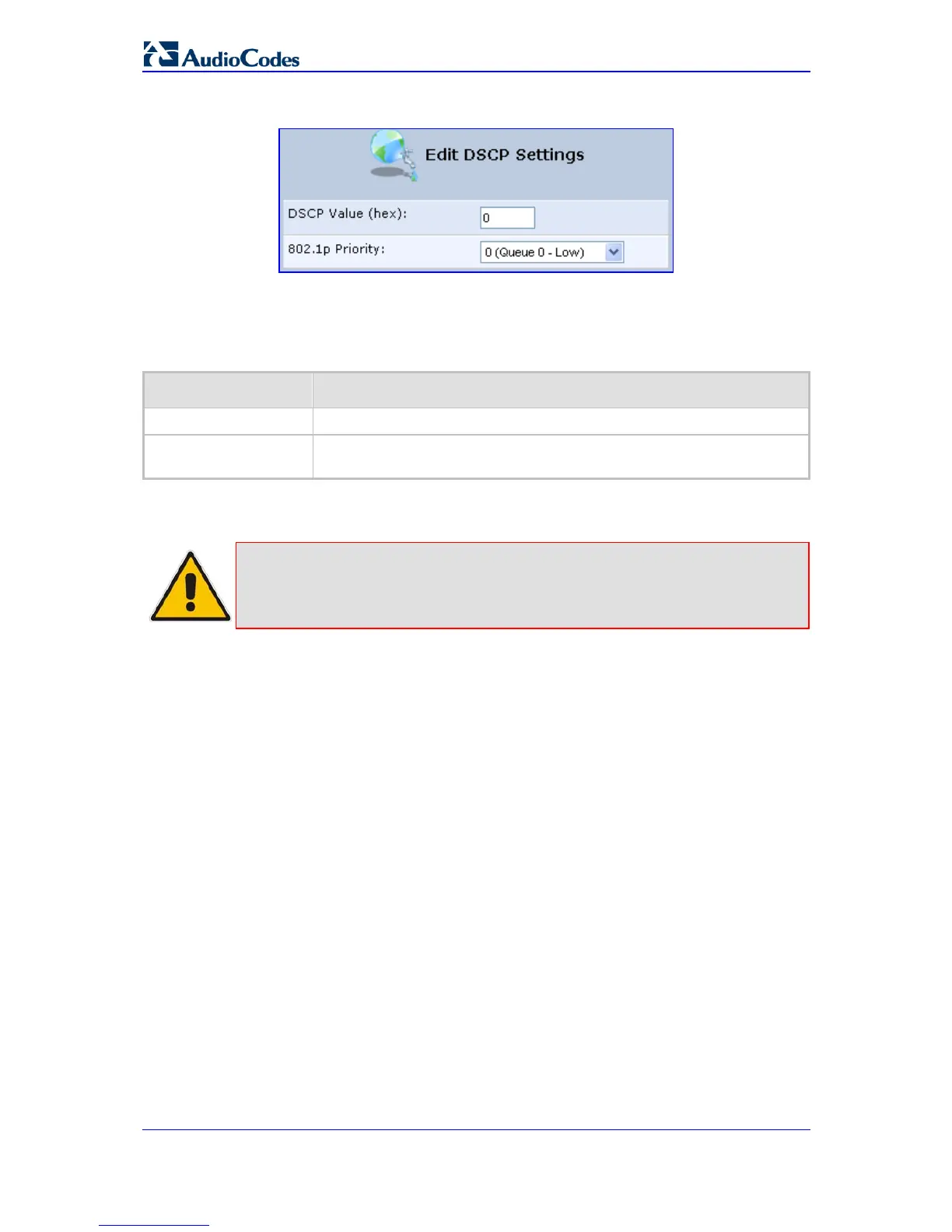
Figure 8-9: QoS - Edit DSCP Settings
3. Configure the following fields:
Table 8-4: Edit DSCP Settings- Parameter Descriptions
Parameter Description
DSCP Value (hex)
Enter a hexadecimal number to serve as the DSCP value.
802.1p Priority
Select a 802.1p priority level from the drop-down list (each priority level is
mapped to low/medium/high priority).
4. Click OK to save the settings.
Note: The DSCP value overriding the priority of incoming packets with an
unassigned value (priority 0, assumed to be a no-priority-set) is ‘0x0’. By
default, this value is mapped to 802.1p priority level ‘0 -Low’, which means that
such packets receive the lowest priority.
8.5 802.1p Mapping
The IEEE 802.1p priority marking method is a standard for prioritizing network traffic at the
data link/Mac sub-layer. 802.1p traffic is simply classified and sent to the destination, with
no bandwidth reservations established.
The 802.1p header includes a 3-bit prioritization field, which allows packets to be grouped
into eight levels of priority. MP-20x maps these eight levels to three main priorities: high,
medium and low. By default, values six and seven are mapped to high priority, which may
be assigned to network-critical traffic. Values four and five are mapped to medium priority,
which may be applied to delay-sensitive applications, such as interactive video and voice.
Values three to zero are mapped to low priority, which may range from controlled-load ap-
plications down to ‘loss eligible’ traffic. The zero value is normally used for best-effort
traffic. It is the default value for traffic with unassigned priority.


 To Next Page