MP-20x Telephone Adapter 96 Document #: LTRT-50609
User's Manual
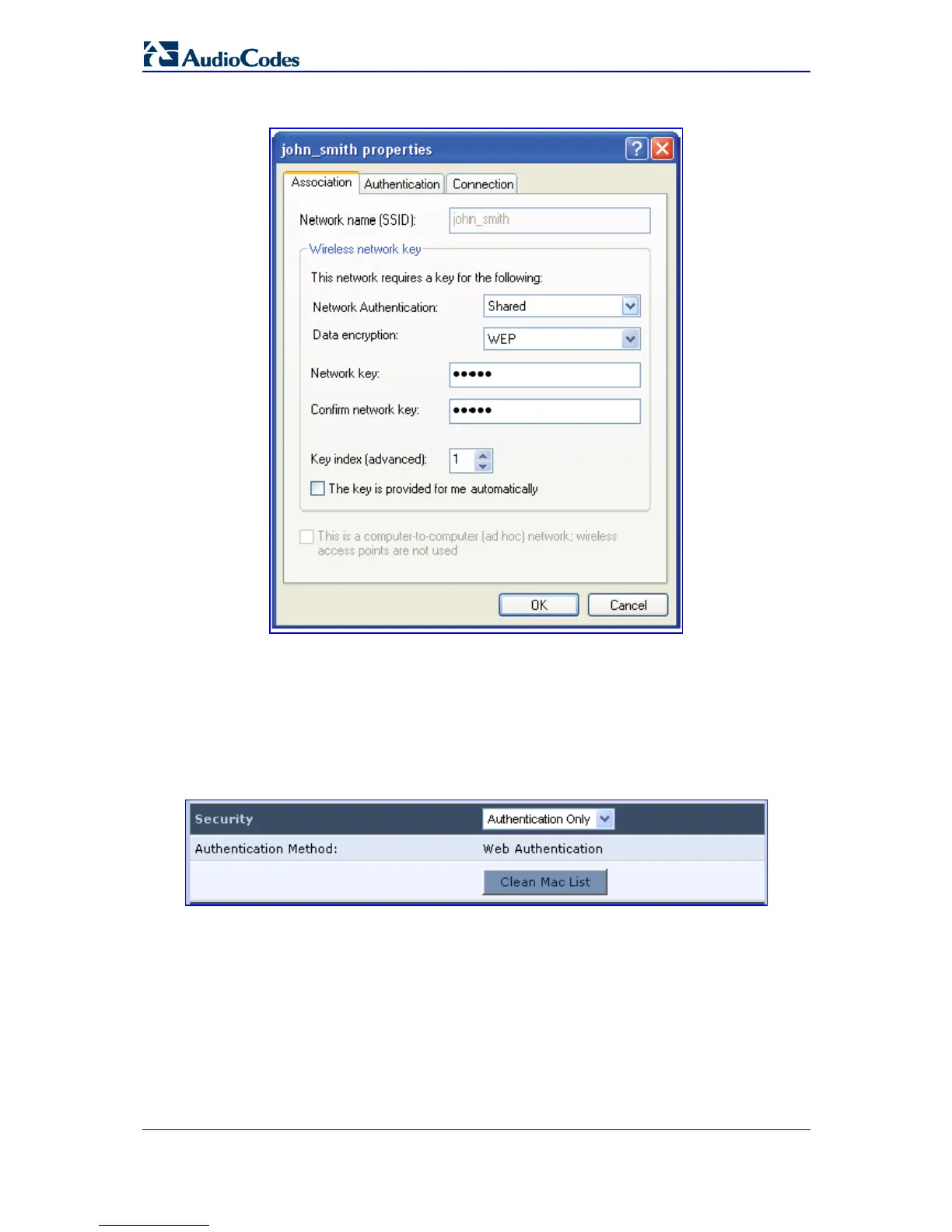
Figure 9-11: Configuring Encryption Key in Windows Wireless Client
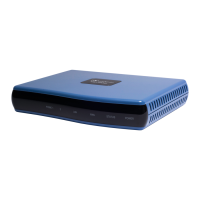
• Authentication Only: wireless clients attempting to connect to the wireless
connection will receive MP-20x's main login screen, along with a message.
Clients authenticate themselves and are then able to use the connection. MP-20x
keeps record of authenticated clients. To clear this list, click the Clean Mac List
button. Clients will have to re-authenticate themselves to use the wireless
connection.
Figure 9-12: Configuring Authentication Only Security


 To Next Page