MP-20x Telephone Adapter 38 Document #: LTRT-50609
User's Manual
5.1 Configuring Signaling Protocol Parameters
Note: In the current version release, only SIP (Session Initiation Protocol) is
supported.
¾ To configure signaling protocol parameters:
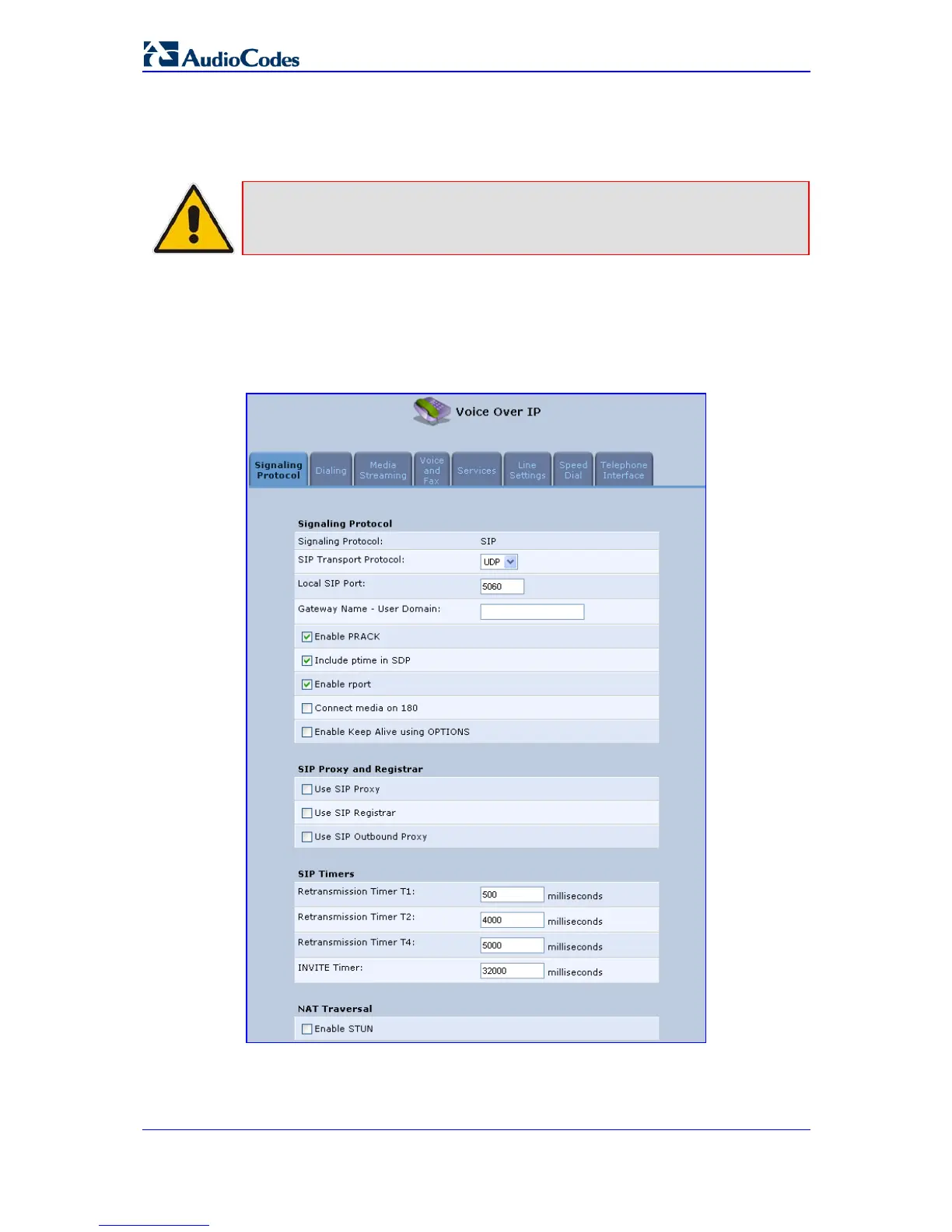
1. From the left sidebar, click the Voice Over IP menu; the 'Signaling Protocol' tab
screen appears (by default).
Figure 5-1: VoIP - Signaling Protocol
2. Configure the desired parameters according to the table below, and then click OK.


 To Next Page