MP-20x Telephone Adapter 246 Document #: LTRT-50609
User's Manual
¾ To restore default settings manually:
1. Disconnect MP-20x DC power cable.
2. Using a paper clip, press the push-button located on the bottom (base) of MP-20x (a
pin hole located near one of the corners).
3. While pressing the push-button, power up the device. Keep the push-button pressed
for another 5 seconds.
Note: All Web-based management settings and parameters, not only those in the
Advanced menu are restored to their default values. This includes the
administrator password; a user-specified password is no longer valid.
14.17 Routing
14.17.1 Managing Routing Table Rules
¾ To manage routing tables:
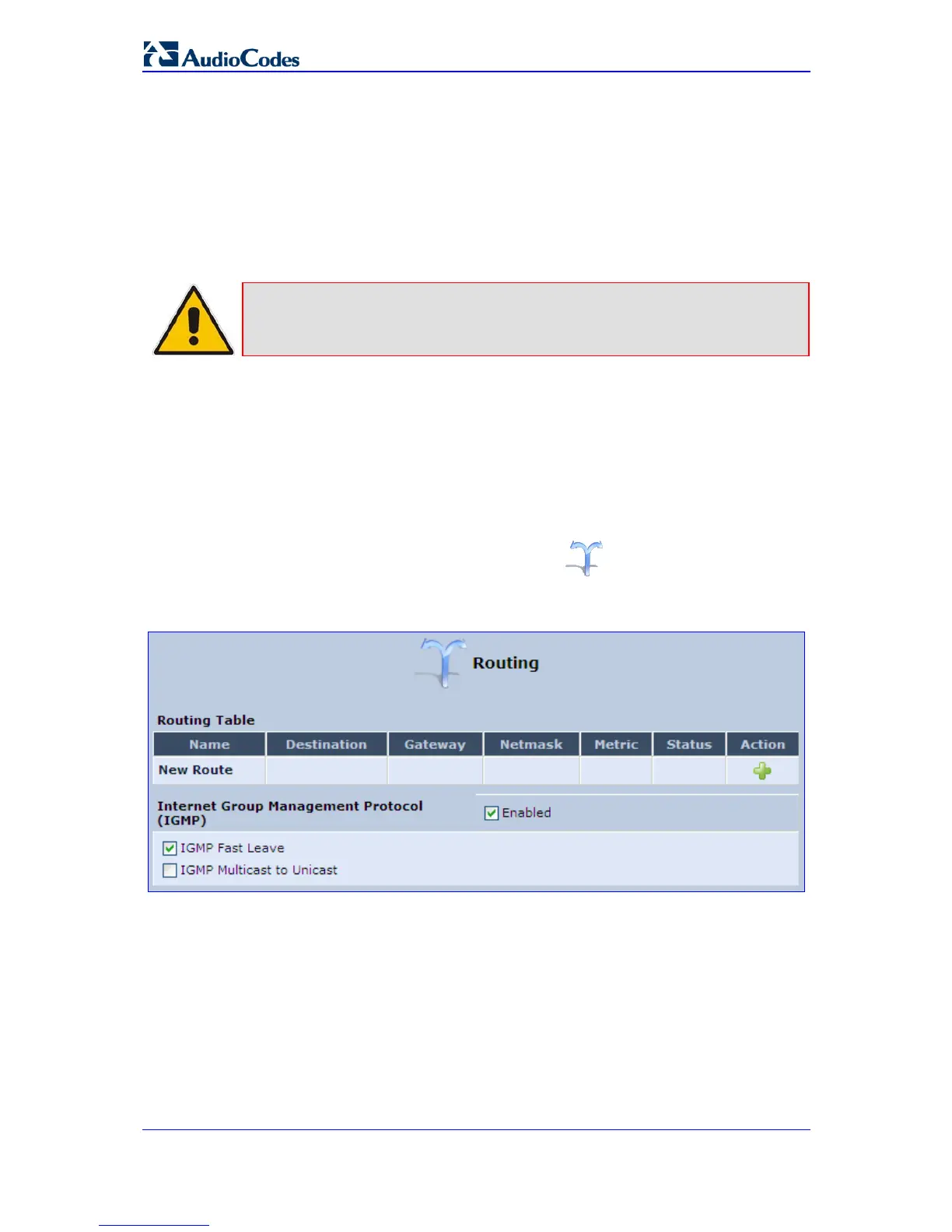
1. In the 'Advanced' screen, click the Routing icon; the 'Routing' screen is
displayed.
Figure 14-46: Routing Rules


 To Next Page