MP-20x Telephone Adapter 208 Document #: LTRT-50609
User's Manual
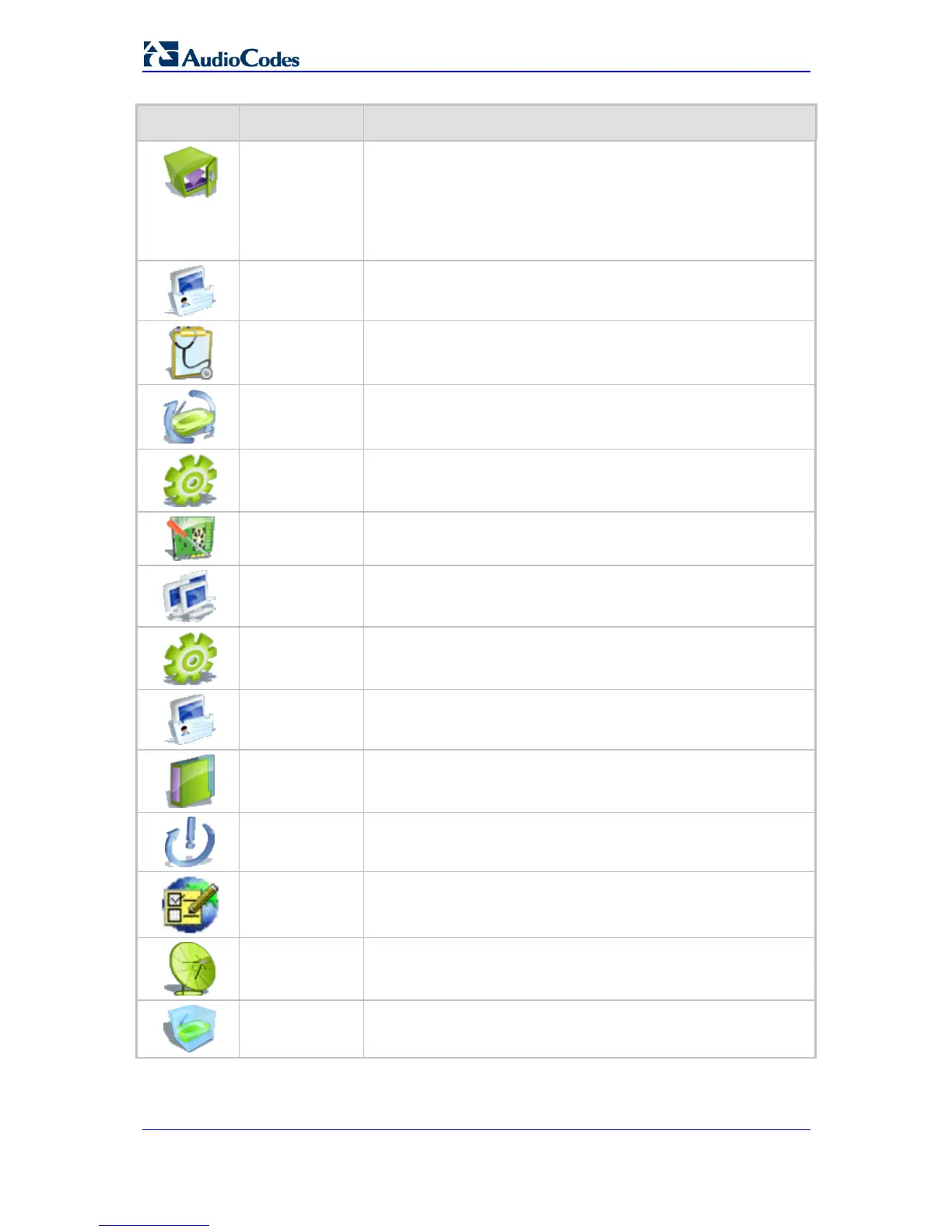
Icon Name Description
Configuration
File
Load the Configuration File to MP-20x
Note: You can hide the Configuration File icon, by running the
following CLI command in a Telnet session with MP-20x:
rg_conf_set rmt_config/hide_config_file_page 1. This is useful, for
example, in scenarios where you want to prevent a user accessing
the Web interface to change the configuration file.
DNS Server
Alias a dynamic IP address to a static hostname
Diagnostics
Perform networking diagnostics
Firmware
Upgrade
Perform a Firmware Upgrade
IP Address
Distribution
Modify the behavior of the DHCP server for each LAN device and
view a list of DHCP clients in the local network
MAC Cloning
Clone MP-20x's MAC address.
Network
Objects
Define groups of LAN devices for system rules.
PPPoE Relay
Enable PPPoE relay on MP-20x.
Personal
Domain Name
(Dynamic DNS)
View and modify the DNS Hosts table.
Protocols
Manage protocols.
Reboot
Restart MP-20x.
Regional
Settings
Change the regional settings.
Remote
Administration
Configure remote administration privileges.
Restore Factory
Settings
Restore default factory settings.


 To Next Page