www.ayyeka.com | +1 (310) 876-8040 | info@ayyeka.com 32
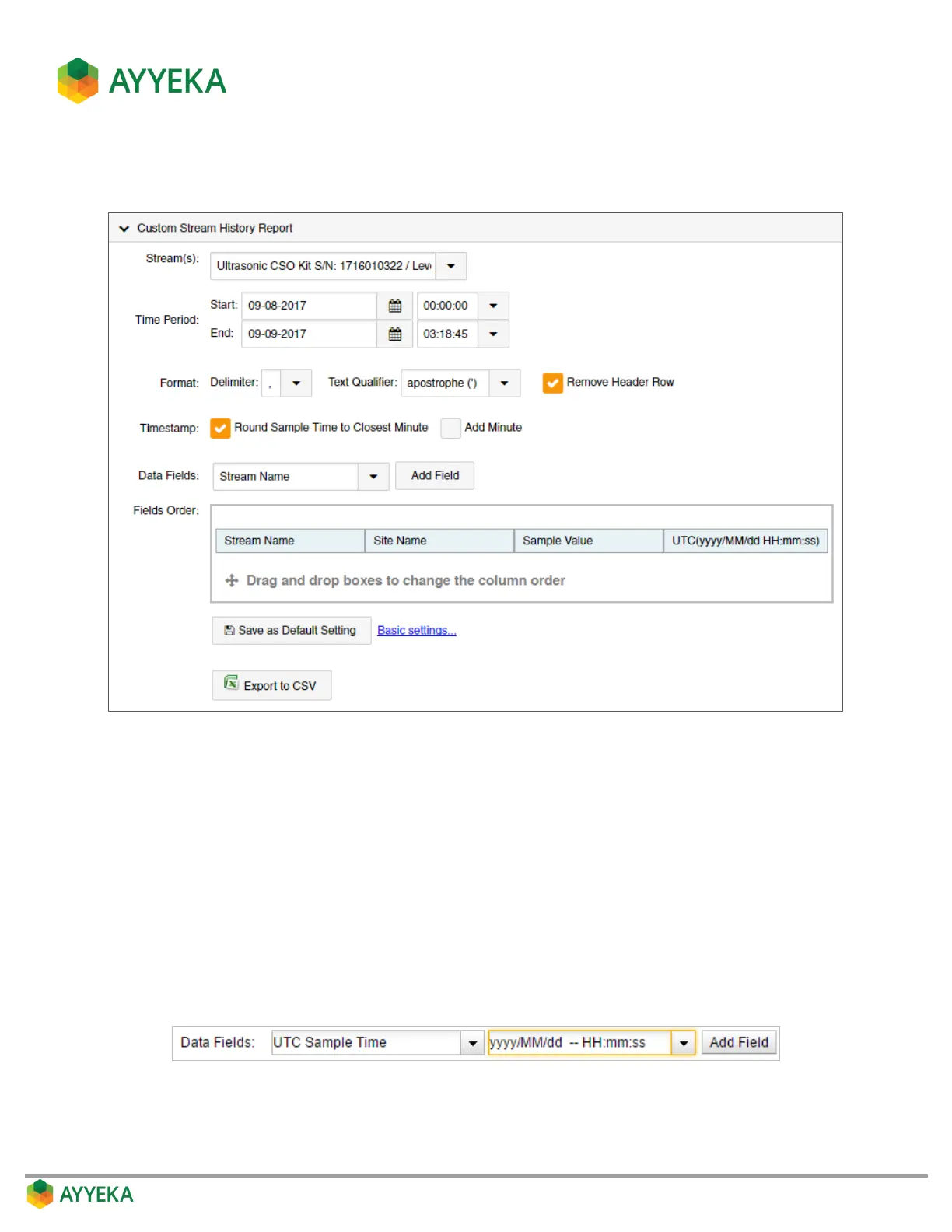
3. Click Advanced Settings to define the type of information to include in the report, as well as how it will
be displayed.
Figure 18: Custom Stream History Report – Specifying Fields and Method of Display
a. Set the Format Delimiter.
b. Set the Text Qualifier.
c. Specify whether to Remove Header Row.
d. Specify whether to Round Sample Time to Closest Minute in the timestamp, and whether to Add
Minute.
e. For each data field you wish to include in the report:
Select the field in the Data Fields drop-down.
If a format drop-down appears, select a format. Note that you can edit the format directly in the
window.
Click Add Field.



 To Next Page