Element Description
This area is navigating through largely dimensioned matrixes. The red rectangle marks the
currently indicated matrix area. Changing the dis- played area is possible by dragging the
rectangle with the left mouse button pressed down. MATRIX NAVIGATION appears only when the
complete matrix view does not fit in the screen.
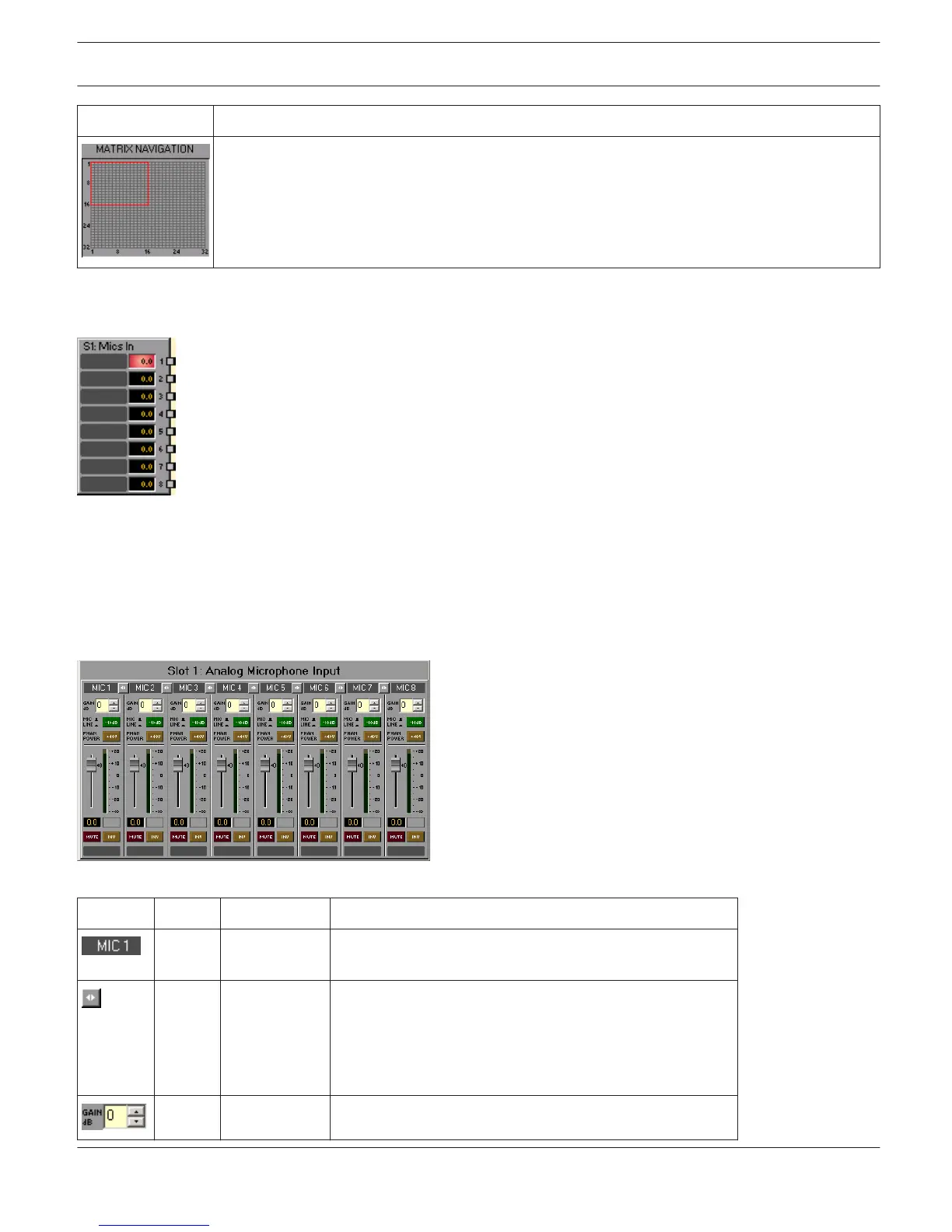
ANALOG MICROPHONE INPUT
The DSP block Analog Microphone Inputs provides access to the eight analog inputs with microphone
in- put sensitivity of a MI-1 Microphone Input card. Establishing independent settings for each input channel is
possible. Equivalent to the ones of the Analog Line Inputs DSP block, these settings include a fader with ramping
function as well as Mute and Invert buttons. In addition, setting the GAIN in steps of 6 dB is possible in a range
between 0 dB and +60 dB. +48 V phantom power can be activated per channel. Adjacent channels can be linked by use
of the LINK button. This allows convenient synchronous settings of several input channels, e.g. for stereo signals. Up to
three MI-1 can be used simultaneously in a N8000 or P 64.
Element
Default Range Description
Permanent channel labeling. Channels are numbered from
MIC 1 to MIC 8.
LINK button for linking (grouping) adjacent input channels.
The Link button does not affect Gain, PAD and Phantom
Power settings. Changing any of these three parameters in
a linked channel does not automatically change the
parameters’ setting in any of the other grouped channels.
0.0 dB 0...60 dB The input channel gain can be adjusted in steps of 6 dB.
IRIS-Net DIGITAL MATRIX | en 438
Bosch Security Systems B.V. User Manual 2017.05 | 3.20 | F.01U.119.956












 To Next Page