Application Label Types
BBP
®
35/37 User’s Manual 134 Rev A
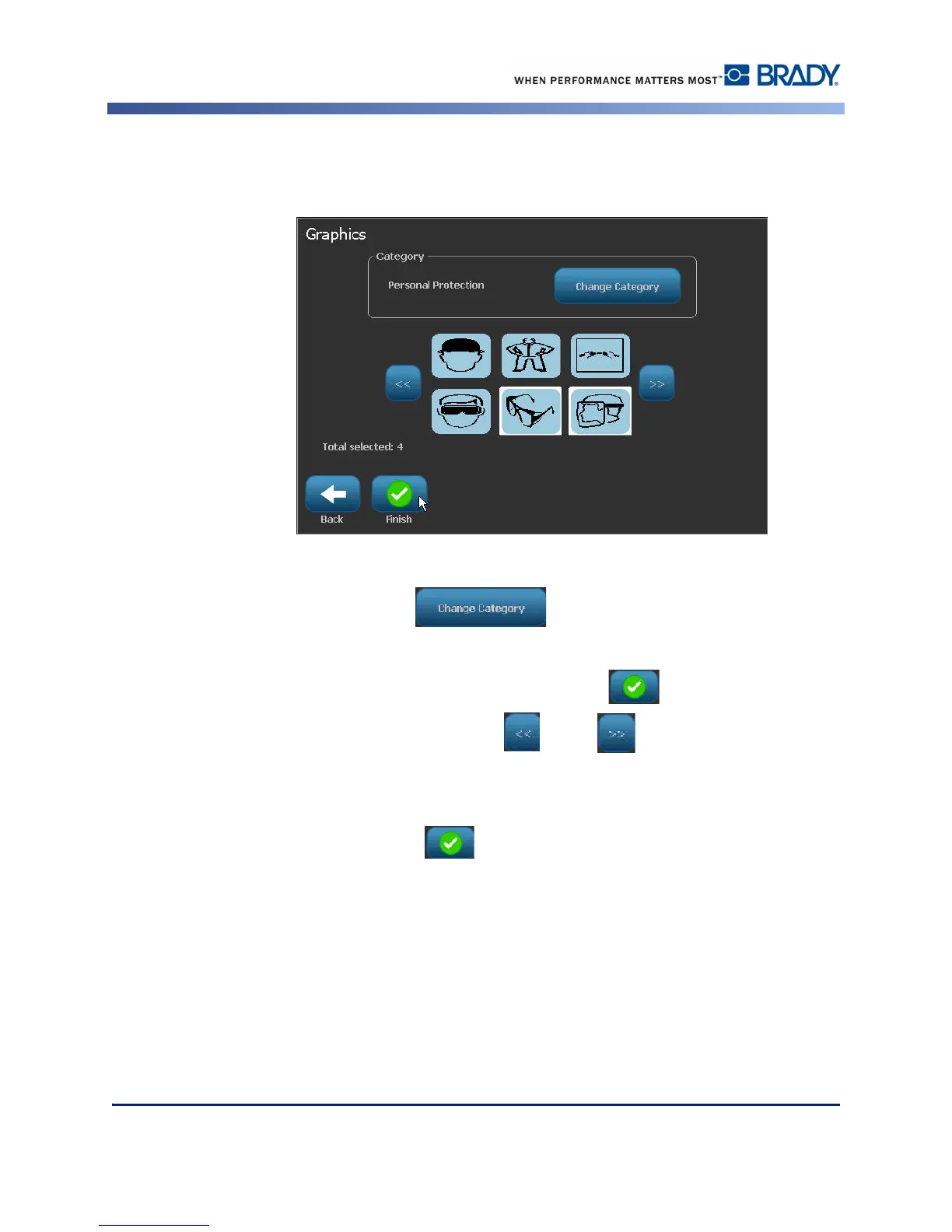
26. On the Graphics screen, touch the desired graphic to add to the label. You can add as many
graphics as required.
The available graphics are divided into categories. To change to another category:
27. Touch Change Category .
28. Under Categories, touch the up/down arrows to view more categories in the list.
29. Touch the desired category to select it, then touch OK .
30. On the Graphics screen, touch the left or right double arrows to scroll
throught the list of available graphics.
31. Touch the desired graphic in the list.
32. When ready, touch Finish .



 To Next Page